
The Best Free TMetric Alternative
Jibble takes time tracking beyond TMetric with free-forever time tracking for unlimited users, plus GPS, geofencing, a time clock kiosk and facial recognition at no extra cost.
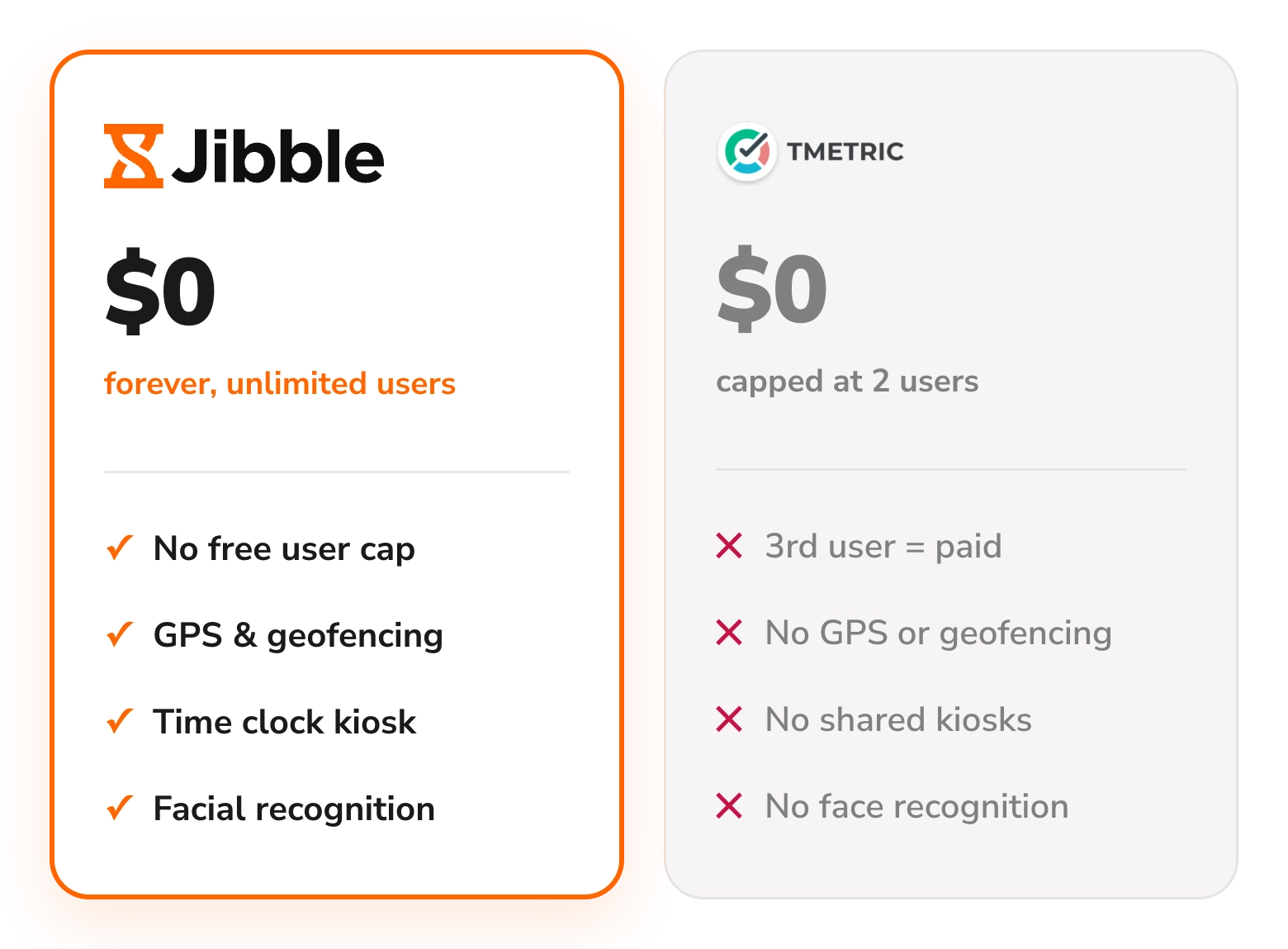






What are the main differences between Jibble and TMetric?
A feature-by-feature comparison of where Jibble gives you more, for free.
| Feature | Jibble | TMetric |
|---|---|---|
| Free forever | Unlimited users | Up to 2 users |
| Time tracking (web, desktop, mobile) | ||
| Automated timesheets | ||
| Time clock kiosk | ||
| Facial recognition | ||
| GPS & geofencing | ||
| PTO / leave management | Business plan | |
| Screenshot monitoring | Business plan | |
| Client invoicing | Professional plan | |
| Project tracking | ||
| Real cost for a full setup | $0, always | $5.83–$7.50/user/month |
| Capterra rating | 4.8 / 5 | 4.5 / 5 |
More ways to manage time with Jibble
Clock-ins, timesheets, schedules, leave and reports, all working together so payroll is ready when you are.
Explore more of Jibble's featuresWhy choose Jibble as a TMetric alternative?
Where TMetric caps your team or charges extra, Jibble keeps it free.
Free for your whole team, not just two
TMetric's free plan stops at two users, and everyone after that needs a paid seat. Jibble is free forever for unlimited users, so you can add your whole team today and keep growing without ever hitting a cap or a bill.
See our full TMetric review →
Put an end to buddy punching
TMetric records when someone starts a timer, but not who's behind it. Jibble adds facial recognition to every clock-in, confirming each person in a second with just their phone or a shared tablet. Your hours stay honest, and payroll stays accurate.
Face recognition attendance → One device for the whole team
With TMetric, every employee needs their own account and device to track time. Jibble lets you mount a single tablet at the entrance of your shop, site or warehouse. Staff walk up, scan their face, a QR code or an NFC tag, and get on with their shift.
Time clock kiosk → Built for teams beyond the office
TMetric works best when everyone's at a desk. Once your team is on job sites, client visits or the road, it can't tell you where anyone is. Jibble logs a location with every clock-in and lets you set geofences around each site, so on-site hours are exactly that.
GPS tracking & geofencing → Time off and invoicing, no upgrade needed
On TMetric, time off sits on the Business plan and client invoicing on Professional. Jibble includes both for free, alongside timesheets, overtime, scheduling and reports. Everything from clock-in to invoice and payroll lives in one place, for your whole team.
Time and attendance software → Is Jibble the right TMetric alternative for you?
Still weighing options? See how Jibble ranks against every time tracker.
- Your team has more than 2 people and you don't want a locked workspace
- You want a shared-device kiosk, which TMetric doesn't offer
- You need to know who started a shift and where, not just when
- You want leave management without paying for the top tier
Still weighing your options?
See how Jibble ranks against every other time tracker.
See the best time tracking software →Ready to make the switch from TMetric?
Export your data
Download your time data from TMetric's export tool.
Import into Jibble
Transfer your TMetric data to Jibble in just a few clicks.
Invite your team
Add your team and get everyone set up in minutes.
Start tracking
Pick up where you left off, free forever.
See why thousands of teams choose Jibble
★★★★★
4.9 out of 5
★★★★★
5.0 out of 5
★★★★★
4.9 out of 5
★★★★★
4.8 out of 5
★★★★★
4.8 out of 5
★★★★★
4.7 out of 5
I really like how easy it is to use
Positive experience, I really like how easy it is to use, and the level of customization.
Jibble Rocks!
Jibble Rocks! So far, I've tried multiple platforms but I've stuck with Jibble as it is easy to use. Also, it sends me daily, weekly updates on the team's timesheet.
Jibble got it right
Pros: ease of use, functionalities that no other timesheet application offers, a great API. Support is awesome. Perfectly suited for a company that uses multiple online systems.
Simply no other competitor that is close
Easy and awesome customer support. Fantastic, and a big problem solver for my small team. This is the type of company that will be successful. We've used Jibble since we were on Slack and then moved to MS Teams. The ease of use makes it an amazing tool.. and there is simply no other competitor that is close!
Great tool for remote employees
Great tool for remote employees. I love the automated reports that show who on my team is logged in, the reminders when you have been logged in for a certain number of hours each day, and the weekly team recap. After trying several others, Jibble turned out to be the ideal fit for our needs. My team is in Slack all day and it makes it very easy to clock in and out each day by going to the Jibble Channel in Slack. It's super convenient.
Frankly, no other software got even close
Wonderful time management software. This has been a lovely experience right from the start. Simple-to-understand set-up, lots of personal support on hand, a useful 'onboarding' session to explore features and help me with exports. We needed a system for tracking consultants' time in contracts broken down by tasks. Jibble is the solution and frankly, no other software that I looked at got even close in terms of ease of use and price.
Your questions about TMetric, answered
Everything people ask before switching from TMetric to Jibble.