
Free Timesheet Software
Accurately track employee hours and turn them into payroll-ready timesheets. Free forever for unlimited users.
signed up last month, nearly 3x more than a year ago, all without any paid advertising!
Trusted by teams at companies of every size






What is a timesheet software?
Easy, reliable time tracking with automated timesheets
A timesheet software is software that automatically records employee working hours, replacing manual spreadsheets and paper logs. Instead of chasing staff for timesheets at the end of the week, a timesheet app captures employee hours in real time and turns them into organized timesheets. It reduces manual errors, saves time, and provides reliable data for payroll, client billing, and workforce management.
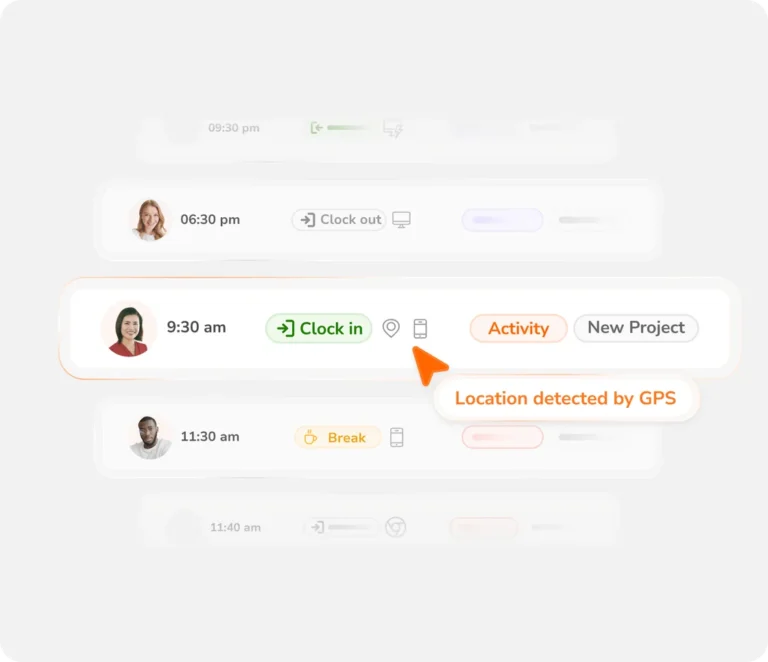
See how Jibble turns clock-ins into accurate timesheets
From the first jibble to a payroll-ready record — automatically, on any device.
How Jibble's timesheet app works
Track time, review hours, and generate accurate timesheets
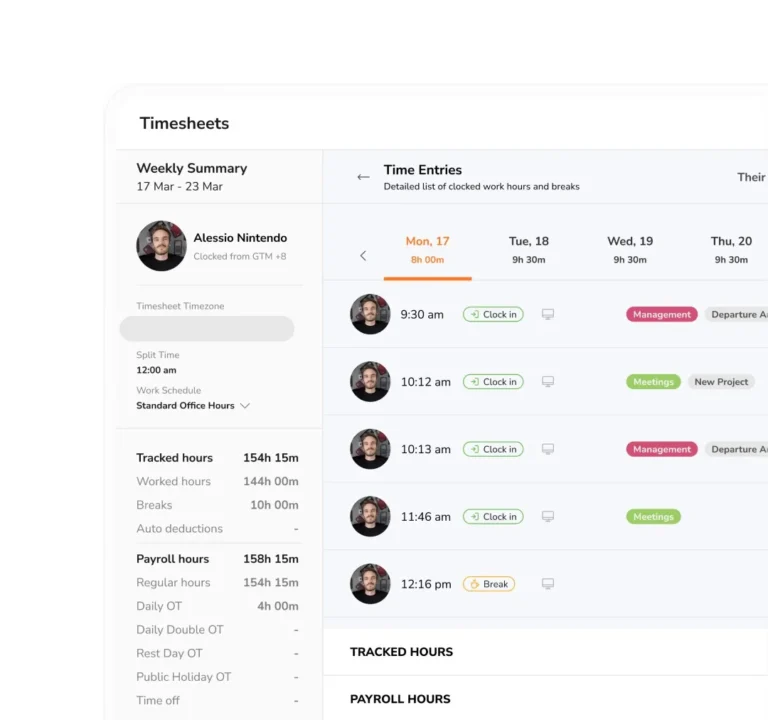
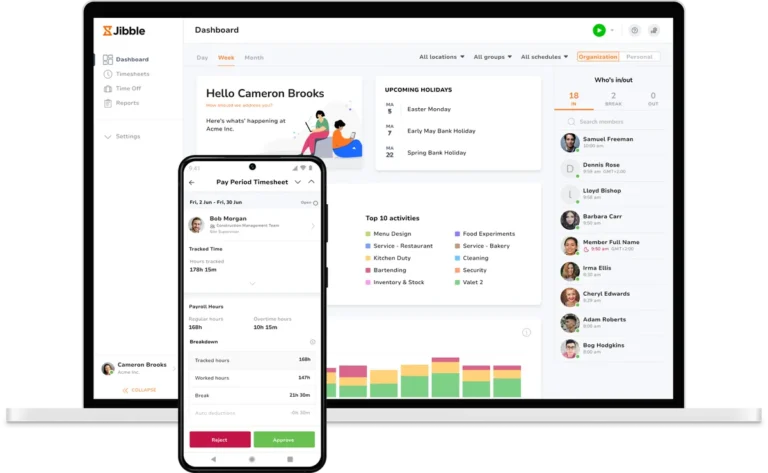
Jibble’s timesheet software automatically generates timesheets the moment an employee clocks in or out — from any device, including mobile, web, tablet, desktop, Microsoft Teams, or Slack.
Managers can review and approve hours, making it simple to ensure accuracy and stay on top of employee time.
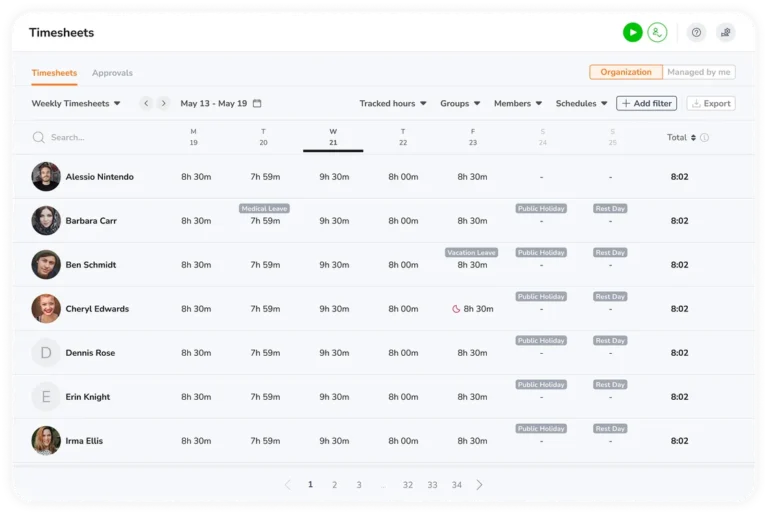
Visual timesheet overview at a glance
Easily spot attendance patterns
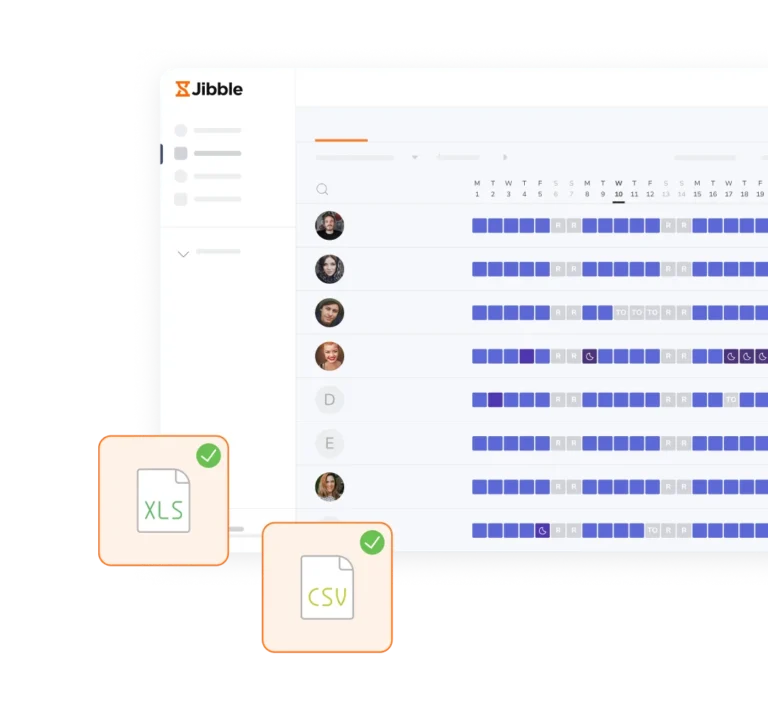
Gain instant visibility into attendance and hours worked without digging through individual time entries. Jibble’s time and attendance software has a calendar view that makes it easy to understand work patterns at a glance, while allowing you to drill down into any day for a detailed view of time entries and activity.
Automated timesheets on mobile and desktop
Monitor productivity on site or remotely, in real time
Monitor and analyze employee productivity on site with the attendance tracker, or manage your team from anywhere with remote employee time tracking. With Jibble’s timesheets available on mobile, tablet, and desktop, you can stay on top of every hour, anytime, anywhere.
Integrations with your favourite tools
...and our list is growing fast
Jibble’s time tracking software integrates with many of the world’s leading software products and every month we’re adding more products we integrate with.
Turn tracked time into insight you can act on
Real-time timesheets, analytics, and one-click exports for payroll.
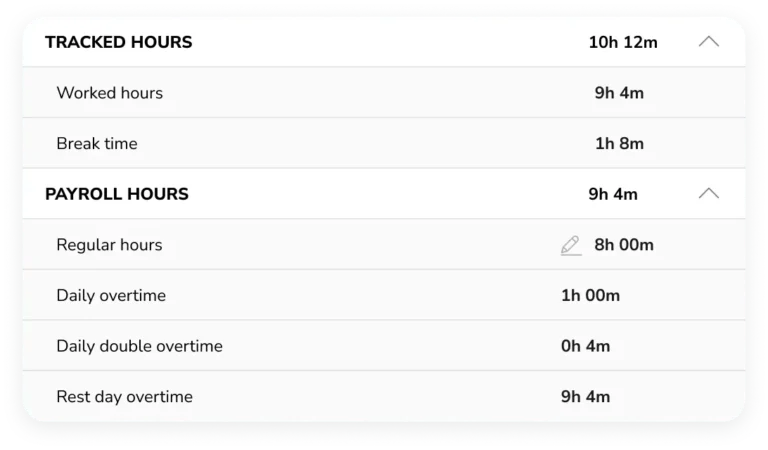
Daily timesheets with detailed breakdowns
View entry types and edit history in one place
The daily timesheet has breakdown of time entries, tracked and payroll hours. Icons which tell you whether the jibble was done offline, without a GPS location, a face-recognition mismatch, an automatic jibble out, or a manual entry. You can also view a history of changes made to time entries.

Export timesheets for payroll processing
Upload directly to your payroll or accounting software
Export your timesheet if you need to perform additional calculations for payroll. You can then easily upload your timesheet data onto your payroll or accounting software.
Need timesheets templates?
Weekly, bi-weekly, monthly formats, and more
Get free printable timesheet templates that can help calculate employees' hours on a weekly, bi-weekly, monthly or semi-monthly basis.

Approvals, overtime, leave, schedules & the tools you already use
Everything that surrounds a timesheet — handled in one place.
Built-in timesheet approval workflows
Managers can review and approve entries instantly
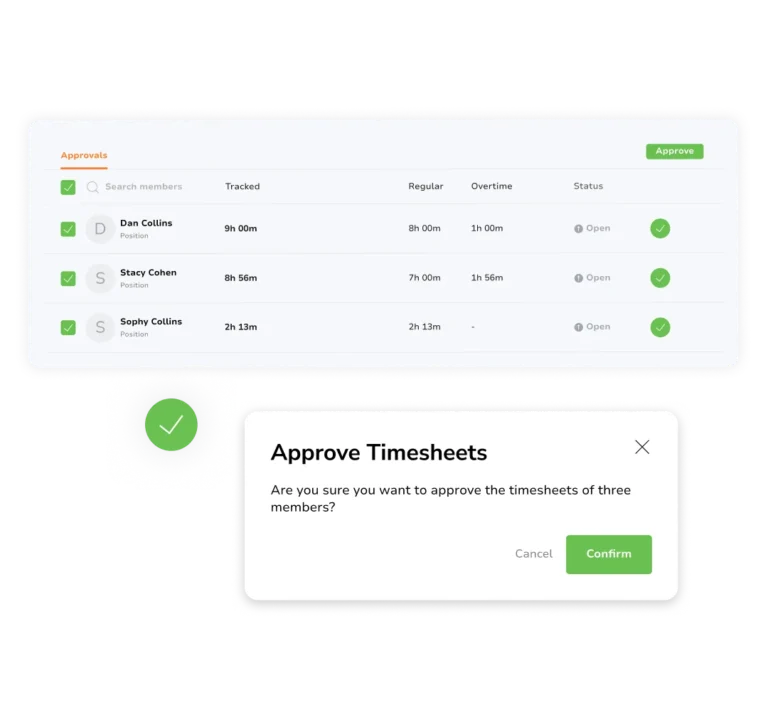
Once your team submits their timesheets, the data is instantly updated and securely stored in the cloud. No more digging through files and spreadsheets to bill clients – it’s all there in real-time. Owners, admins, and managers can then review them and take actions right within the app.
Fixed and flexible work schedule management
Customise schedules per member or group
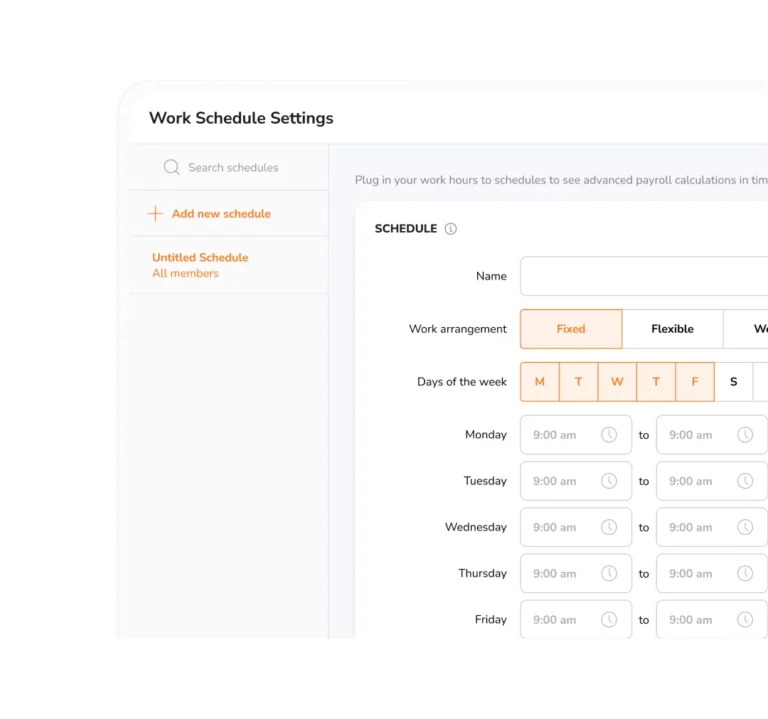
Whether your team members prefer a fixed 9 am – 5 pm routine or enjoy the flexibility of a 40-hour work week, Jibble empowers you to customize schedules on a per-member or group basis. Set your work schedules on the time clock software so that they’re as fixed or flexible, as you need them to be.
Compliant overtime settings linked to timesheets
Set custom overtime rates
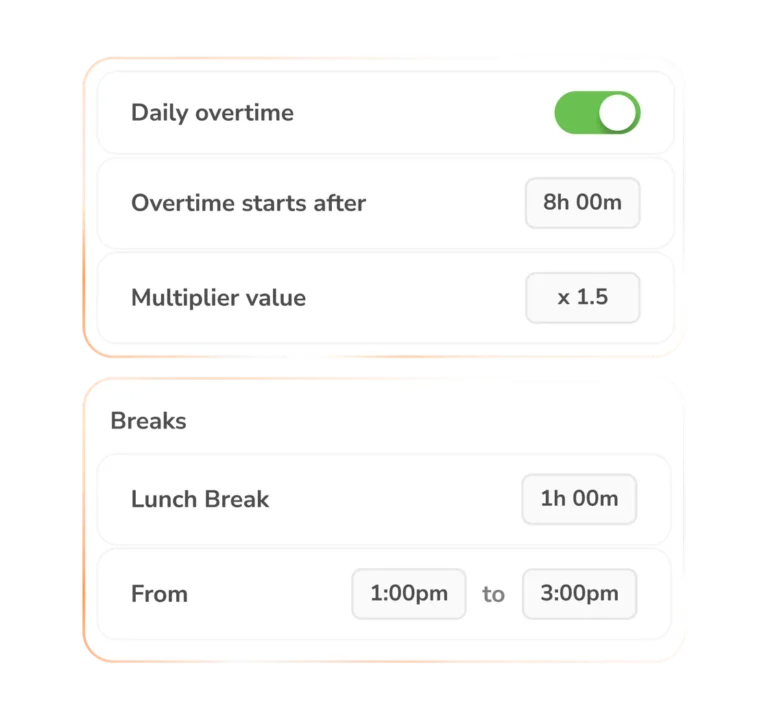
Jibble gives you the flexibility to set when overtimes start and their rates. Set custom rates for daily overtime, rest day overtime, double overtime, weekly overtime, and public holiday overtime. This way you can ensure all those extra hours are paid fairly and accurately.
Automatic leave management
Leave balances sync automatically
Jibble’s PTO tracking software means that you can forget about leave. It’s all handled by Jibble and goes straight into your timesheets, giving you more time to work on the bigger things.

Tens of thousands of users love Jibble's timesheet software
Award-winning timesheet app

Best Ease of Use
Capterra · 2026

High Performer
G2 · 2026

Most Recommended
Software Advice · 2026

Top Ranked Solution
Crozdesk · 2026
I can evaluate how much time the operative team spend with every client, so I can administrate in a better way the activities per client and per team member. The reporting feature and all the filters are useful and clear. Excellent timesheet reporting.
Jibble is simply the best. Finally, I have complete control over the construction project and have insights into all activities and tasks. It's easy to use compared to similar software and meets all my needs.
Our payroll is much more accurate with Jibble's timesheet app, and so is our client billing - we don't end up missing out on income due to lack of detail in timesheets.
Some frequently asked questions...
Is there really a free timesheet app?
Indeed there is! Jibble’s timesheet app is 100% free forever for unlimited users.
Sure, there are a few other apps with limited free plans, such as My Hours, Paymo, actiTIME, and Clockify, but none are nearly as comprehensive as Jibble.
Jibble really is the new standard for timesheet software, because it’s not only free, but it’s the highest-rated timesheet app in the world based on independent user reviews.
Why use a timesheet software?
There are several reasons why businesses record employee time using timesheet software:
- Payroll – if employees are paid by the hour or for overtime, those hours need to be measured.
- Attendance – to know whether employees are coming in on time and not leaving early.
- Project tracking – assigning time and costs to projects.
- Activity tracking – knowing what your employees are working on.
- Compliance – in most developed countries it is the obligation of the employer to ensure that employees are not working more than the legal limit.
How is Jibble different to other timesheet apps?
Apart from the fact that Jibble is Free, a key difference between Jibble and most of its competitors is that Jibble focuses on ensuring that each clock in and out is genuine. If you need to know that your employees were there at the time they said they were there, nothing beats Jibble. It’s the best work hour tracker for accurate payroll data.
Further, Jibble is dead easy to use, with most staff understanding how it works through our easy-to-understand interface.
Jibble is suitable as a timekeeping software for SMEs as well as a time tracker for enterprises and everything in between.
And if you look at the broad consensus of reviews and ratings, there is no higher-rated timesheet app than Jibble, it really is that simple.
Is Jibble's timesheet software really completely free?
Yes, Jibble’s timesheet software is 100% free, without any employee or time limit.
Why is Jibble free?
We believe everyone should have access to simple, powerful time tracking without paying upfront. That’s why Jibble is free forever for unlimited users, making it easy for teams of all sizes to track hours, manage timesheets, and stay on top of attendance at no cost.
Listen, Jibble isn't for me. What alternatives are there?
We understand Jibble isn’t for everyone; no product is.
The good news is that there are plenty of other options out there, although none are as highly reviewed by independent reviewers and users as Jibble!
To help you make the right choice, we’ve honestly reviewed the alternatives, and here are our top timesheet software solutions.
Can I use a timesheet app for remote teams?
Yes! Jibble is built for remote and hybrid teams. Employees can clock in from any device, anywhere in the world, and managers get real-time visibility of who is working and for how long.
Does the timesheet software work on mobile?
Jibble’s timesheet software is available on iOS and Android, as well as on web, desktop and tablet. Employees can clock in and view their hours from any device, making it ideal for field teams, remote workers, and office staff alike.
Does Jibble support timesheet approvals?
Yes! Jibble includes a built-in timesheet approval workflow. Managers can easily review and approve timesheets directly within the mobile app or web app.
I'm still on the fence. Is there anything else that might convince me?
Actually, there is. When you’re considering a timesheet software, you’re not just investing time and money into what the app is today, but also what the software will be like in years to come because changing your timesheet app isn’t easy.
Jibble runs on an ASP.NET framework with Swift and Kotlin for a native mobile experience and Vue.js for its web app. In plain English, Jibble is built on robust yet modern platforms, which means stability and super-fast development cycles.
Find out about our product roadmap as well as those we’ve recently released.
Jibble is not only the highest-rated timesheet software, it’s also getting better every week.
Don't waste another minute! Jibble is Free forever.
Track time with the ultimate timesheet software.
Start tracking time — free forever