
Time tracking software have come a long way and in 2026, they’re smarter and more tailored to how teams really work.
I personally tested 15 of the most talked-about time tracking solutions available today. From AI-driven automation to project-based billing, each tool was put through real-world scenarios by someone who’s been in the industry for over 10 years.
I didn’t just look at feature checklists. I tracked my own hours, ran team scheduling tests, created invoices, and more; just like you would.
After plenty of testing, some software clearly stood out for their usability like Deputy and Toggl Track, others for their value like Jibble.
But if your needs are more niche, like face-recognition clock-ins or project cost tracking, I’ve also included 10 other strong contenders.
Our 2026 Winners: Best Time Tracking Software by Use Case
| Selection Criteria | Recommended Time Tracking Software |
| Attendance & Time Tracking | Jibble, Clockify, My Hours |
| Employee Scheduling | Deputy, Everhour, Apploye |
| Personal Time Tracking | Toggl Track, Timely, Clockify |
| Billable Hours & Invoicing | Harvest, QuickBooks Time, My Hours |
| AI Automated Time Tracking | Timely, My Hours, TimeCamp |
| Face Recognition Clock-ins | Jibble, Buddy Punch |
| GPS Tracking | Jibble, Hubstaff, Apploye |
| Productivity & Activity Monitoring | Time Doctor, Apploye, TimeCamp |
| Project Cost & Budget Tracking | TimeCamp, Everhour, My Hours |
| Large Flexible Teams | Rippling, Apploye, Hubstaff |
| Offline / Mobile Time Tracking | Jibble, Clockify, Hubstaff |
| Integration with Management & Accounting Apps | Jibble, QuickBooks Time, Harvest, Clockify |
|
Best Time Tracking Software Pricing Compared |
|||||
| Affordable |
Jibble ($0.00) ✅ |
TimeCamp ($3.99) ✅ |
Clockify ($3.99) ✅ |
My Hours ($4.00) ✅ |
Apploye ($4.50) ✅ |
| Moderate |
Buddy Punch ($4.99) ❌ |
Hubstaff ($4.99) ❌ |
Deputy
($5.00) ❌ |
Time Doctor
($6.67) ❌ |
Everhour
($8.50) ❌ |
| Pricey | Toggl Track
($9.00) ✅ |
Timely
($9.00) ❌ |
Harvest ($9.00) ✅ |
QuickBooks Time
($10.00) ✅ |
Rippling
Pricing on request ❌ |
|
✅ : Has Free Plan ❌ : No Free Plan Note: The table shows entry-level rates and may not accurately reflect the overall value of the software. To gauge real value, consider each platform’s features, base fees, and any limits on the number of users. |
|||||
Which Time Tracking Software Fits Your Budget and Team Size?
| Budget Level | 1–10 Users | 11–100 Users | 101–1000 Users |
| No Budget (Free) | Jibble, Apploye, TimeCamp, My Hours, Everhour, Toggl Track | Jibble, TimeCamp | Jibble, TimeCamp |
| Entry Budget | Jibble, Deputy, Apploye, TimeCamp, Clockify, Hubstaff, My Hours | Jibble, Apploye, Deputy, TimeCamp, Buddy Punch, My Hours | Jibble, Apploye, Deputy, Hubstaff, My Hours |
| Medium Budget | Jibble, Deputy, Time Doctor, Toggl Track, Rippling | Jibble, Deputy, Hubstaff, Time Doctor, Toggl Track | Jibble, Hubstaff, Time Doctor |
| Unlimited Budget | Jibble, Everhour, Timely, Harvest, QuickBooks Time | Jibble, Everhour, Timely, QuickBooks Time, Harvest | Jibble, Everhour, Timely, Harvest |
Jibble – Best for Free Time Tracking and Attendance
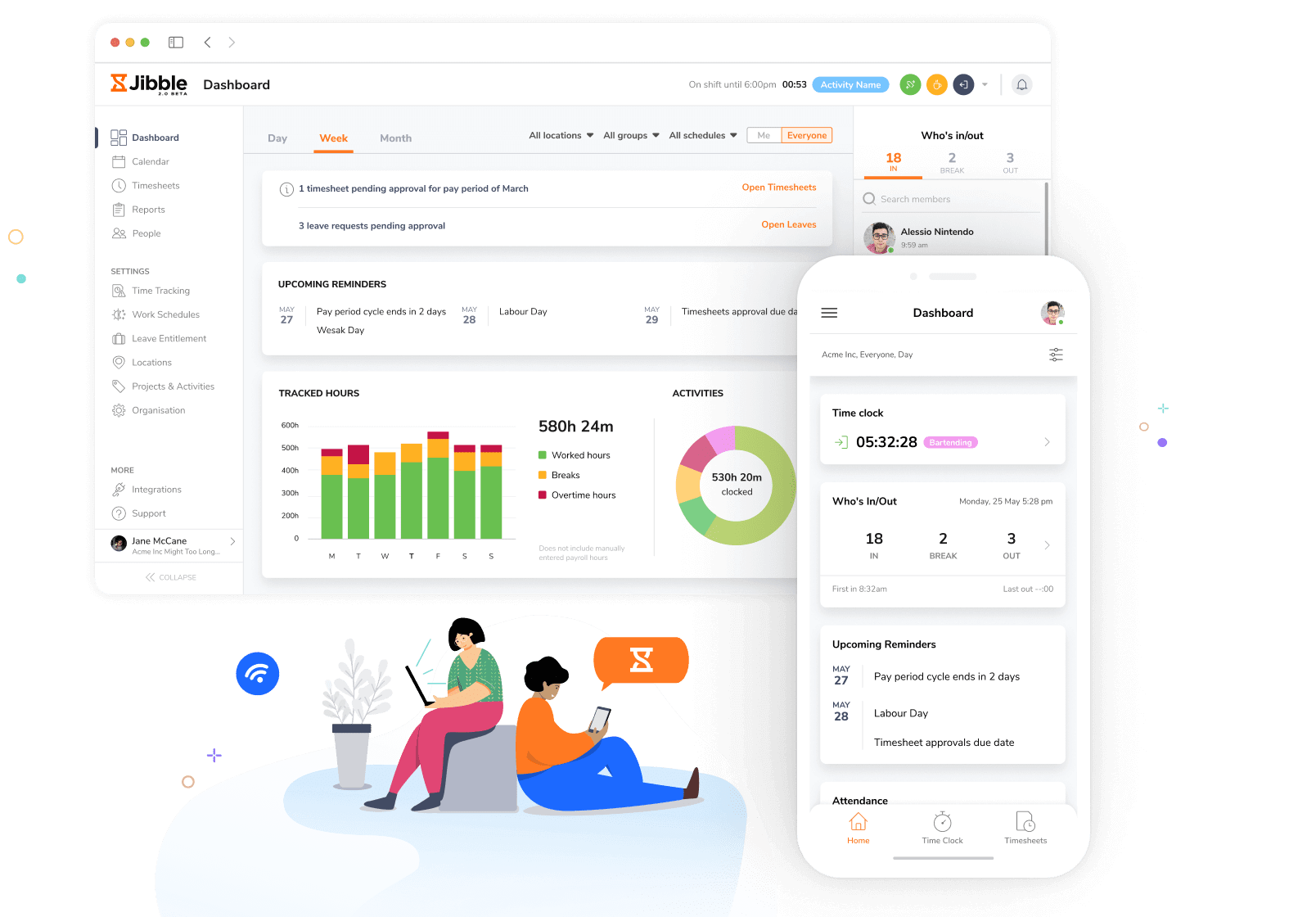
Jibble makes time and attendance tracking fast, free, and simple. Whether clocking in from your phone or Slack, it automatically generates detailed timesheets, calculating total work hours, overtime, and breaks with full accuracy.
Teams can log their hours across activities and projects, ensuring accurate billing and resource tracking.
Jibble offers powerful attendance verification features at no cost. With face recognition attendance and GPS tracking, it ensures every time entry is verified and genuine. And its detailed reporting and analytics let managers understand employee productivity, project efficiency, and time use with clarity.
Moreover, its integration with Xero, QuickBooks, and Deel makes Jibble a seamless part of payroll and invoicing workflows.
Jibble also integrates seamlessly with major workflow tools like Asana, Jira, Google Suite, Slack, Notion, and Zapier, ensuring timesheets and project data syncs perfectly across all platforms.
The goal has always been straightforward: time tracking shouldn’t feel like work. I’ve been building Jibble for years. And I use it every day. That’s the best sign of good software. If you don’t rely on your own product, something’s off.
Pricing:
- Free Forever for an unlimited number of users
Available on:
Desktop, Mobile, Kiosk, Browser Extension, Web
Ratings:
- Capterra: 4.9/5
- G2: 4.7/5
- Play Store: 4.5/5
- App Store: 4.8/5
Pros:
- Free for unlimited users
- Intuitive and user-friendly interface
- Project and client-based time tracking for billable hour tracking
- GPS-based and face recognition attendance verification
- Real-time productivity dashboards
Cons:
- Fewer comprehensive invoicing features than dedicated invoicing software
- Limited advanced project planning
“I really like how Jibble simplifies something that could easily become complicated. It takes just a moment to start tracking, and I get an instant overview of my hours and productivity. It’s minimalistic but powerful, and it feels like it was designed to make life easier for people who just want accurate time tracking without the clutter.” – Miguel L.
(Source: G2)
“While Jibble has been a great tool overall, one area that could use improvement is the customization of reports and dashboards. Although the existing reports cover most needs, having a bit more flexibility in choosing filters or building custom views would make it even more powerful.” – Koushik K.
(Source: G2)
Deputy – Best for Employee Scheduling
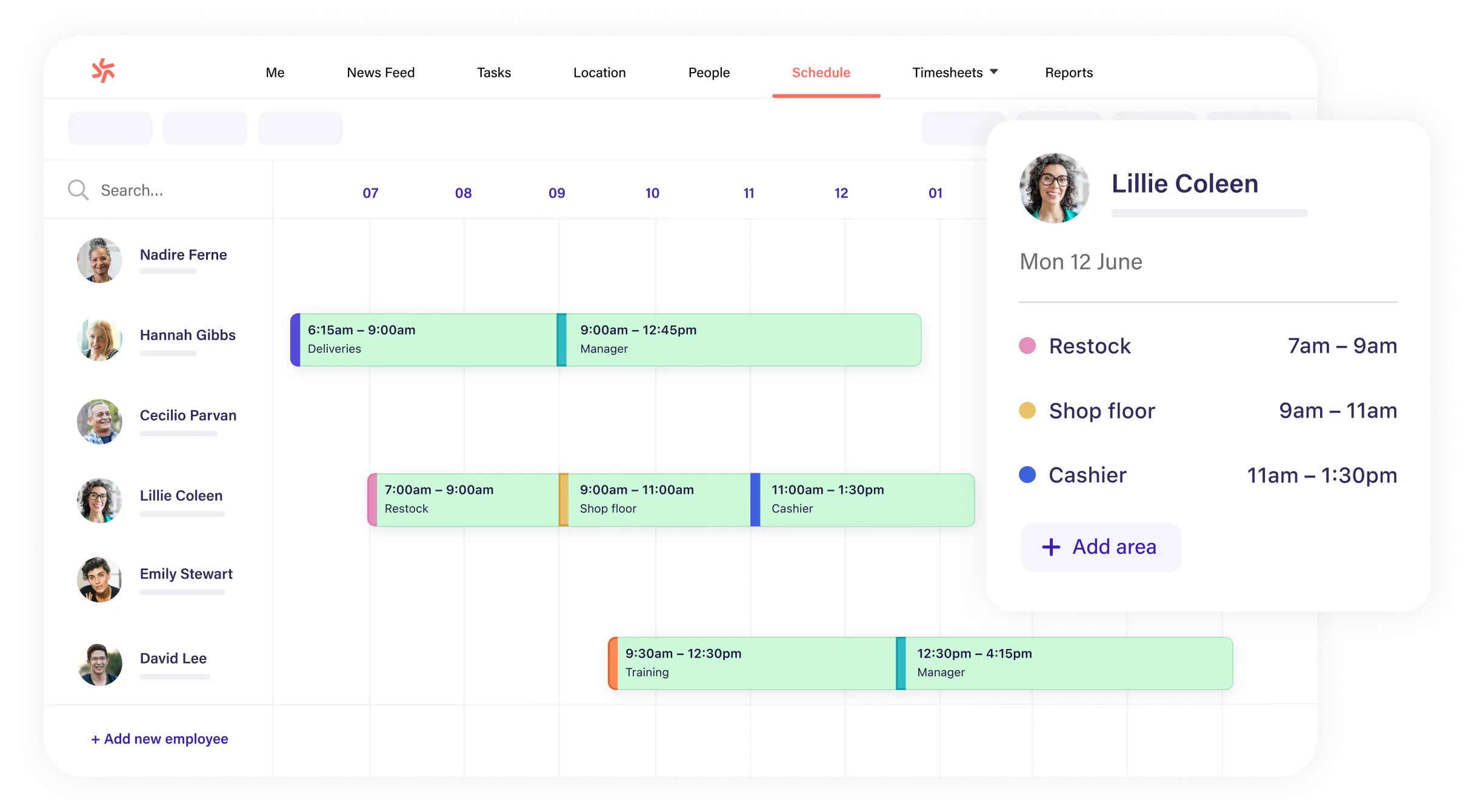
Photo from Deputy
Where tools like Hubstaff or Apploye lean into monitoring, Deputy focuses on operational efficiency. Clocking in and out is quick, with hours automatically calculated into timesheets ready for payroll.
The platform’s kiosk mode supports touchless clock-ins using voice commands and facial recognition attendance. Deputy also offers strong reporting features with performance tracking available across roles and locations to monitor costs.
I found scheduling to be one of Deputy’s biggest strengths.
You can set priorities for work hours fairness, budget limits, or shift consistency, and the system will build an optimized schedule for you. Built-in compliance rules take care of rest breaks and hour limits automatically.
The schedule grid feels intuitive and fast. Everything’s color-coded and easy to read: green for shifts, red for leave, blank for what’s open. You can spot gaps before you even finish scanning the page.
And when schedules change (because there’s always a good chance they might), Deputy makes it easy to manage schedule modifications on the go.
But, I did find some of Deputy’s advanced features a bit less intuitive to pick up right away. Users have also reported the occasional lag while using the platform as well as issue when setting up leave accruals and time-off schedules for employees.
Pricing:
- Free Plan: No
- Pro Plan: Starts at $5.00 per user per month, billed annually
Available on:
Web, Mobile, Kiosk
Ratings:
- Capterra: 4.6/5
- G2: 4.6/5
- Play Store: 4.6/5
- App Store: 4.7/5
Pros:
- News feed is great for team announcements and updates
- Auto-generated schedules can save you a lot of time
- Schedules are neatly organized and easy to access
Cons:
- Customer service is hard to access and involves long wait times
- Slow loading times and random crashes on mobile
- Leave accruals and holidays are difficult to set up
“Scheduling tool is phenomenal, I love the way it moves right over to the timesheet and is easy to use for my team members. The time clock is simple and easy to install.” – Shelly M.
(Source: G2)
“One downside of Deputy is that the mobile app can occasionally be glitchy, causing delays in clocking in or accessing schedules. Additionally, some advanced features might require a bit of a learning curve for new users.” – Nupur M.
(Source: G2)
Toggl Track – Best for Personal Time Tracking
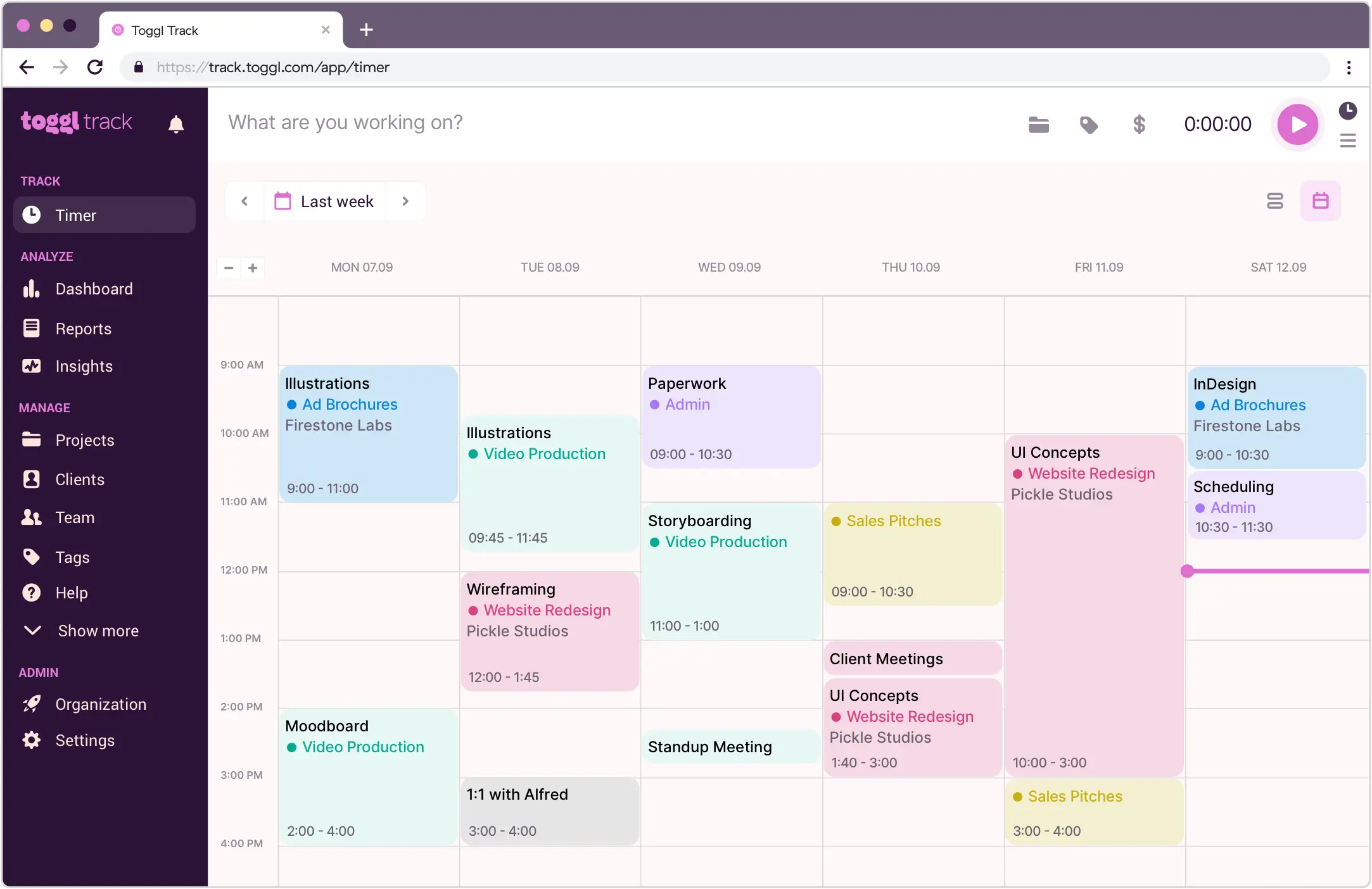
Photo from Toggl Track
When I tested Toggl Track, what stood out to me most is how well it balances automation with control.
It’s ideal for personal time tracking because, unlike tools like Time Doctor or Apploye, Toggl Track avoids intrusive monitoring; no screenshots, no activity scores, just honest insights into where your time goes.
It automatically logs activity across apps and browsers into a clean, calendar-style timesheet, but still leaves you in full control over what gets saved or shared.
Over time, these logs turn into reports that reveal patterns in your work, like where your time goes, which tasks drain focus, and where you can make meaningful improvements.
I like Toggl Track’s detailed profitability reports, seamless syncing across mobile, desktop, and browser, as well as its integrations with tools like Asana and Google Calendar, which made it fit smoothly into my workflows.
Visually, Toggl Track is clean, intuitive, and has virtually no learning curve.
But for me, it feels less like a manager’s monitoring tool and more like a companion for anyone serious about improving how they spend their time.
Also, Toggl Track’s free plan is sufficient for small teams who only need basic time tracking. However, for access to advanced features, the Starter plan, priced at $9 per user per month, might feel a bit steep for budget-conscious users.
Pricing:
- Free Plan: Yes, for limited users
- Paid Plan: Starts at $9.00 per user per month, billed annually
Available on:
Web, Desktop, Mobile, Browser Extension
Ratings:
- Capterra: 4.7/5
- G2: 4.6/5
- Play Store: 4.4/5
- App Store: 3/5
Pros:
- Easy to run reports and analytics
- 100+ integrations with other apps
- Friendly and pleasant user interface
Cons:
- Bugs cause difficulty logging in
- Mobile app has syncing issues
- Relatively expensive compared to other time tracking solutions
“It’s made time tracking really seamless and gives me brilliant data to understand how I use my time, which helps me make more robust and realistic plans.” – Matt K.
(Source: Capterra)
“Failure to sync – and not knowing why – has been giving me anxiety for possibly losing data and then losing time in troubleshooting and recovering the information I need.” – Pate Ricafort
(Source: Google Play Store)
Harvest – Best for Billable Hour Tracking
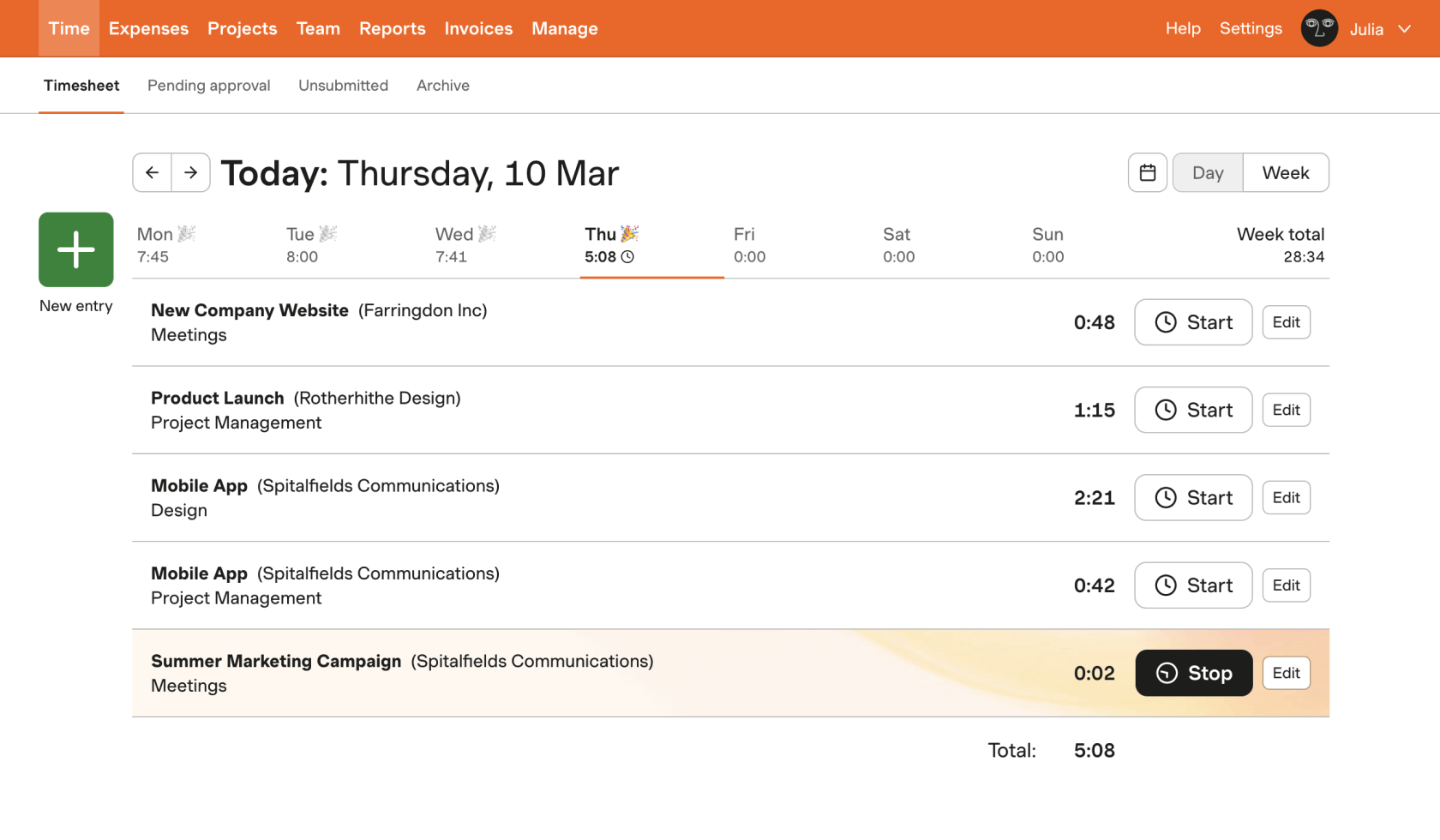
Photo from Harvest
Harvest is a solid time tracking tool for freelancers, small teams, and anyone who knows the grind of tracking time hourly and chasing invoices
It has an intuitive time tracker that fills billable hours into weekly timesheets. It also offers a Google or Outlook Calendar integration to help track time directly within the app.
The software can create and send invoices fast, with automations like recurring billing and payment reminders that just work quietly in the background.
You can also set and monitor project budgets in real-time with alerts when costs near limits. Data from project budgets can then be viewed with visual profitability charts, which display billable hours, costs, and margins.
Additionally, Harvest automatically syncs invoices with QuickBooks Online and Xero, so your financials stay up to date without any manual exporting or double entry.
For client billing and reporting, Harvest is a more polished option compared to My Hours or Everhour; however, it lacks GPS tracking and productivity monitoring features unlike Jibble.
Harvest is also on the pricier side compared to other time tracking software on this list, and its paid plans also charge extra fees based on usage, meaning costs add up quickly and may go unnoticed.
Learn more about the 6 best apps for live location tracking.
Pricing:
- Free Plan: Yes, for one user
- Paid Plan: Starts at $9.00 per user per month, billed annually (plus usage fees for additional invoices, projects, clients, and tasks)
Available on:
Web, Desktop, Mobile, Browser Extension
Ratings:
- Capterra: 4.6/5
- G2: 4.3/5
- Play Store: 4.2/5
- App Store: 4.5/5
Pros:
- Ability to create budgets for projects
- Features are quick to navigate
- Generates and sends out invoices based on tracked time
Cons:
- Pricey paid plans with additional usage fees on top of per-seat pricing
- Lacks GPS tracking, screenshotting, and other productivity monitoring features
- Interface is not available in any other languages except English
“Harvest makes it so easy to invoice our clients, as without trying, we can log in and see how much time each staff member has spent on each client, along with a description of what the tasks were.” – Lisa A.
(Source: G2)
“They recently increased their prices by 10x with one month’s notice. I haven’t seen any improvement in the software in many years. This type of price increase seems baseless.” – Verified User
(Source: G2)
Timely – Best for AI Time Tracking
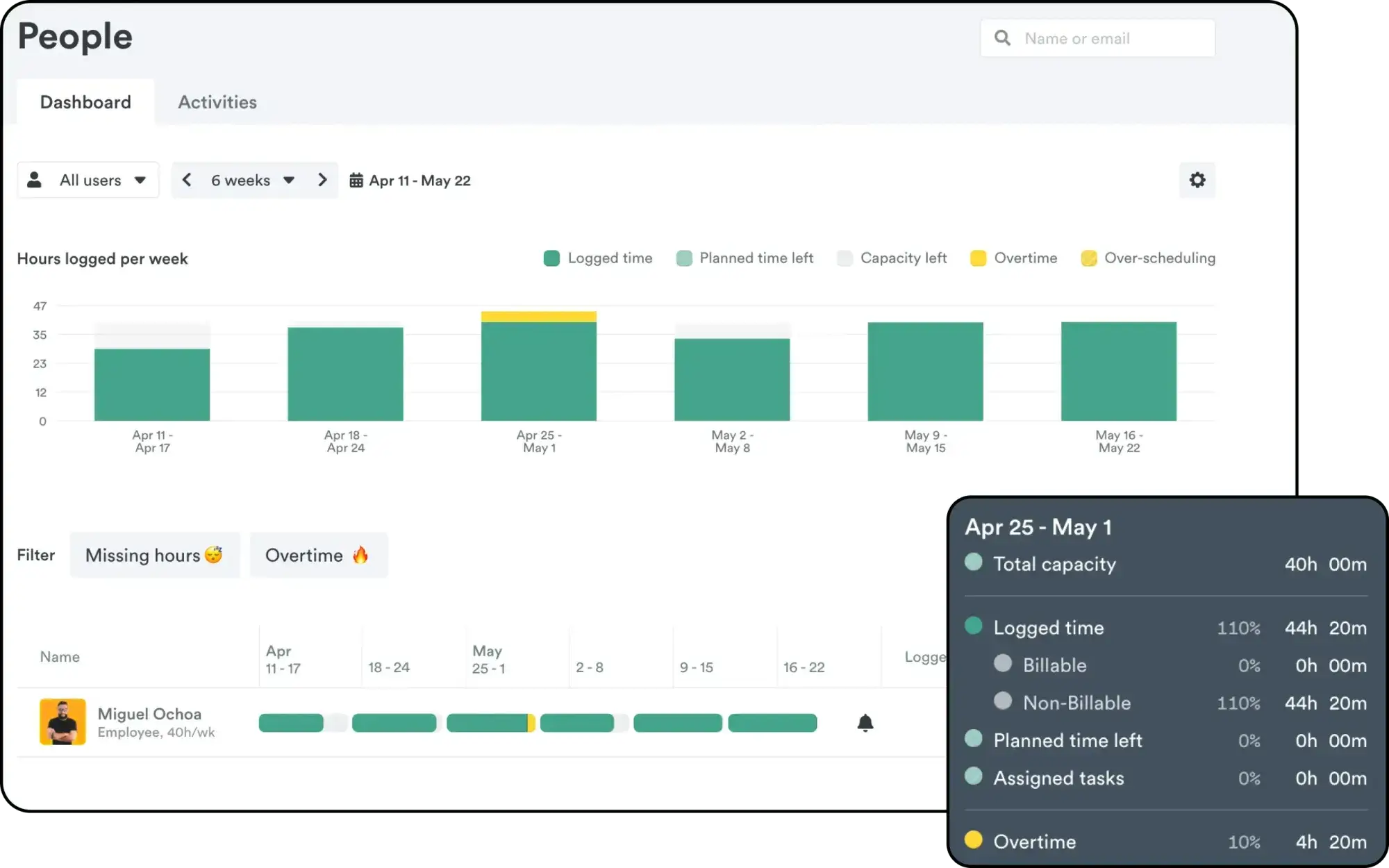
Photo from Timely
Automation sounds great in theory, until it starts asking for more attention than it saves. Timely’s Memory Tracker is one of the few that actually gets it right.
Timely’s Memory Tracker quietly runs in the background, logging the apps, files, and websites you use throughout the day, and then the built-in AI timesheet assistant organizes everything into clear, editable reports.
It’s convenient because you don’t have to remember to start or stop a timer; it just works in the background and lets you decide later what to keep or share.
I appreciate its privacy-first approach. All tracked data stays private until you choose to share it, which makes it feel less like surveillance and more like a personal productivity companion.
The project dashboards are also excellent for keeping an eye on budgets, billable hours, and project progress.
Timely also offers useful features like capacity planning, role-based permissions, and profitability tracking, which help in managing workloads without micromanaging.
That said, it does take a bit of setup to get the most out of its AI-driven system, which can (at times) wrongly categorize a task. Moreover, some of the more advanced features are only available on higher-tier plans, which can be pretty expensive for some users.
Also, while Timely’s automation is convenient, it lacks verification-focused features. For teams requiring accountability and verified attendance, Jibble or Buddy Punch is a more reliable option.
Pricing:
- Free Plan: No
- Paid Plan: Starts at $9.00 per user per month, billed annually. Users may be limited per plan.
Available on:
Web, Desktop, Mobile, Browser Extension
Ratings:
- Capterra: 4.7/5
- G2: 4.8/5
- Play Store: 4.6/5
- App Store: 3.2/5
Pros:
- Can be set up and used easily, even for beginners
- Organizes time entries efficiently
- Privacy-conscious time tracking
Cons:
- AI feature sometimes slows down the app and misclassifies tasks
- High price and lack of a free version
“What I appreciate most about Timely is its ability to help you quickly and easily organize your projects and hours. It allows for necessary adjustments while ensuring the privacy of your work.” – Jimmie C.
(Source: G2)
“What I like least about Timely is that the manual override is limited and the AI sometimes misclassifies tasks.” – Moe
(Source: Software Advice)
10 Other Strong Time Tracking Software
Buddy Punch – Best for Face Recognition Time Tracking
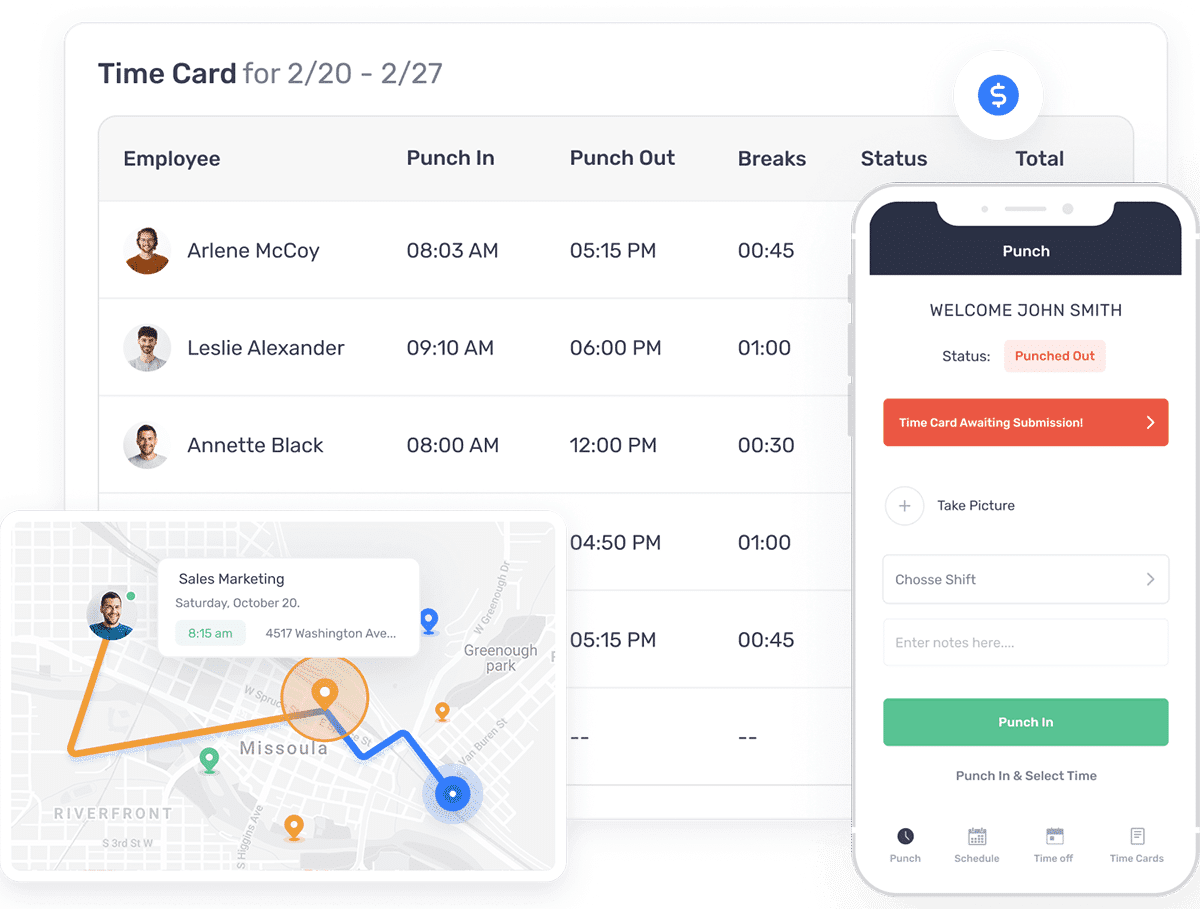
Photo from Buddy Punch
Buddy Punch is straightforward enough for most users to pick up quickly. With Buddy Punch, you can clock in and out from anywhere using a PIN, QR code, or even facial recognition via Android or iPhone apps or a shared kiosk on any internet-connected device, making it flexible whether you’re part of an office or field team.
Features like GPS tracking and geofences make attendance even more secure to help businesses avoid time theft, including selfie verification on clock-in/out, punch-limiting before scheduled shift start times, and overtime notifications so managers can adjust schedules proactively.
Break tracking also helps stay compliant with local meal and rest break laws, with paid/unpaid break options and automatic removal of unpaid breaks from timesheets.
Buddy Punch’s scheduling feature supports multi-location setups, letting employers assign employees to shifts with roles and locations attached. Employees can view their schedules anytime and submit shift trade or cover requests directly in the app.
The software also does a great job of automating payroll, helping calculate work hours, overtime, and PTO accurately. It integrates with QuickBooks, ADP, Gusto, and Paychex, and U.S. employers can run payroll natively with direct deposit, paper checks, and automatic federal, state, and local tax calculations.
Buddy Punch also offers dedicated features to keep payroll costs low and prevent time theft, such as limiting punches to within a set window before shift start times and sending notifications when an employee is nearing overtime.
Buddy Punch is pretty similar to Jibble in attendance verification. However, Jibble’s integrations with QuickBooks, Xero, and Deel, plus being free for unlimited users, give it an edge for budget-conscious teams seeking seamless workflow integration.
Also, users report that Buddy Punch’s mobile interface feels a bit underdeveloped, with occasional glitches that can cause inaccurate time entries. It also lacks an offline mode, which can be frustrating in areas with unreliable internet.
Pricing:
- Free Plan: No
- Paid Plan: Starts at $4.99 per user per month + base fee of $19.00 per month, billed annually
Available on:
Desktop, Mobile, Chrome App
Ratings:
- Capterra: 4.8/5
- G2: 4.8/5
- Play Store: 4.8/5
- App Store: 4.9/5
Pros:
- Great customer service
- Relatively simple to use and understand
- Multiple punch-in options, including facial recognition
Cons:
- Interface on mobile isn’t well developed
- Glitches that cause inaccurate time entries
- No offline mode
“Buddy Punch has helped our business save money by tracking employee work hours and by helping staff schedule easier. Staff love that they can see the schedule and request off right from their phones.” – Nellie S.
(Source: G2)
“More difficult to go back and correct mistakes. I am unable to navigate the app very well.” – Linda R.
(Source: Capterra)
Time Doctor – Best for Productivity Monitoring
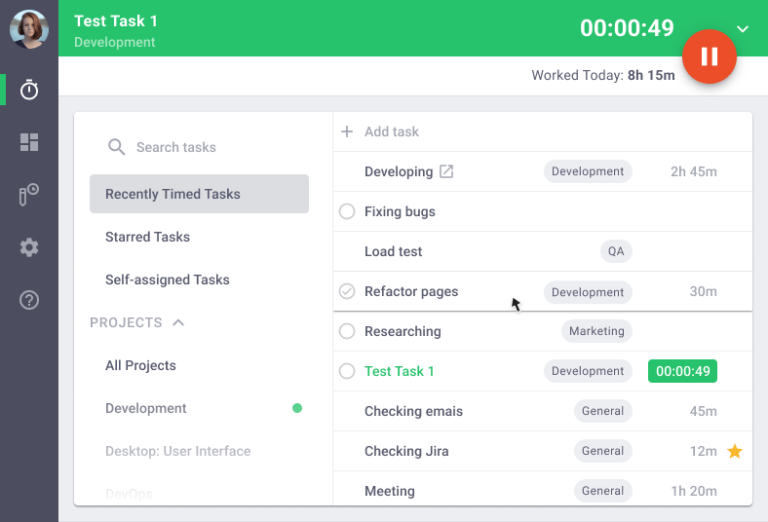
Photo from Time Doctor
Time Doctor provides a comprehensive set of monitoring features that make it easy to see where time is spent.
The platform automatically tracks web and app usage, sends inactivity alerts, and also supports screenshots or optional screen recordings, so you always know which tasks are getting attention and which aren’t.
I like the project and task management dashboards with real-time notifications for project progress. These features make it easier to stay on top of schedules, spot bottlenecks, and prevent employee burnout.
But some of Time Doctor’s monitoring features, like URL tracking, screenshots, and webcam monitoring, can feel a bit invasive, and the mobile app is limited, offering a subpar experience compared to the desktop version.
Also, Time Doctor doesn’t offer a free version, which can be a problem for some users.
If dodging digital eyes is your thing, you’re going to love our tips on getting around screenshot monitoring.
Pricing:
- Free Plan: No
- Paid Plan: Starts at $6.67 per user per month, billed annually
Available on:
Desktop, Mobile, Web, Browser Extension
Ratings:
- Capterra: 4.5/5
- G2: 4.4/5
- Play Store: 2.1/5
- App Store: 2.8/5
Pros:
- Comprehensive monitoring features
- Easy to track billable hours
- Streamlines billing with a built-in invoicing feature
Cons:
- URL tracking, screenshots, and webcam monitoring can feel invasive
- Mobile app is very limited and doesn’t offer a good user experience
- No free version
“I really like using time doctor. Aside from the easy access in time tracking, you are able to view your daily, weekly, and monthly worked time.” – Ma. Rezie G.
(Source: Capterra)
“I’ve been a customer since 2020 and used the software daily, but my recent experience has been frustrating. The billing system is chaotic, and support has been unhelpful. I downgraded my user base to migrate off the software, then upgraded again with the same lower user count—but I was charged at the older user count, which I have removed.” – Brahm M.
(Source: G2)
TimeCamp – Best for Project Cost Tracking
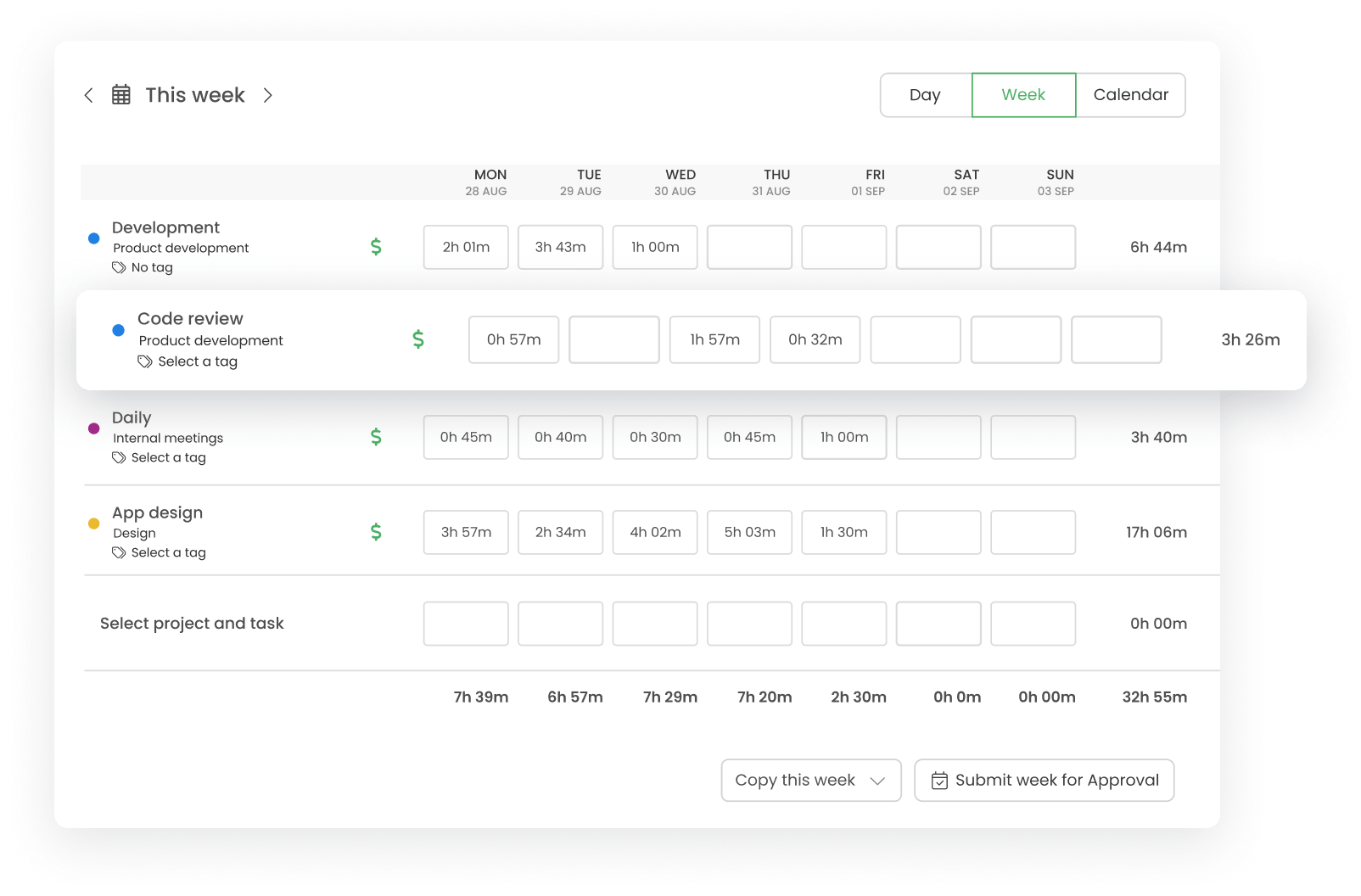
Photo from TimeCamp
TimeCamp is a fantastic tool for managing team productivity and project budgets.
Its automatic time tracking ensures every task and activity is logged, making it easy to see how much time is being spent on each project. I especially like how the platform links tracked hours to billable and non-billable work, so users can measure project profitability in real time.
TimeCamp’s customizable reports provide a clear view of project budgets, labor costs, and resource allocation. With these insights, users can spot inefficiencies, adjust workloads, and ensure projects stay on track financially. Its ability to export data for invoicing or integrate with payroll and accounting tools also saves time and reduces errors.
On the downside, TimeCamp’s mobile app can be buggy, with login problems and broken features, and device synchronization sometimes causes issues tracking time accurately. Users have also reported a slight learning curve, with the platform being tricky to navigate initially.
Pricing:
- Free Plan: Yes
- Paid Plan: Starts at $3.99 per user per month, billed annually
Available on:
Desktop, Mobile, Web, Browser Extension, Kiosk
Ratings:
- Capterra: 4.7/5
- G2: 4.7/5
- Play Store: 4.1/5
- App Store: 3/5
Pros:
- 100+ integration options
- In-depth time and budget reports
- Automates billing and invoicing
Cons:
- Mobile app faces login problems and broken features
- Device synchronization issues
- Tricky to use initially
“TimeCamp has shown itself to be very useful! It has a lot of useful features. such as automatic project tracker, task widget, weekly timesheets, and progress reports. And it’s so very convenient to use.” – Germans R.
(Source: G2)
“We’ve had some hiccups with the TimeCamp desktop app for app and web record. Although support has been good, ideally we would like the app to run smoothly on all users’ computers.” – Noe M.
(Source: G2)
Apploye – Best for Remote Employee Tracking
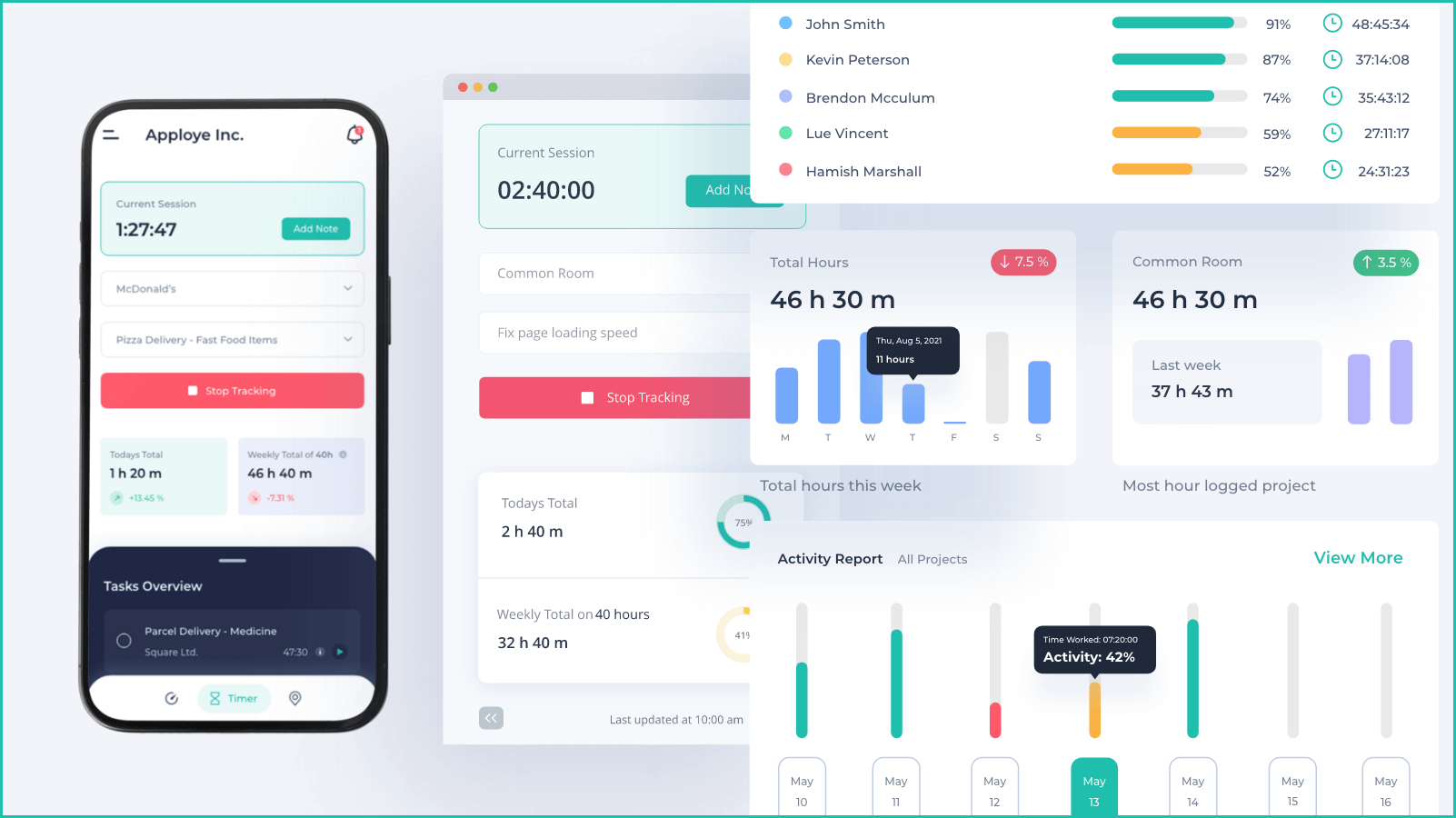
Photo from Apploye
Apploye is a good choice for tracking remote employees, offering a wide range of features like idle time detection, URL tracking, and GPS attendance.
Users can clock in and out from desktop, mobile, or Chrome extension, and managers can track activity across multiple devices and monitors. The platform also supports project and task-based time tracking, giving clear insight into how remote teams spend their hours.
With RemoteTrack, Apploye’s activity monitoring feature, you can log keyboard, mouse, and app activity to see exactly how work gets done.
However, Apploye’s monitoring features can feel intrusive if used without care. Additionally, advanced reporting lacks flexibility, and the platform has limited integration options, which could restrict workflow automation for larger or highly connected teams.
Pricing:
- Free Plan: Yes, for up to 10 users
- Paid Plan: Starts at $4.50 per month per user, billed annually
Available on:
Desktop, Mobile, Web, Browser Extension
Ratings:
- Capterra: 4.8/5
- G2: 4.6/5
- Play Store: 4.8/5
- App Store: 3.7/5
Pros:
- Sleek and intuitive user interface
- Real-time activity tracking
- Affordable pricing
Cons:
- Limited integration options
- Advanced reporting lacks flexibility
- Screenshot and monitoring features can feel intrusive
- Idle monitoring may affect recorded work hours
“The monitoring feature is hands down the most valuable part for me. Since I run a fully remote team, being able to see activity levels, which apps are being used, and occasional screenshots really helps.” – Kazi M.
(Source: G2)
“It also lacks important reminder notifications to turn tracking on/off, so lots of time is often left untracked. Their support staff are not interested in product development and are dismissive when you ask when promised functionality will materialise.” – Cameron Y.
(Source: G2)
Hubstaff – Best for GPS Tracking and Monitoring
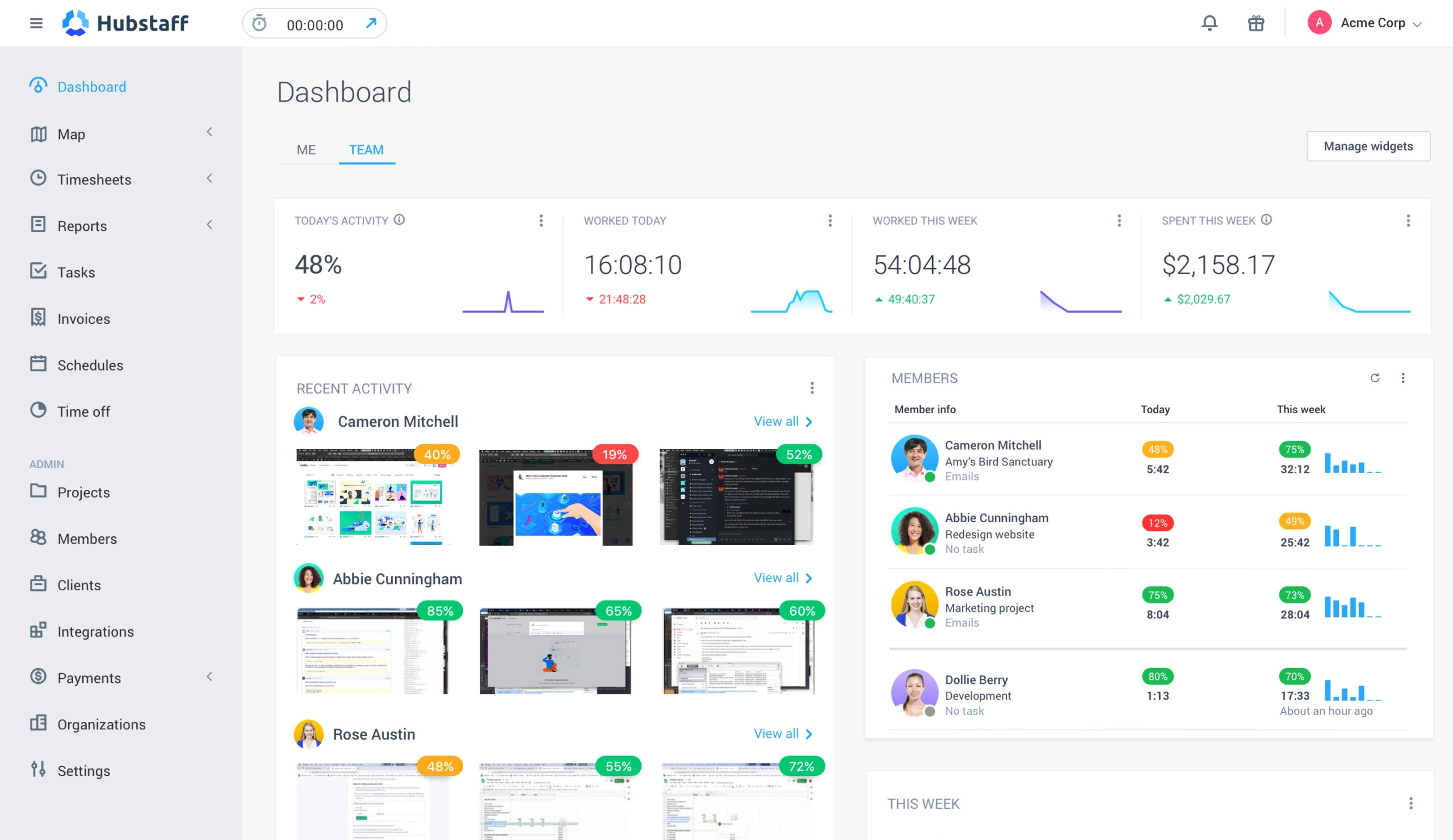
Photo from Hubstaff
Hubstaff is a great time tracker for teams that need GPS tracking and remote monitoring and workforce management. With geofencing and GPS features, employees can clock in and out automatically when arriving at or leaving job sites, making it ideal for construction, delivery, or field-based work.
The platform offers automated timesheets, project cost tracking, and alerts for missed shifts or overtime, making it easy to manage distributed teams.
Hubstaff’s reports also provide deeper insights into daily and weekly time allocation, helping managers keep projects on track. Optional features include screenshots, app and URL tracking, and productivity metrics based on keyboard and mouse usage.
However, while Hubstaff’s extensive features shine for larger teams, smaller teams with basic time-tracking needs might feel completely overwhelmed. Also, the software’s screenshot monitoring may feel invasive, and users report the mobile app experiences login and timer issues, which can disrupt tracking for remote workers.
Check out our picks for the best rugged mobile phones for construction workers.
Pricing:
- Free Plan: No
- Paid Plan: Starts at $4.99 per seat per month, billed annually (minimum of 2 seats)
Available on:
Desktop, Mobile, Browser Extension, Web
Ratings:
- Capterra: 4.7/5
- G2: 4.8/5
- Play Store: 4.6/5
- App Store: 3.2/5
Pros:
- Easy setup and user-friendly interface
- Generates over 20 report types
- GPS-based time tracking
- Seamless project management
Cons:
- Inaccurate productivity and idle time tracker that results in deducted time from employees
- Screenshotting can feel invasive
- Mobile app has login and timer issues
“It makes remote staff management effortless and easy. The Setup is simple and easy to implement. Any issues I had during setup were simple to resolve with the wonderful Hubstaff support.” – Charlie F.
(Source: G2)
“Sometimes the app can feel a bit too rigid like if someone forgets to turn it on or off, it might not reflect their actual work. A bit more flexibility would be nice.” – Jose S.
(Source: Capterra)
QuickBooks Time – Best for Payroll and Invoicing
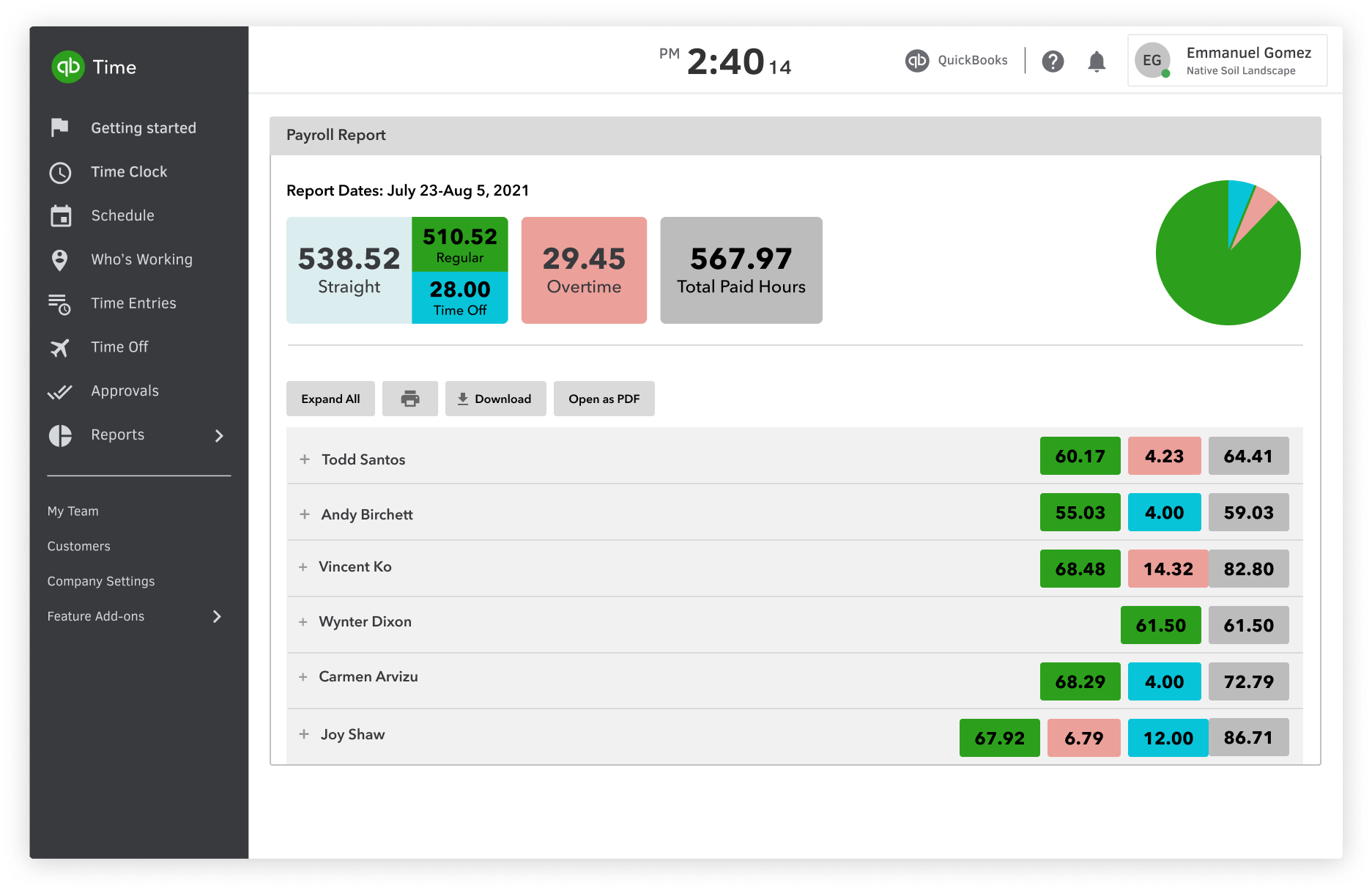
Photo from QuickBooks Time
QuickBooks Time (formerly TSheets) really shines when it comes to time tracking with seamless payroll integration.
It provides accurate timesheets, mobile tracking, and a Time Kiosk for on-site clock-ins. Managers can approve timesheets, track billable hours, and generate customizable reports to monitor project profitability and team productivity.
Real-time GPS and mileage tracking help ensure employees are where they need to be, while integrations across QuickBooks products streamline billing, payroll, and financial reporting.
That said, QuickBooks Time comes with expensive per-user fees, occasional software glitches, and frequent lags or screen freezes, which may be frustrating for teams.
Pricing:
- Free Plan: No
- Paid Plan: Starts at $10.00 per user per month, billed monthly + $20.00 base fee per month (90% discount for the first 3 months)
Available on:
Web, Mobile, Kiosk
Ratings:
- Capterra: 4.6/5
- G2: 4.5/5
- Play Store: 4.4/5
- App Store: 3.8/5
Pros:
- Real-time GPS and mileage tracking
- Actionable reports and insights
- Seamlessly connects with other QuickBooks products
Cons:
- Expensive pricing with per-user fees
- Poor customer support
- Glitchy software with frequent lags and screen freezes
“The payroll integration and mobile app. It saves hours of manual work and makes tracking super simple for everyone.” – Kelly M.
(Source: Capterra)
“Lacks tools for managing room bookings, client communications, or contract management. Occasional issues with syncing data between QuickBooks Time and other platforms.” – Nava A.
(Source: Capterra)
My Hours – Best for Project-Based Billing
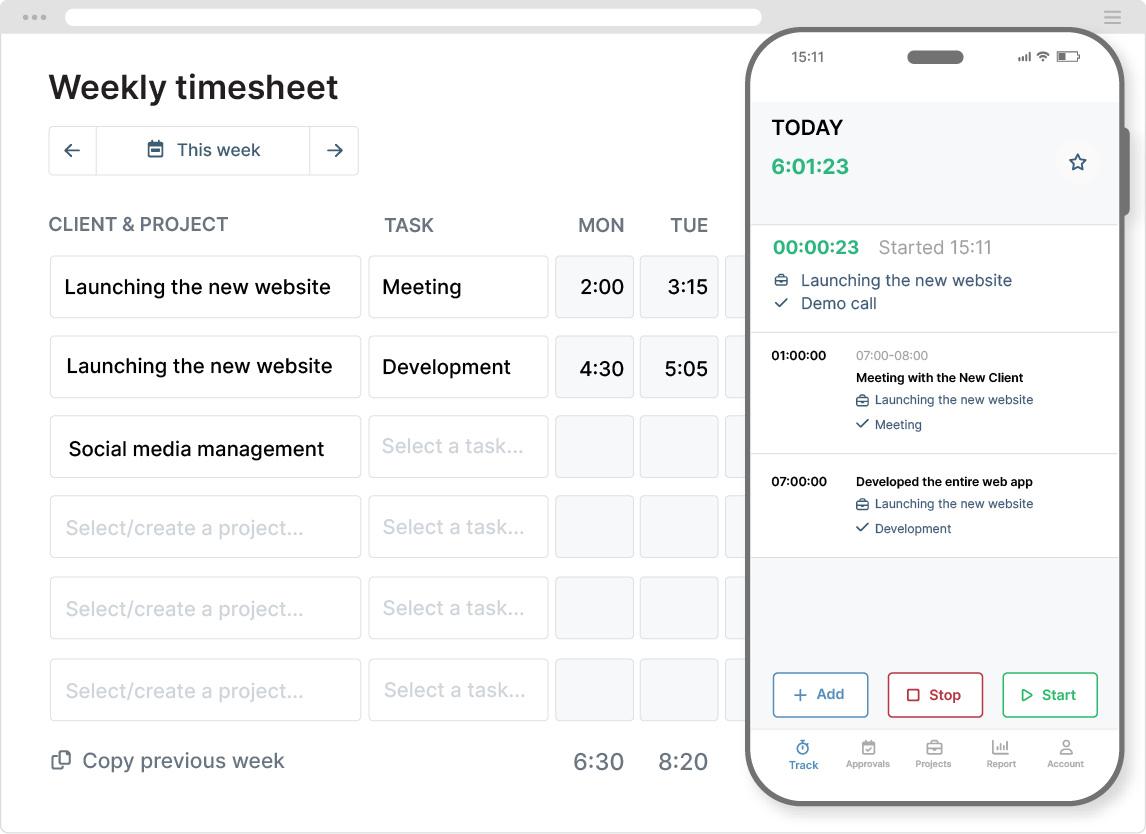
Photo from My Hours
My Hours is a user-friendly time tracking and project-based billing tool designed to make managing projects and client work simple. Its clean interface and clear compartmentalization of projects, tasks, and budgets make it easy for teams to track hours, assign work, and generate accurate invoices without fuss.
I love how My Hours helps keep budgets under control. You can set rates, track expenses, monitor progress, and get alerts when things are off-track.
You can even let the AI-powered chatbot, Andrew, turn your notes and voice recordings into timesheets.
Managers can monitor progress, approve timesheets, and ensure projects stay on budget, all while keeping team workflows organized.
However, My Hours isn’t without its drawbacks. Users report occasional bugs that can disrupt billing, and its reporting options lack flexibility. Multilingual support is also absent, and third-party integrations are somewhat limited.
Pricing:
- Free Plan: Yes, for up to 5 users
- Paid Plan: Starts at $4.00 per user per month, billed annually
Available on:
Mobile, Web, Browser Extension
Ratings:
- Capterra: 4.5/5
- G2: 4.6/5
- Play Store: 4.2/5
- App Store: 4.1/5
Pros:
- Simple interface that’s easy to use
- Neat compartmentalization of projects and tasks
- Responsive customer support
Cons:
- Bugs that cause errors with billing
- Reports could be more flexible and support more languages
- Could use more third-party integrations
“Very easy to use and navigate settings. Easy to set up and roll out for the team. Great support team whenever you have any issues that you need help with. Various features.” – Chloe S.
(Source: G2)
“There is a lack of support in different languages, for the purpose of producing reports in different languages.” – Tzur A.
(Source: G2)
Clockify – Best for Simple Time Tracking
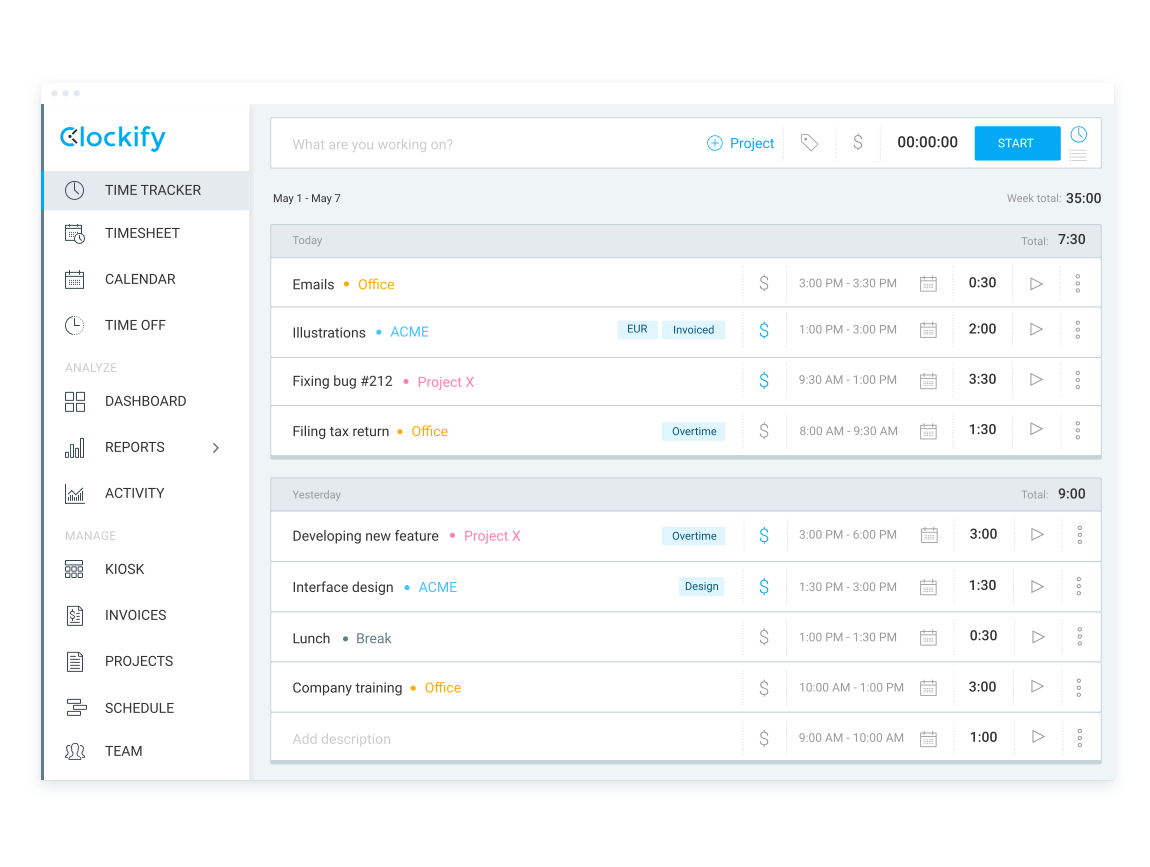
Photo from Clockify
Clockify impresses me with how straightforward it is. Its intuitive interface and versatile features make logging hours, tracking projects, and managing team productivity simple.
Clockify’s timesheets are clean, schedules are easy to manage, and you get enough visibility to see who’s working on what. Freelancers and solopreneurs can use it to understand where their time goes, while larger teams get a reliable view of project progress and billable hours.
That being said, Clockify isn’t without its drawbacks. The mobile app doesn’t always sync correctly with other platforms, users can experience issues logging in on mobile, and occasionally time data can be lost.
Need a no-fuss way to track time in Chrome? Here are the best time-tracking Chrome extensions worth trying.
Pricing:
- Free Plan: Yes, for 5 users
- Paid Plan: Starts at $3.99 per user per month, billed annually
Available on:
Desktop, Mobile, Web, Browser Extension
Ratings:
- Capterra: 4.6/5
- G2: 4.7/5
- Play Store: 4.5/5
- App Store: 4.3/5
Pros:
- Simple, easy-to-navigate interface
- 100+ app integrations
- Insightful dashboards
Cons:
- Mobile app doesn’t always sync correctly with other platforms
- Issues with logging in using the mobile app
- Some users report lost time data
“I like how many capabilities the app has. You can do a lot within it. It’s easy to navigate and you can set up projects to time different aspects of your business.” – Candida B.
(Source: Capterra)
“There’s no auto-scheduling or shift swaps, and no ready-made reports available. It’s also limited in terms of task and project management, though it can be integrated with other softwares that do this.” – Varun R.
(Source: G2)
Everhour – Best for Project Management

Photo from Everhour
Everhour is useful for teams that want to track time against tasks and projects without switching between multiple tools. With features like task and subtask tracking, flexible billing options, budget alerts, resource planning, and expense management, it ensures every aspect of a project is visible and manageable.
Native integrations with popular tools like Asana, Trello, Jira, and Basecamp allow teams to track time directly within the apps they already use, while customizable reports and dashboards make it easy to monitor progress, productivity, and profitability.
However, Everhour has some limitations. The timer can occasionally lag; there’s no offline mode for tracking work without an internet connection, and users report the integrations don’t always run as smoothly as expected.
Pricing:
- Free Plan: Yes, up to 5 seats
- Paid Plan: Starts at $8.50 per user per month, billed annually (minimum of 5 seats)
Available on:
Desktop (for macOS only), Browser Extension, Mobile, Web
Ratings:
- Capterra: 4.6/5
- G2: 4.7/5
- Play Store: 4.4/5
- App Store: 4.2/5
Pros:
- User-friendly and intuitive
- Visual planning tools that keep projects organized
- Built-in expense tracking
- Responsive and helpful support team
Cons:
- Timer can be laggy
- No offline mode
- Integrations don’t always work as smoothly
“The setup is easy. The interface is really intuitive. I love that it integrates with other systems seamlessly, and any calls to support have been answered promptly.” – Chris B.
(Source: Capterra)
“With everhour you need to stay on the page of the project you’re working on or make sure you remember to stop the timer if you’re doing something else. This can be problematic; sometimes you might be doing something like using a CRM that is updating plugins or something for the job.” – Timothy B.
(Source: G2)
Rippling – Best for Large Deskless Teams
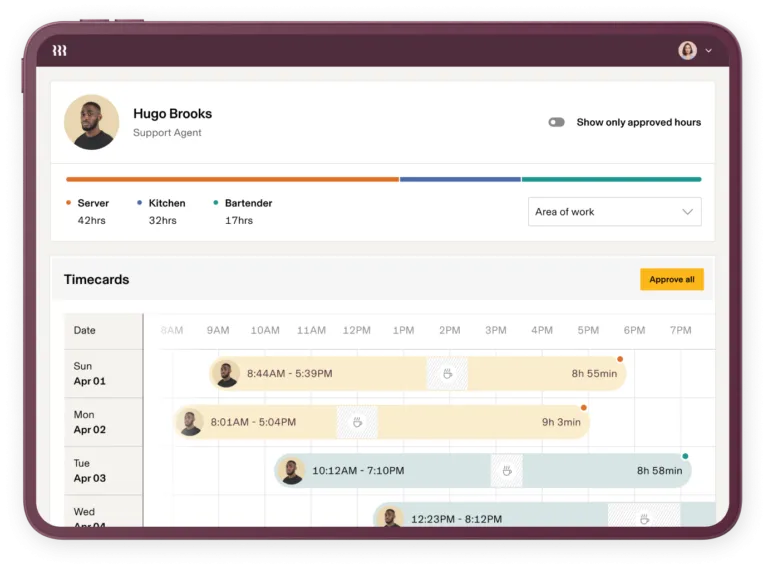
Photo from Rippling
If you’re looking for a time tracker to manage large, deskless teams, Rippling is a solid solution. Rippling offers a pretty huge amount of customization by combining time tracking, payroll, scheduling, and compliance into a single system.
Flexible clock-in options, job costing, automated alerts for overtime or missed breaks, and mobile access make it easier to manage on-the-field employees efficiently. You can also set rules for overtime, shifts, and holidays that actually match how your team operates.
Managers get a clear picture across locations, while employees see only what’s relevant to them, keeping the experience smooth and stress-free.
Over time, Rippling builds up insights that actually matter. You can see patterns, spot bottlenecks, and make smarter scheduling decisions.
That said, some users experience bugs during integration that slow the setup process, and the mobile app can lag or freeze, offering a weaker performance compared to Rippling’s web version.
Pricing:
- Free Plan: No
- Paid Plan: Pricing available only upon request
Available on:
Web, Mobile, Physical Time Tracking Devices
Ratings:
- Capterra: 4.5/5
- G2: 4.6/5
- Play Store: 4.3/5
- App Store: 4.0/5
Pros:
- All-in-one HR platform
- Strong automation features
- Intuitive, user-friendly interface
Cons:
- Bugs during integration that slow the process down
- Mobile app performance is weaker than the web version
- The mobile app can be slow and freeze at times
“I like how easy it is to use, even if you’re not in HR. Everything I need, pay info, time-off requests, forms, and onboarding tasks are in one place. It’s super intuitive, and I never have to chase anyone for updates because the platform keeps everything organized and transparent.” – Radha A.
(Source: Capterra)
“The onboarding was really not straightforward, and honestly did not feel good at all. The difference between sales and the support agents was disappointing.” – Bowie V.
(Source: Capterra)
My Selection Process for the Best Time Tracking Software of 2026
Finding the right time tracking software isn’t just about features. It’s about identifying tools that actually work in real-world scenarios and support your team’s workflows.
Here’s how I evaluated each tool for this article:
- Real-world testing: I didn’t just read feature lists. I actively used each tool in different situations. This included tracking my time solo, using the software for payroll and invoicing, and using attendance and monitoring features with my team. Experiencing the software firsthand helped me understand how it performs in everyday scenarios.
- Focus on usability: A tool is only useful if a team will actually use it. I prioritized software that is intuitive, simple to navigate, and requires minimal training, so teams can spend less time wrestling with the app and more time being productive.
- User reviews: Beyond my own experience, I studied reviews on trusted platforms like Capterra and G2. This helped me see how teams use these tools over time, revealing patterns that short-term testing alone might miss.
- Functionality & value: I assessed each app for its core functionality, customer support quality, and overall value. A tool might be feature-rich, but if it’s hard to use or overpriced, it won’t make the cut.
- Honest recommendations: No company paid for placement or positive mentions. I only include tools I would actually use myself, so you can trust that the recommendations are based on real experience, not sponsorships.
Conclusion
At the end of the day, the best time tracker is one your team will actually use consistently, and one that helps you make smarter decisions with your time.
Everything in this review is based on hands-on experience, careful testing, and honest evaluation. I wouldn’t recommend anything I wouldn’t use myself.
The five tools I highlighted—Jibble, Deputy, Toggl Track, Harvest, and Timely—stood out because they get something essential right, whether it’s automation, scheduling, reporting, or ease of use.
The other strong contenders on the list also excel in specific areas of employee time and productivity tracking, depending on your team’s unique needs.
Pick the app that meets your team’s requirements and helps you understand how time is spent, so you can make informed decisions and improve processes where necessary. Good luck!
FAQs
Some frequently asked questions...
Yes. Time tracking helps employees understand how they spend their work hours, improves accountability, highlights productivity trends, and ensures accurate billing or payroll. When implemented transparently, it can support performance improvement without feeling intrusive.
Employee time tracking ensures accurate payroll, supports project management, identifies productivity patterns, and helps allocate resources efficiently. It also provides insights that guide business decisions and optimize workflows.
The best time tracking tool depends on your team’s needs. Look for software that is easy to use, allows accurate clock-ins and clock-outs, provides reporting, and integrates with payroll or project management systems.
Tools like Jibble, Deputy, and Clockify are popular choices for employee tracking.
You can track employee hours using digital time clocks, mobile apps, web-based timers, or integrated project management software. Choose a method that fits your team’s workflow, whether they work remotely, on-site, or in the field.
Don't waste another minute! Jibble is FREE forever.
Get jibbling with the ultimate time tracking software...
Track time now - it's FREE!
