
Most teams today don’t just need a way to track hours; they need a reliable system to understand how work actually gets done.
From attendance tracking and scheduling to payroll and productivity reporting, time tracking tools have become a core part of how modern businesses manage people and projects.
However, when picking one for your business, you’ll notice that these tools vary widely in focus.
Some are built for simple clock-ins and timesheets, while others are designed for workforce management, remote team oversight, or detailed productivity analysis.
As a result, the “best” option depends heavily on how your team operates.
In this guide, we’ve reviewed and compared the best time tracking apps available today. Each tool was tested against key criteria, including accuracy, attendance tracking, reporting, payroll integration, ease of use, and overall value, to help you choose the right fit for your team in 2026.
9 Best Time Tracking Apps Pricing Compared |
||
| App | Pricing | Free Plan |
| Jibble | $0.00 | ✅ FREE FOREVER for unlimited users |
| TrackingTime | $3.75 per user per month | ✅ |
| TimeCamp | $3.99 per user per month | ✅ |
|
Connecteam |
$29.00 per month for up to 30 users |
✅ |
| Deputy | $5.00 per user per month | ❌ |
|
Everhour |
$8.50 per user per month |
✅ |
| Timing | $9.00 per user per month |
❌ |
| Memtime | $14.00 per user per month |
❌ |
| Deltek Replicon | Available on request | ❌ |
|
Note: The table shows entry-level rates and may not accurately reflect the overall value of the software. To gauge real value, consider each platform’s features, base fees, and any limits on the number of users. |
||
Jibble — Best Time Tracking App for Field and Deskless Workforces
G2: 4.7/5 | Capterra: 4.8/5 | Play Store: 4.7/5 | App Store: 4.8/5
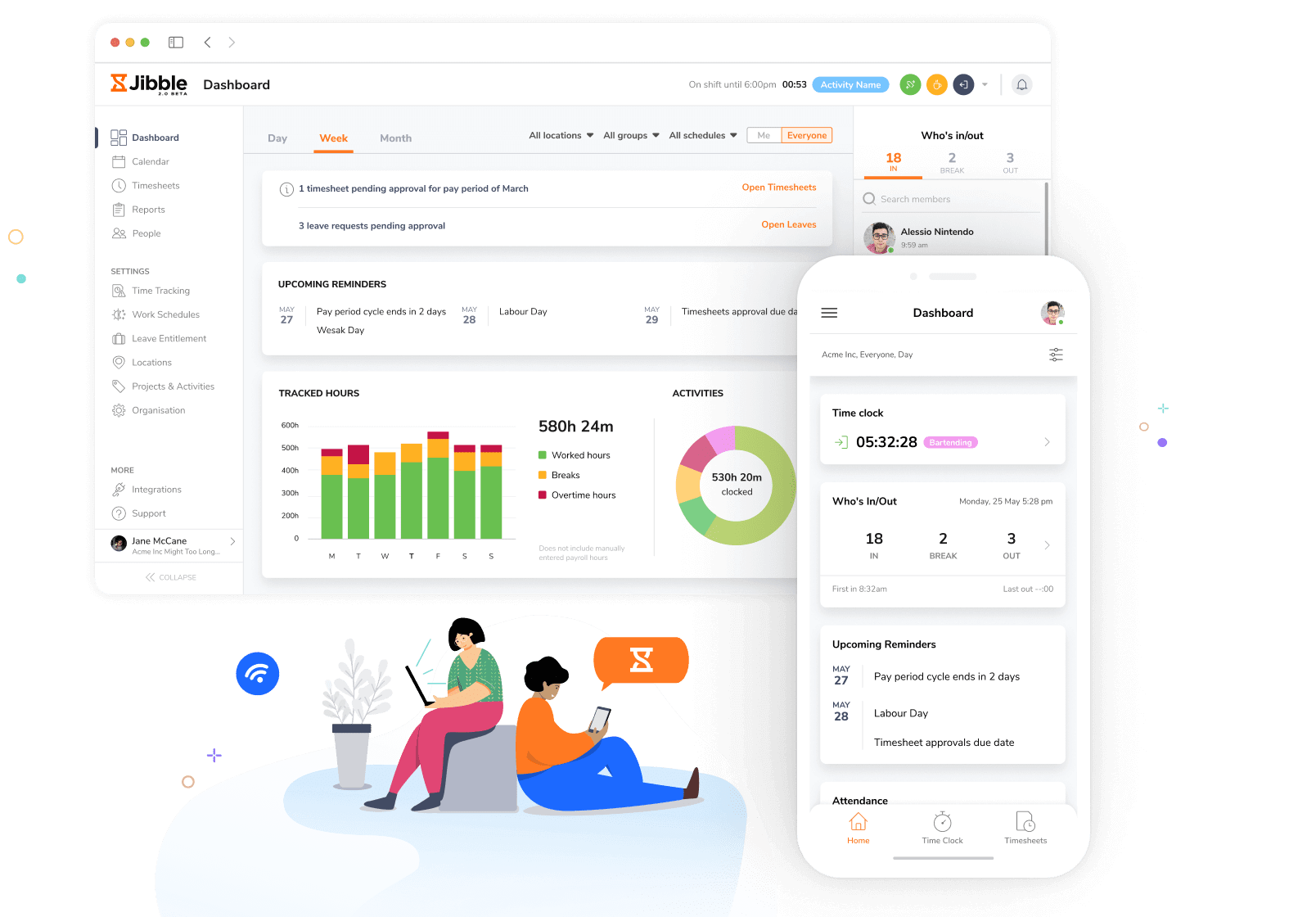
Photo from Jibble
Jibble is a time tracking app built for teams that need reliable clock-ins anywhere, anytime. From construction sites to remote job locations, it focuses on making attendance and time tracking simple, secure, and fraud-resistant.
It supports multiple tracking methods, including manual timers and one-tap clock-in/out across web, mobile, desktop, kiosk, Slack, and Microsoft Teams.
For security-focused teams, Jibble includes AI-powered facial recognition with depth detection to prevent spoofing, making it one of the most secure biometric options in the time tracking app category. GPS tracking, geofencing, and live location monitoring make it especially strong for field teams.
It also uses a server-based clock to ensure timestamps cannot be manipulated, along with NFC and RFID card-based clock-ins for shared devices. Offline mode allows employees to track time without connectivity and sync later.
For attendance, Jibble automatically generates timesheets with break and overtime calculations already applied. It supports kiosk mode, approval workflows, configurable break rules, and structured pay periods.
Workforce insights include a real-time dashboard showing clocked-in users, hours worked, project activity, and leave status. Reports are customizable and can be scheduled for automatic delivery.
Jibble also includes leave management as well as payroll integrations covering tools like QuickBooks, Xero, Gusto, ADP, Deel, and SAP, with CSV/XLS exports for timesheets and reports.
Pricing:
- Free forever for an unlimited number of users
Available on:
Desktop, Mobile, Kiosk, Chrome Extension, Web
Pros:
- Reliable and frictionless time tracking experience
- Effective for managing distributed teams across multiple countries
- Strong reporting capabilities with exports in XLS and CSV
- Helps prevent buddy punching with face recognition attendance
- AI-assisted time entry simplifies logging work activities
Cons:
- Advanced reporting customization could be improved
- Occasional mobile app syncing issues
“Jibble is really easy to use! I like that I can easily navigate, and anytime I need help, customer service is available and easy to reach. I also love how affordable it is.” – Erin R.
(Source: G2)
“The reports don’t provide enough detailed information about individual users, which makes it harder for me to prepare and share those reports for meetings.” – Aaron S.
(Source: G2)
Deputy — Best Time Tracking App for Shift-Based Scheduling
G2: 4.6/5 | Capterra: 4.6/5 | Play Store: 4.8/5 | App Store: 4.7/5
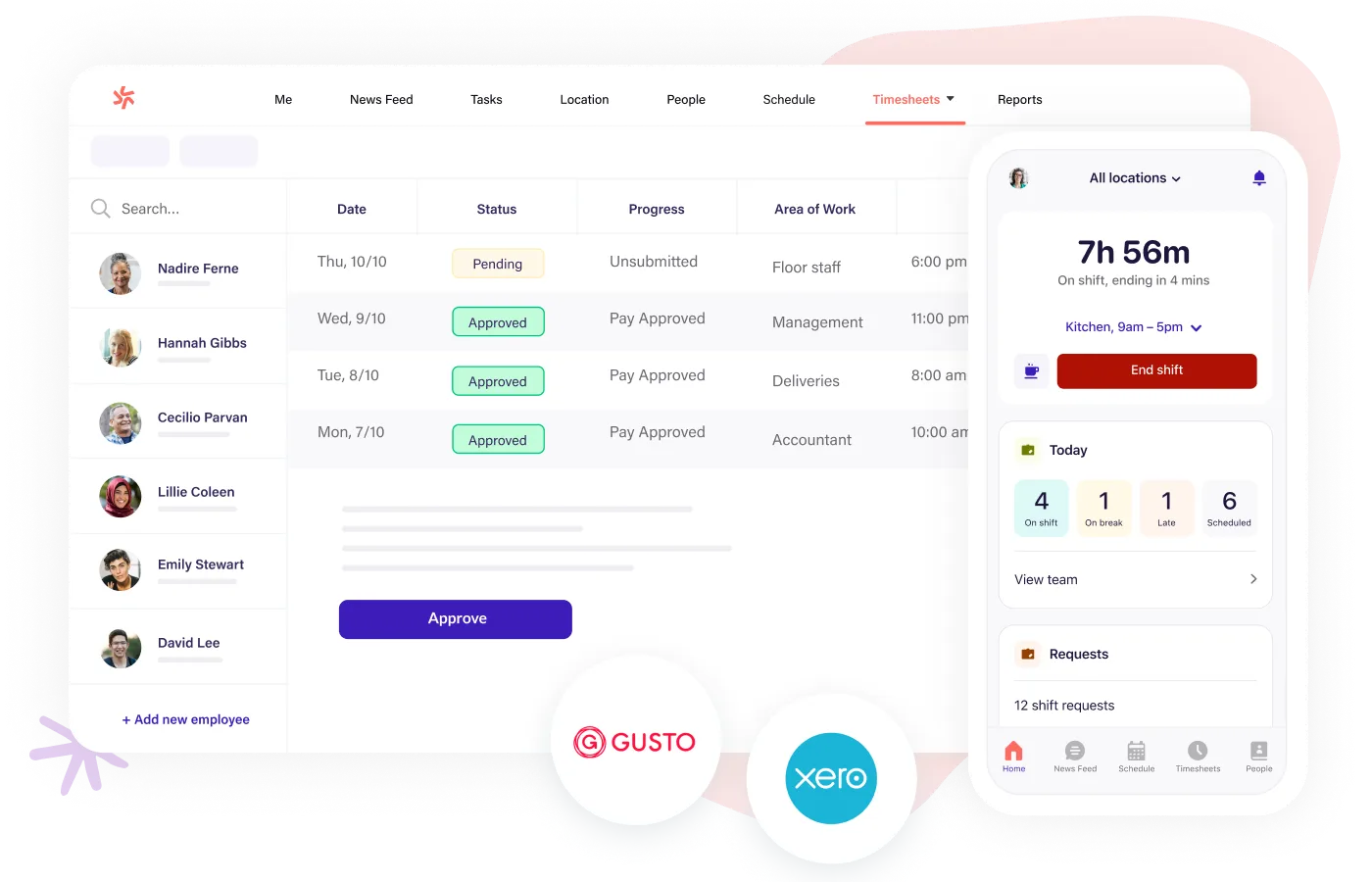
Photo from Deputy
Deputy is a time tracking app designed for structured, shift-driven workplaces that need tight control over attendance and scheduling. It is widely used in retail, hospitality, and healthcare environments.
It allows employees to clock in via mobile, web, or kiosk devices, with GPS location stamping and optional facial recognition. Managers receive real-time updates when staff clock in or out, helping maintain accurate attendance records.
Timesheets automatically calculate hours worked, breaks, overtime, and penalty rates based on compliance rules. Leave management is included, allowing employees to request time off and managers to approve it directly.
Scheduling is a core strength, with drag-and-drop roster building, auto-scheduling based on demand and availability, shift swapping, and fair workweek compliance tools.
GPS tracking is limited to clock-in/out location verification and geofencing, without continuous tracking. Deputy integrates with payroll systems like ADP, Xero, and Gusto, and also offers its own payroll module in select regions. Reporting and analytics are available, with advanced options through paid add-ons.
Pricing:
- Free plan not available
- Billed annually: Starts at $5.00 per user per month
- Billed monthly: Starts at $5.50 per user per month
Available on:
Web, Mobile, Kiosk
Pros:
- Simple and easy-to-use interface for both admins and employees
- Employees can submit time-off requests easily
- Easy-to-view weekly timecards
Cons:
- Advanced features and reports lack deeper customization options
- Mobile app can feel slow at times
“I use Deputy for managing employee timesheets, and I really appreciate how it makes this process easier by having all timesheets in one place with fields to fill in. It simplifies knowing where employees were and what they were doing on any given day.” – Verified User.
(Source: G2)
“Occasionally, the mobile app can feel a bit slow, and certain integrations could be smoother. Pricing can also feel slightly high as the team size grows.” – Zakir S.
(Source: G2)
Connecteam — Best Time Tracking App for Frontline Teams
G2: 4.6/5 | Capterra: 4.6/5 | Play Store: 4.7/5 | App Store: 4.9/5
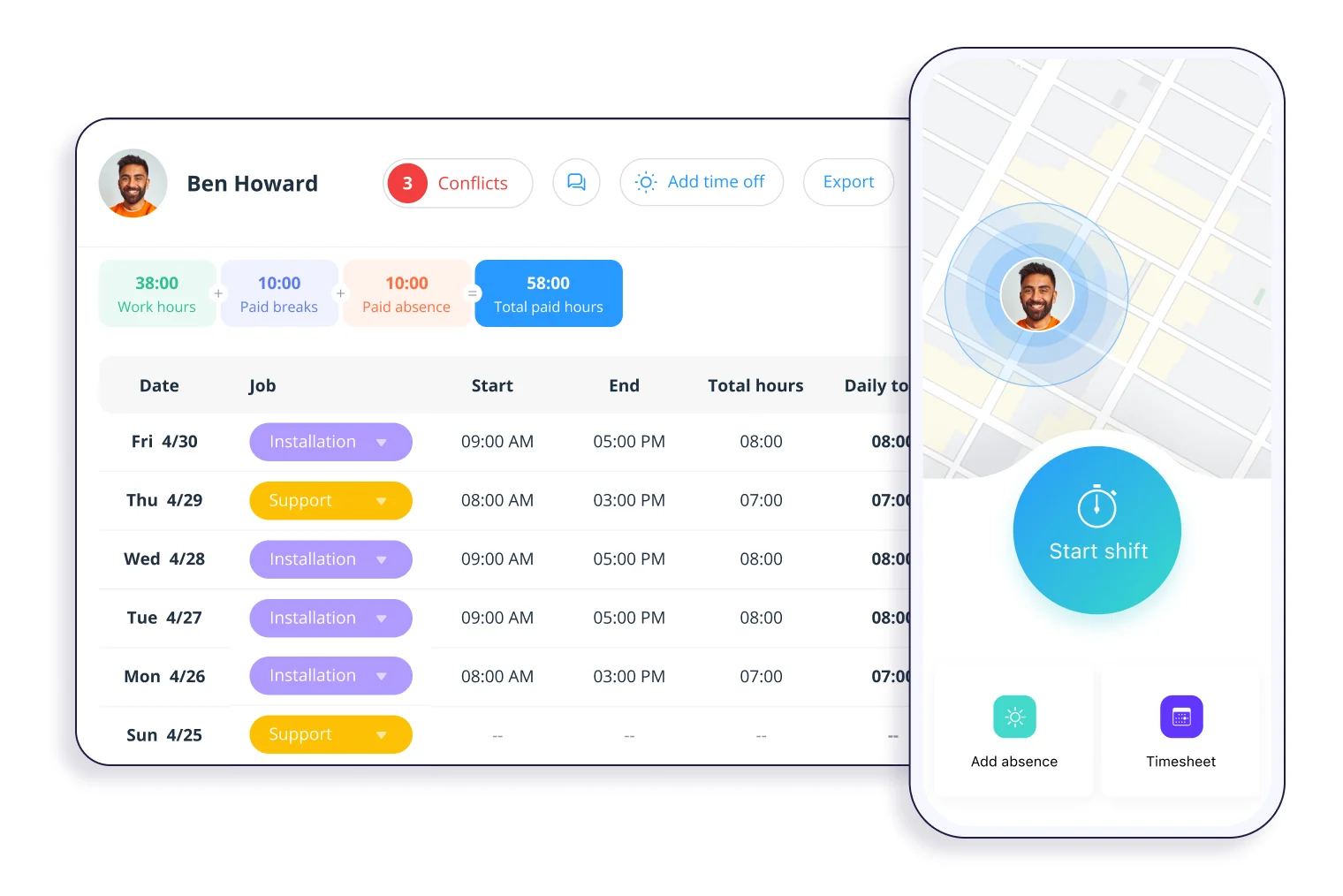
Photo from Connecteam
Connecteam is a mobile-first time tracking app built specifically for frontline and deskless teams working across multiple job sites. It focuses on simplifying time capture and workforce coordination from a single app.
Employees can clock in with one tap using GPS verification, even without internet access, with data syncing once back online. Automated reminders help reduce missed punches, and overtime rules can be enforced or restricted based on company policy.
Timesheets are automatically generated with break, overtime, and pay rule calculations. PTO tracking and leave requests are also handled within the platform. And GPS tracking includes live location monitoring, geofencing, and breadcrumb routes for field visibility.
Managers get real-time dashboards showing hours worked, job activity, overtime, and project status. Reports are fully customizable by job, site, or project.
Scheduling is integrated directly with the time clock, ensuring alignment between planned and actual hours. It also connects with payroll systems like QuickBooks, Xero, Gusto, Paychex, and ADP, along with Zapier and API support.
Pricing:
- Free plan available for up to 10 users only
- Billed annually: Starts at $29.00 per month for up to 30 users. Additional users can be added for $0.8 per user per month.
- Billed monthly: Starts at $35.00 per month for up to 30 users. Additional users can be added for $1.00 per user per month.
Available on:
Web, Desktop, Mobile, Kiosk
Pros:
- Centralizes communication, task management, and scheduling in one platform
- Supports form submissions directly within the mobile app
- Makes it easy for small businesses to manage schedules
Cons:
- Geofencing does not work sometimes
- Advanced features and automations have a learning curve
“What I like best about Connecteam is how easy it is to keep teams organized and connected. From an account management perspective, it simplifies communication, task management, and scheduling in one platform.” – Verified User.
(Source: G2)
“When I open a task to update it, it takes a moment longer to load before I can type anything. One thing I have noticed is that sometimes notifications come in groups instead of one by one.” – Ishan S.
(Source: G2)
Everhour — Best Time Tracking App for Project Billing
G2: 4.7/5 | Capterra: 4.8/5
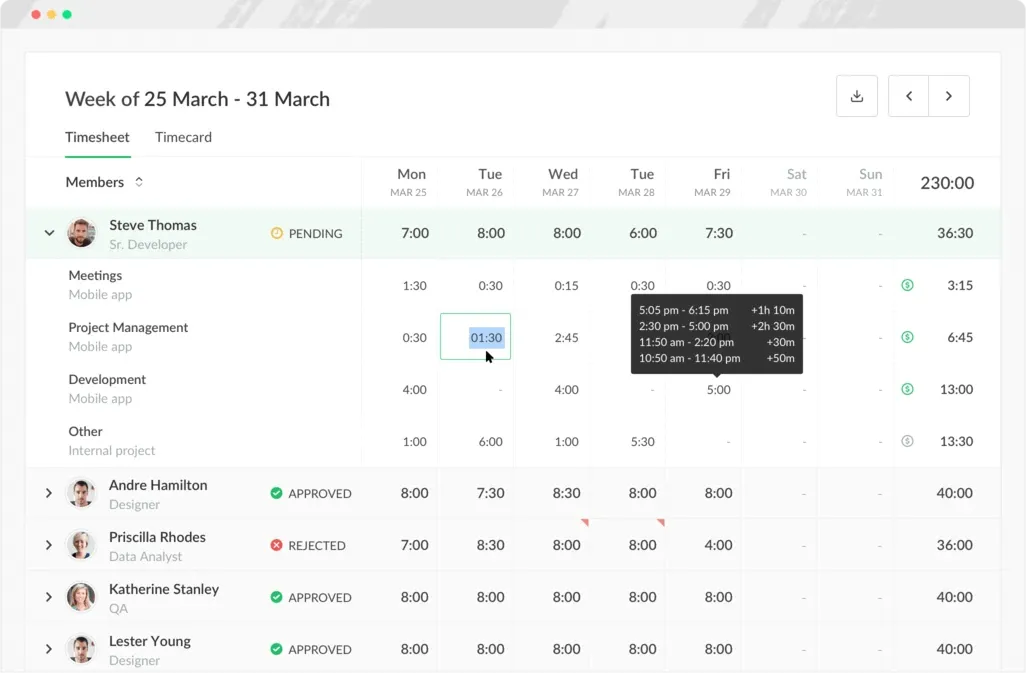
Photo from Everhour
Everhour is a time tracking app built for project-based teams that need accurate billing inside tools they already use. It is especially popular with agencies and software teams working in Asana, Jira, ClickUp, and similar platforms.
Time tracking is done through a browser extension embedded directly into project management tools, allowing users to start and stop timers without switching tabs. Manual entry is also supported, but there is no automatic background tracking.
The platform includes timesheet approvals and role-based permissions on paid plans. Its reporting system is highly detailed, allowing teams to compare estimated vs. actual hours and track budgets, costs, revenue, and profitability across projects.
Everhour also integrates with QuickBooks and Xero for invoicing and accounting workflows, along with deep project management integrations.
Pricing:
- Free plan for up to 5 users available
- Billed annually: Starts at $8.50 per user per month
- Billed monthly: Starts at $10.00 per user per month
Available on:
Mobile, Desktop, Browser Extensions, Apple Watch
Pros:
- Simple interface
- Provides clear visibility into time spent on projects
- Easy to use with seamless integration into project management tools
Cons:
- Pricing can become expensive as usage or team size increases
- Setup for exporting timesheets as Excel files can be improved
“I like the fact that I don’t have to worry about manual tracking anymore with Everhour. It’s also easy to use because it integrates with my project management software.” – Mandy M.
(Source: G2)
“Everhour’s Basecamp integration needs to be more cross-referenced and robust in terms of task-to-project integration.” – Verified User.
(Source: G2)
TrackingTime — Best Time Tracking App for Agencies
G2: 4.4/5 | Capterra: 4.7/5 | Play Store: 3.7/5 | App Store: 3.0/5

Photo from TrackingTime
TrackingTime is a time tracking app built for agencies and client service teams that rely heavily on integrations and billing accuracy. It helps teams track billable work across multiple clients and projects with minimal friction.
It supports timer-based tracking and manual time entry across 60+ integrations, including Asana, Jira, ClickUp, Monday, Slack, Microsoft Teams, Figma, and Linear. It also includes AutoTrack, which logs activity locally while giving users full control over what is saved.
Timesheets are designed for payroll and billing, with support for billable and non-billable hours, cost rates, and project-based reporting.
Reporting includes profitability analysis, billing breakdowns, and automated client reports. Data can also be exported to Excel or Power BI (business intelligence) feature for deeper analysis.
Pricing:
- Free plan available
- Billed annually: Starts at $3.75 per user per month
- Billed monthly: Starts at $5.00 per user per month
Available on:
Desktop, Browser Extensions, Mobile, Web
Pros:
- Easy to optimize and manage workflows
- Visually clear and easy to interpret
- Supports better awareness of productivity and time usage
Cons:
- Detailed reports need a paid plan
- Time tracking doesn’t stop in sleep mode on Mac devices
“I really like the desktop app because with just a couple of clicks I can start tracking time. Also, the repeat task button is very useful. It’s all about how easy and fast it is.” – Estrella A.
(Source: G2)
“A couple of times, when I tried to enter my working hours, the platform didn’t seem to be working—maybe it was down for maintenance.” – Daniel M.
(Source: G2)
Deltek Replicon — Best Time Tracking App for Enterprises
G2: 4.3/5 | Capterra: 4.5/5 | Play Store: 4.6/5 | App Store: 4.9/5

Photo from Deltek Replicon
Deltek Replicon is a time tracking app built for enterprise teams that need advanced project billing, workforce management, and strict compliance control. It is mainly used by mid-market and large organizations, including global and regulated industries.
Time tracking is automated through Replicon’s ZeroTime feature, which pulls activity from 100+ work apps and creates pre-filled timesheets for review. It also supports project-based tracking, where time is logged against tasks, activities, and custom fields. CloudClock enables kiosk-based clock-in/out on iOS devices using face and voice input, while mobile apps support offline tracking with sync when back online.
Timesheets include breaks, overtime, approvals, and payroll-ready calculations with multi-level validation workflows. PTO and global leave management are also supported. GPS tracking and geofencing are also offered to support location-verified time entries.
Reporting focuses on project costs, utilization, and real-time budget visibility. It also includes BI connectors and compliance-ready reporting for regulated environments. Integrations include ADP, SAP, Oracle, and other enterprise systems, along with API access.
Pricing:
- Available on request.
Available on:
Web, Mobile, CloudClock
Pros:
- Provides historic trends to compare costs against budgets
- Strong mobile app experience
- Reduces billing errors and improves accuracy
Cons:
- Interface can be confusing
- Reporting customizations can be improved
“I’m using this tool, and it has been excellent for managing our time and improving our team’s productivity. It’s quite intuitive, so it was easy to get used to from the start.” – Ryan K.
(Source: G2)
“The platform’s performance tends to drop when handling very complex reports, and the mobile app still has room for improvement, especially in terms of the features available.” – Angelo M.
(Source: G2)
TimeCamp — Best Time Tracking App for Automatic Desktop Tracking
G2: 4.7/5 | Capterra: 4.7/5 | Play Store: 3.5/5 | App Store: 3.1/5
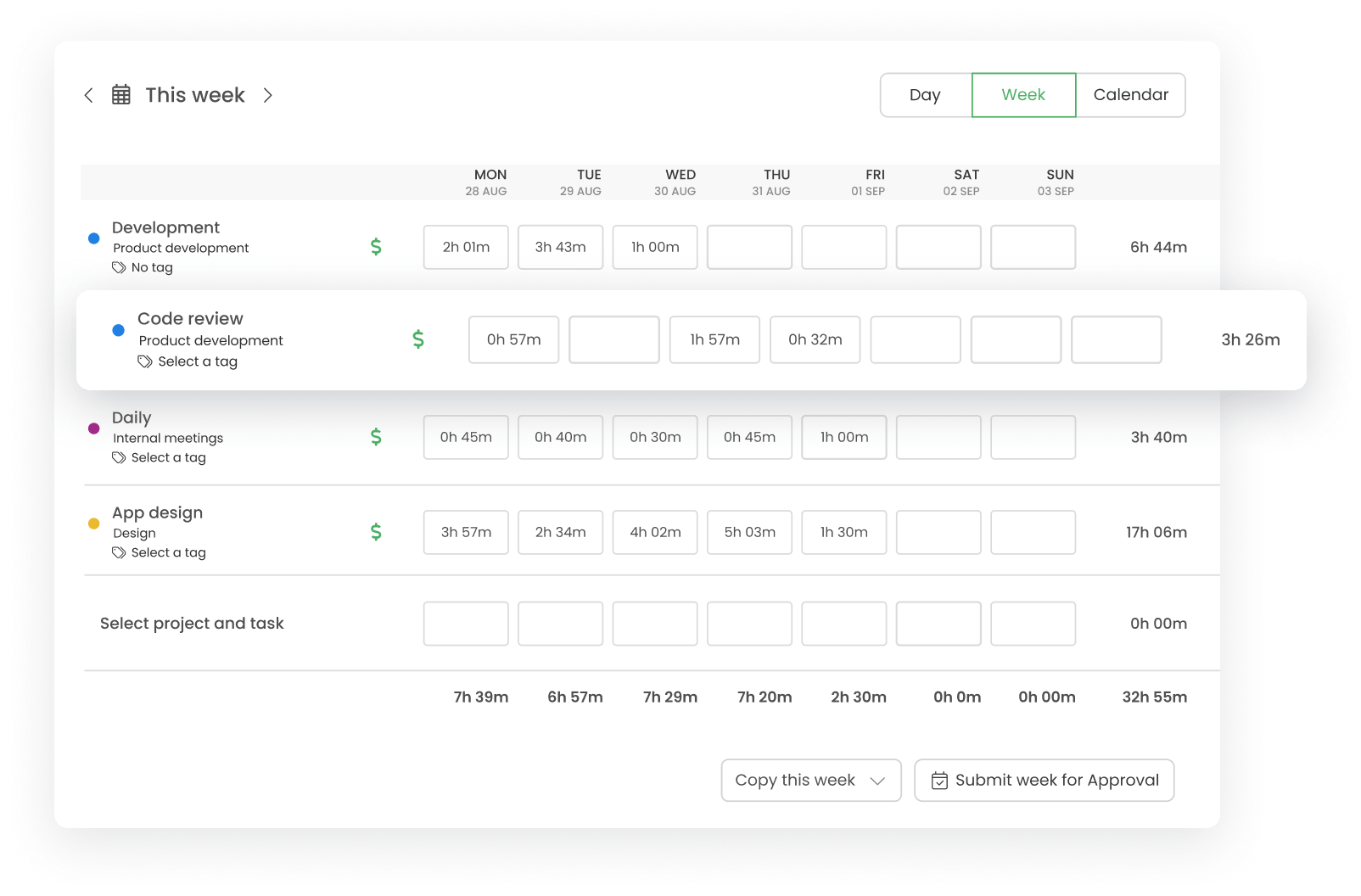
Photo from TimeCamp
TimeCamp is a time tracking app that automatically records computer activity in the background for users who prefer minimal manual input. It tracks apps, websites, and documents while users work, creating an automatic activity log.
Idle detection pauses tracking when no activity is detected, and kiosk mode allows shared-device clock-ins using a PIN system. Attendance tracking covers hours worked, absences, vacations, sick leave, and business trips.
It also provides productivity insights through reports on app and website usage, along with dashboards for team and individual performance. Budgeting, invoicing, and project cost tracking are included for financial visibility.
Scheduling features are basic and focus on defining work hours rather than shift-based planning. GPS tracking with geofencing is available through the mobile app for field teams.
TimeCamp integrates with tools like QuickBooks, Xero, Jira, Asana, ClickUp, Salesforce, and more, with payroll exports depending on plan level.
Pricing:
- Free plan available
- Billed annually: Starts at $3.99 per user per month
- Billed monthly: Starts at $5.49 per user per month
Available on:
Desktop, Mobile, Web, Browser Extensions, Kiosk
Pros:
- Ability to mark time as billable or non-billable
- Useful for tracking sick leave and annual leave in small teams
- Easy reporting and flexible usage
Cons:
- No easy pause/resume timer functionality in the desktop app
- Some workflows require manual reporting instead of automated insights
“I use TimeCamp for its automatic tracking feature, which is available in the free version of the app. As an independent management consultant with ADHD, I don’t always track my activities as well as I should.” – Shannon P.
(Source: G2)
“The only improvement I would love is if you can pause and resume your timer as I still find the desktop app a bit annoying.” – Verified User
(Source: G2)
Timing — Best Time Tracking App for Mac Users
G2: 4.6/5 | Capterra: 4.8/5

Photo from Timing
Timing is a fully automatic time tracking app built exclusively for Mac users who want passive tracking without timers. It captures everything happening on the device, including apps, websites, documents, and email activity.
The app is designed for individual professionals rather than teams, so it does not include attendance tracking, payroll systems, or workforce scheduling tools.
Instead, it focuses on productivity insights, allowing users to track project-based productivity trends and compare planned vs. actual work using calendar data. Aggregated team data is available for shared projects, while private activity remains confidential.
It also imports Apple Screen Time data from iPhone and iPad, along with call logs, giving a more complete picture of daily activity. Idle detection helps categorize untracked time after breaks.
Reports can be exported in formats like PDF, CSV, XLSX, and HTML. But, Timing is Mac-only, making it unsuitable for mixed-device teams but highly effective for solo consultants and Mac-based professionals.
Pricing:
- Free plan not available
- Billed annually: Starts at $9.00 per user per month
- Billed monthly: Starts at $11.00 per user per month
Available on:
Web, Mobile, Desktop, Tablets
Pros:
- Provides daily summaries and productivity ratings
- Fully automated time tracking
- Feels tailored to individual working styles
Cons:
- Setup can require an initial time investment
“This software has been a total game-changer for me. Feels as if it’s been custom-built to suit the way I work. I tried a few other apps before Timing, but nothing came close in terms of being able to customise auto-tracking the way I needed. ” – Damien
(Source: Capterra)
“Two things I felt that were missing – 1st party integration with other project management tools is a bit weak, and you have to get the most expensive “team” plan to get API access (which I ended up doing so I could roll my own integration), despite not needing any of the team/most premium features.” – James I.
(Source: G2)
Memtime — Best Time Tracking App for Desk-Based Professionals
G2: 4.7/5 | Capterra: 4.4/5
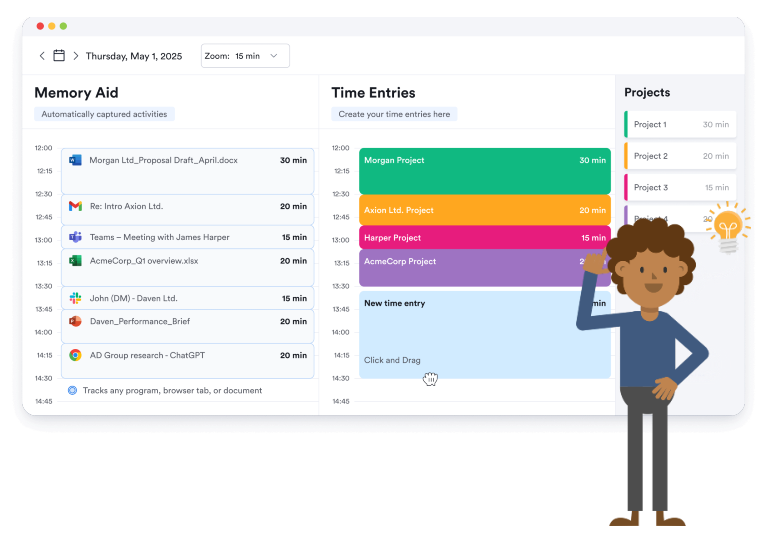
Photo from Memtime
Memtime is a fully automatic time tracking app designed for knowledge workers who want accurate activity logs without manual input. It runs in the background and records all computer activity locally on the device.
It creates a detailed timeline of work activity, which users can later turn into structured time entries. It also integrates with calendars like Google, Outlook, iCloud, macOS, and CalDav to compare planned vs. actual time usage.
The platform includes analytics such as billable utilization, app usage, and website activity, helping users understand how their time is spent across tasks and projects.
Memtime does not include attendance tracking, clock-in/out systems, or workforce scheduling, as it is built for individual productivity rather than shift management.
It integrates with over 100 project and billing tools, allowing time entries to sync directly into external systems. However, it does not offer native payroll integrations.
Reporting includes unlimited custom reports with breakdowns by project, task, and billing type. All data is stored locally on the device, prioritizing privacy but limiting centralized team oversight.
Pricing:
- Free plan not available
- Billed annually: Starts at $14.00 per user per month
- Billed quarterly: Starts at $18.00 per user per month
Available on:
Desktop
Pros:
- Easy to use with quick access from the taskbar
- Color-coded interface helps distinguish clients and projects
- Allows detailed time viewing down to minutes or 30-minute blocks
Cons:
- Limits efficiency when exporting or syncing to tools like Xero Projects
- Cannot merge multiple small time entries into one batch entry
“What I particularly like is that I can work freely throughout the day, then go back at the end of the day and clearly see what I’ve worked on. From there, I can update my timesheets accurately without having to rely on memory. I also have the option to log time as I go along and link it directly with our Xero projects.” – James R.
(Source: G2)
“I would like to see them add billing, both per client and on a project basis, and it would be nice if it could actually track across devices. I use my tablets and even my phone for work and that’s not tracked.” – Beth A.
(Source: G2)
How We Evaluated the Best Time Tracking Apps
To identify the best time tracking apps for modern teams, we evaluated each platform based on the features and capabilities that matter most to businesses managing employees, projects, and payroll. Our assessment focused on the following criteria:
1. Time Tracking Accuracy
We looked at how effectively each app tracks work hours through manual timers, automated tracking, timesheets, and clock-in/clock-out functionality. Apps that offered reliable and flexible tracking methods scored higher.
2. Attendance and Timesheet Management
We assessed each platform’s ability to manage employee attendance, track breaks, handle overtime, and generate accurate timesheets for payroll and compliance purposes.
3. Productivity and Workforce Insights
We examined reporting and analytics features that help managers understand how time is spent, monitor productivity trends, and identify opportunities to improve efficiency.
4. Scheduling and Workforce Management
Apps that include employee scheduling, shift planning, leave management, and workforce coordination tools received additional consideration, particularly for businesses with hourly or shift-based employees.
5. Payroll and Integrations
We evaluated how well each solution integrates with payroll, accounting, and project management software. Platforms that simplify payroll processing and data syncing scored higher.
6. GPS and Location Tracking
For businesses with remote or field-based employees, we reviewed GPS-enabled features such as location-based clock-ins, geofencing, and real-time workforce visibility.
7. Reporting and Analytics
We analyzed the depth and usability of reporting tools, including customizable reports, labor cost tracking, project insights, and workforce analytics.
8. Ease of Use
User experience played a major role in our evaluation. We favored platforms with intuitive interfaces, straightforward onboarding, and mobile-friendly experiences for both managers and employees.
9. Pricing and Overall Value
Finally, we compared pricing plans, free offerings, scalability, and feature-to-cost ratios to determine which apps deliver the best value for businesses of different sizes.
So, What is the Best Time Tracking App in 2026?
The best time tracking app depends on how your team works. Some tools focus on project billing like Everhour and TrackingTime, while others like TimeCamp, Memtime, and Timing are built for automatic or individual productivity tracking.
Enterprise platforms such as Deltek Replicon offer advanced compliance and workforce controls, but they are often complex and better suited to large organizations.
For most modern teams, the real need is a balance of accurate time tracking, attendance, scheduling, payroll support, and GPS tracking without unnecessary complexity.
Jibble stands out as the best time tracking app because it brings these core capabilities together in one simple platform. It supports multiple clock-in methods, automated timesheets, scheduling, GPS tracking, and payroll integrations, making it suitable for both desk and field teams.
FAQs
Some frequently asked questions...
A time tracking app is used to record how employees or individuals spend their working hours. It helps businesses track attendance, manage productivity, calculate payroll, and monitor project or task time.
Modern tools also go beyond simple timers by including features like scheduling, g, timesheets, and reporting, making them useful for both office-based and field teams.
For most teams, Jibble is the strongest overall option because it combines time tracking, attendance, scheduling, GPS tracking, and payroll integrations in one system. While other tools focus on specific use cases like project billing or automation, Jibble covers the full workflow from clock-in to payroll in a simple and scalable way.
Connecteam and Jibble are both strong options for field and deskless teams. Both offer mobile-first time tracking with GPS verification, offline support, and automated timesheets, making it easy to manage employees across multiple job sites.
Jibble provides a slightly more complete setup for teams that also need attendance controls and workforce structure alongside tracking. It combines GPS tracking, geofencing, scheduling, and payroll-ready timesheets in a single system, which can reduce the need for multiple tools.
Connecteam is also a solid choice, especially for teams focused on mobile workforce coordination and internal communication alongside time tracking.
Businesses should prioritize accuracy, ease of adoption, and workflow coverage. This includes whether the app supports attendance, scheduling, payroll integration, reporting, and mobile access. The best choice is usually the one that fits the team’s actual working style rather than the one with the most features.