
Getting Started with the Learning Center
Access personalized tutorials, help articles, and resources to help your team get started and make the most of Jibble.
The Learning Center is your in-app hub for tutorials, help articles, and product resources to help you get the most out of Jibble. It provides quick access to guided walkthroughs, setup instructions, and helpful documentation—all in one place.
Note: The Learning Center is available only to Owners, Admins, and Managers.
This article covers:
Accessing the Learning Center
- Log in to your Jibble account via the web app.
- Locate the learning center icon on the top right of your screen.
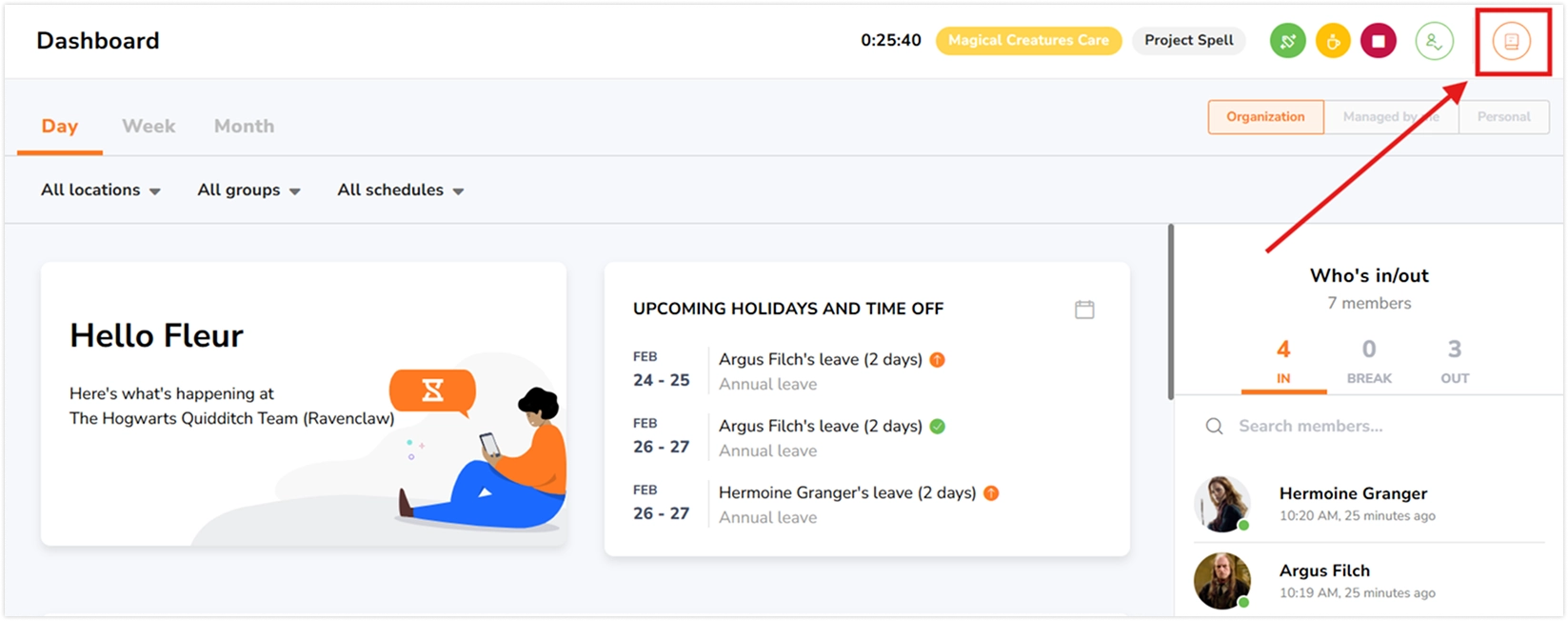
- Click the icon to open the Learning Center sidebar.

The Learning Center will open in a sidebar, giving you access to tutorials, guides, and other helpful resources—all personalized for your team.
What you’ll find in the Learning Center
The Learning Center delivers content tailored to your organization and workflow, so you’ll see guidance relevant to the tools your team uses. Whether you track time via desktop, kiosk, or mobile, the Learning Center surfaces tutorials and articles that match your setup.
Video tutorials
- Watch short, focused video tutorials to learn how to use key features quickly, from clocking in and out to managing projects, activities, and locations.
- These tutorials help you quickly understand how features work.
Help articles
- Access step-by-step guides for setup, management, including workspace configuration, team management, reminders, timesheets, and reporting.
- Click View more to open the full Help Center in a new tab for additional resources.
Sharing feedback
If you have suggestions or notice areas for improvement in Jibble, you can submit feedback directly from within the Learning Center.
- Share an idea – Submit feature suggestions
- Visit portal – View updates and feature releases