
Most time tracking software are built around the same core set of tools: a time clock, attendance tracking, overtime and break rules, timesheet management, and payroll processing features.
For most businesses with a lean team in one location, a straightforward schedule, one set of rules for everyone, that’s enough.
Enterprise is a different problem entirely. When you’re managing a workforce of 1,000 or more with people spread across locations, time zones, departments, and legal jurisdictions, the requirements don’t just grow; they change in kind.
And what separates enterprise time tracking software from a regular tool is how much complexity the software can absorb without breaking. A feature set that works cleanly at 50 can buckle at 500, and fail completely at 5,000.
In this guide, we’ve reviewed the best enterprise time tracking software out there, from general time tracking software that scales incredibly well for large teams, to platforms built specifically for enterprise from the ground up. Here’s what made the cut.
Best Enterprise Time Tracking Software Pricing Compared in 2026 |
||
| Software | Pricing | What Users Like |
| Jibble | $0.00 (Free Forever) |
|
| Connecteam | $29 per month for up to 30 users |
|
| TimeCamp | $3.99 per user per month |
|
| Deputy | $5.00 per user per month |
|
| Time Doctor | $6.67 per user per month |
|
|
Hubstaff |
$4.99 per user per month (minimum 2 seats required) |
|
| ADP Workforce Now | Custom pricing |
|
| Rippling | Custom pricing |
|
Jibble – Best Enterprise Time Tracking Software for Unlimited Users
Free Forever for an unlimited number of users
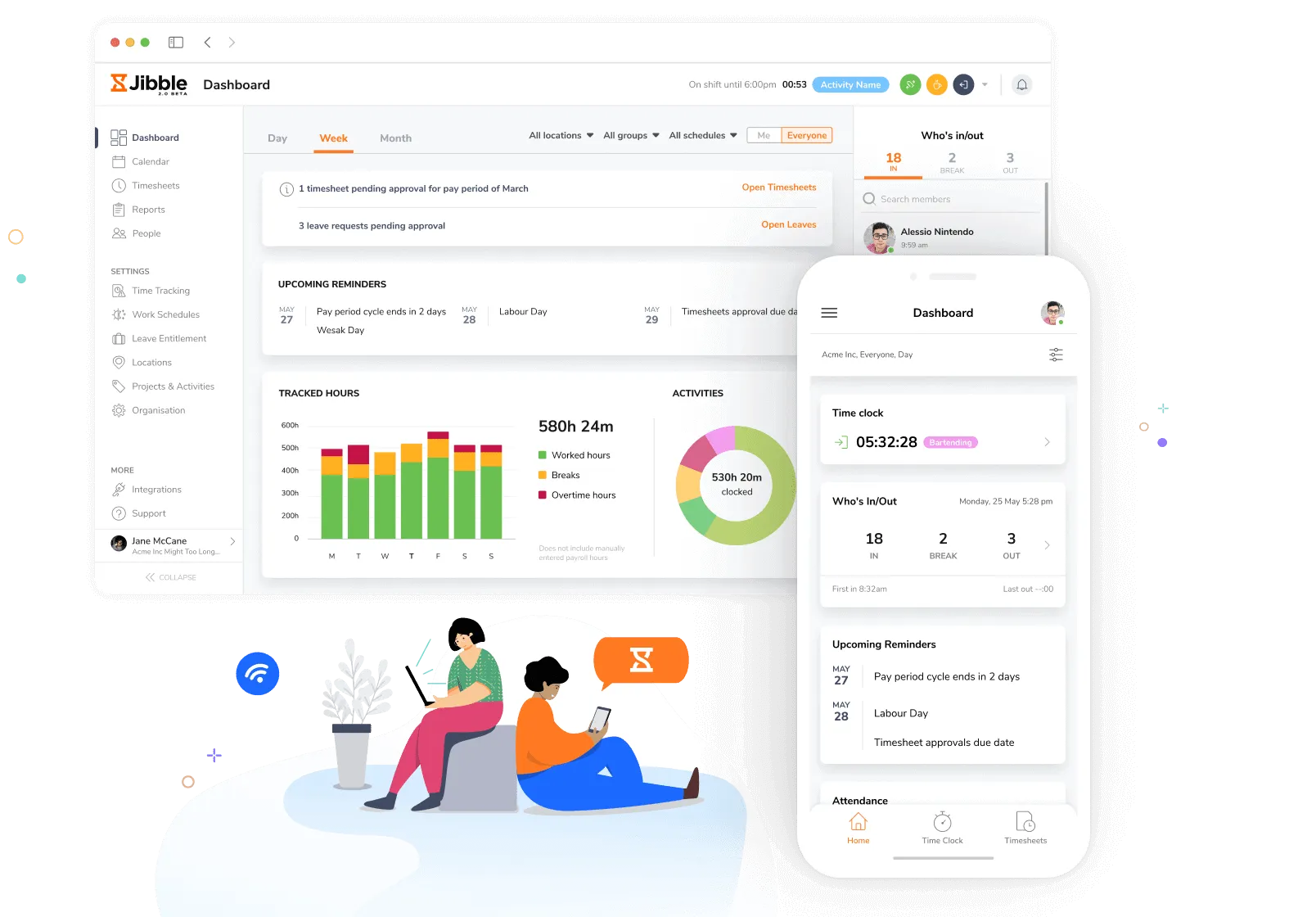
Jibble is an enterprise time tracking software that lets organizations of any size get started without paying per seat. Its offers enterprise-grade features free of cost for unlimited users, which already separates it from most tools on this list.
Jibble is built to handle enterprise demands with features like self-hosting, so companies can keep full control over their data, along with SAML-based Single Sign-On (SSO) and detailed audit logs to support security, compliance, and IT management.
For tracking attendance accurately, Jibble includes AI-powered biometric verification, geofencing for automatic clock-ins and clock-outs, and NFC/RFID card-based clocking for environments where mobile devices aren’t ideal.
These features help reduce time fraud and make tracking more consistent across different workplaces.
For seamless payroll processing, Jibble updates timesheets in real-time, calculates overtime, and prepares payroll-ready reports, while multi-level approval workflows ensure hours are reviewed properly before payroll is processed.
Companies can also white-label the platform with their own branding and subdomain, making it feel like part of their internal system rather than a third-party tool.
Jibble’s Features for Enterprise Time Tracking:
- SSO via SAML for centralized login
- Self-hosting for full data control
- Dedicated infrastructure, not shared cloud
- Full audit log for compliance
- Multi-level approval workflows
- Biometric clock-in with anti-spoofing
- Live GPS tracking while on the clock
- Granular per-user permissions
- White labelling and custom subdomain
- Geofencing for location-restricted clock-ins
- Offline mode with automatic sync
- Automated timesheets with overtime and break calculations
- Payroll-ready XLS and CSV exports
- Kiosk mode for shared-device clock-in
- NFC and RFID card-based clock-in
Jibble Integrations:
Jibble connects with the tools enterprises are already running across every major category, including:
- Payroll & HR Tools: ADP, Gusto, BambooHR, Deel, SAP SuccessFactors
- Accounting Tools: QuickBooks, Xero, Sage
- Project Management Tools: Jira, Asana, ClickUp, Azure DevOps
- Communication Tools: Microsoft Teams, Slack
- Enterprise Systems: SAP, Oracle, Salesforce
- Automation Tools: Zapier and a public API for custom integrations
For the full list of 50+ integrations, visit Jibble’s integrations page.
Can Be Used On:
Mobile (iOS and Android), Desktop (Mac and Windows), Web, Kiosk, Browser Extension
Ratings:
- Capterra: 4.8/5
- G2: 4.8/5
- Play Store: 4.7/5
- App Store: 4.8/5
Pros:
- Strong activity and project tracking capabilities
- Free forever for unlimited users
- Effortless time and attendance tracking
- Helps maintain organized time records for compliance
- Accessible on multiple platforms, including mobile, web, and desktop
- Seamless integrations with payroll systems
- Reliable attendance with facial recognition and geolocation
- Easy to use
Cons:
- Occasional lag on mobile device
- Reporting formats are basic for complex analysis
- Limited flexibility in configuring permissions for different user roles
“What I liked most about Jibble is how clean and easy the user interface feels. The reporting features are also really useful, especially when you need quick visibility into attendance, hours logged, and trends over time. On top of that, their customer support has been responsive and helpful.” – Nandan
(Source: Capterra)
“The app occasionally takes a bit longer to sync attendance data across devices. Sometimes the clock-in or clock-out status doesn’t update immediately, which can create small inconveniences when tracking time accurately. If the syncing speed improves, the overall experience would be perfect.” – Rushi S.
(Source: G2)
Connecteam – Best Enterprise Time Tracking Software for Frontline Team Communication
Free plan: Yes, for up to 10 users
Free trial: Yes, 14-day free trial
Paid plan: Starts at $29 per month flat for up to 30 users, billed annually. Additional users can be added starting at $.50 per user per month
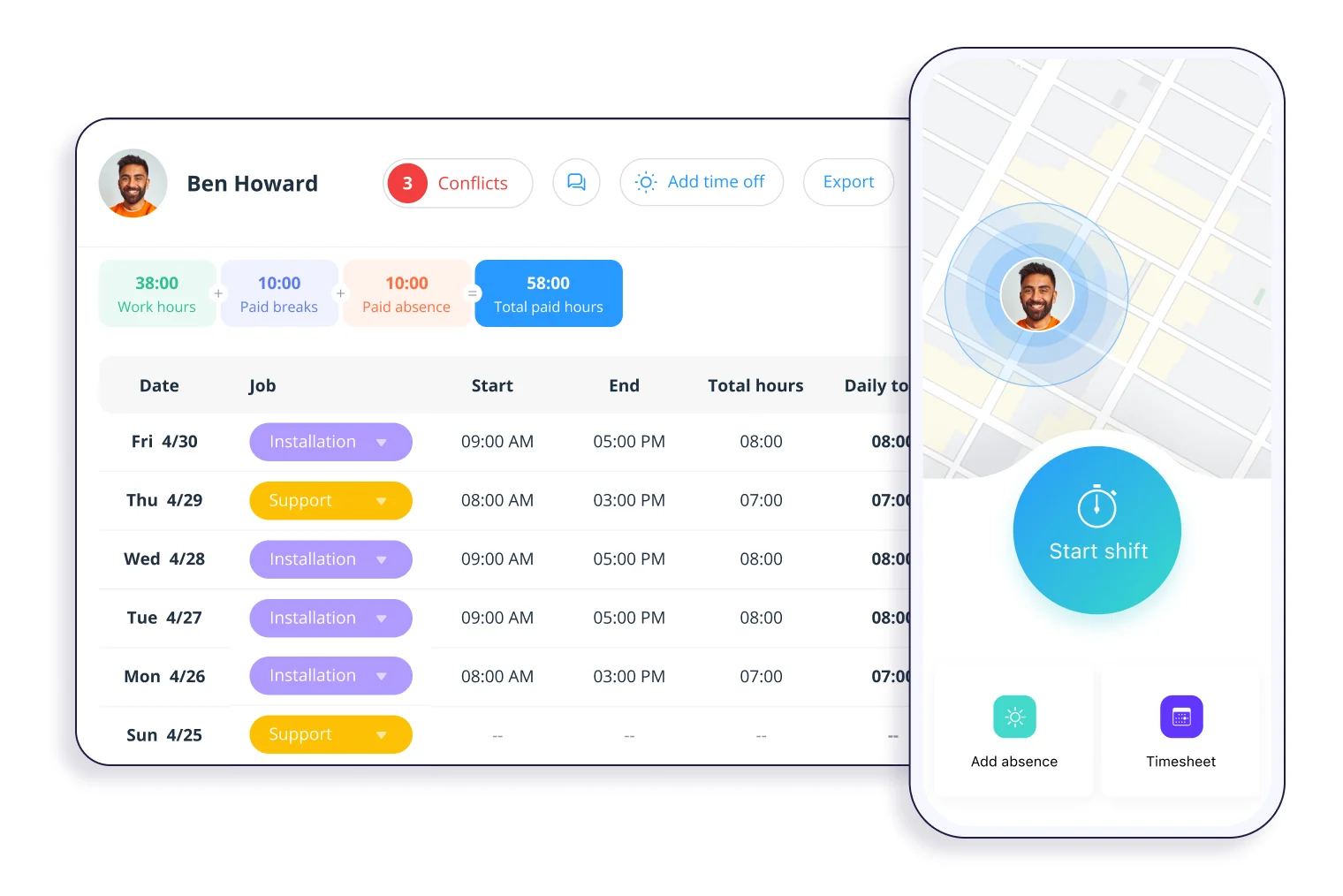
Photo from Connecteam
Connecteam is an enterprise time tracking software that combines time tracking and team communication in one app, built specifically for frontline and deskless workforces in industries like retail, construction, logistics, and hospitality.
The time clock covers GPS with Breadcrumb route mapping, geofencing, NFC tap-to-clock-in, and kiosk mode. Where it separates itself is the communication layer.
Managers can push announcements through a company update feed, see exactly who has read each post, and message teams through a built-in admin-controlled chat.
A safety update or schedule change isn’t just sent, it’s verified as received. Timesheets sync directly with Gusto, QuickBooks Online, Paychex, and Xero, keeping the path to payroll short.
Connecteam’s Features for Enterprise Time Tracking:
- Lets employees sign in using company login credentials across large teams.
- Adds an extra layer of login security with a verification code.
- Restricts clock-ins to approved job sites.
- Automatically calculates work hours and routes timesheets for approval.
- Applies overtime and break rules automatically based on company policy.
- Sends scheduled attendance reports to the right stakeholders.
Can Be Used On:
Mobile (iOS and Android), Web, Kiosk
Ratings:
- Capterra: 4.6/5
- G2: 4.6/5
- Play Store: 4.8/5
- App Store: 4.9/5
Pros:
- Easy to request time off with the mobile app
- Ability to create forms and reports
- Tracked hours can be separated by job description
- Daily task assignment and workload regulation
Cons:
- UI can be challenging to navigate
- Advanced reporting and complex integrations can be limited
- Mobile app can take too much time to load
“I find Connecteam to be a very valuable resource overall because of all of the features available and the streamlined operation of it. I can do most of the things I want in all one place, keep track of tasks, stay up to date with training, fill out all of my company forms, and so on.” – Juliette F.
(Source: Capterra)
“Whenever I track location of our employees that have logged in their profile through this application. I have noticed that it shows incorrect gps data and location also we everyday face this issue and still now it has not been solved by the developers. It needs a very strong internet connection to show real time data of the employees.” – Umesh K.
(Source: G2)
TimeCamp – Best Enterprise Time Tracking Software for Automatic Time Capture
Free plan: Yes
Free trial: Yes, 14-day free trial
Paid plan: Starts at $3.99 per user per month, billed annually
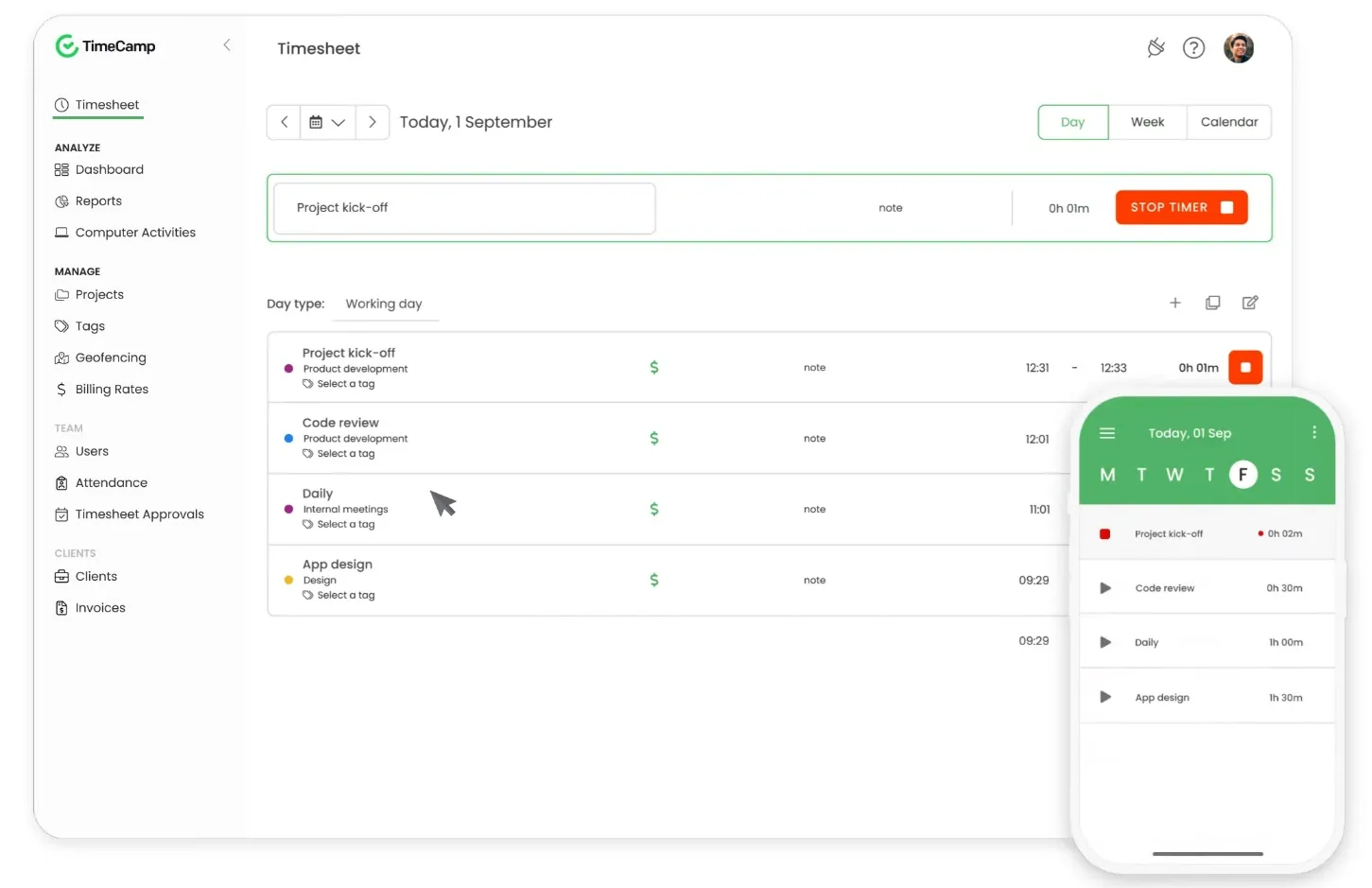
Photo from TimeCamp
TimeCamp is an enterprise time tracking software that logs employee hours automatically in the background, without requiring anyone to start a timer or fill in an entry.
A lightweight desktop app matches active apps and documents against project keywords and assigns time accordingly.
TimeCamp also tracks app and website activity, monitors project budgets in real time, and connects with BI platforms for executive reporting.
It integrates with over 100 tools natively, with custom connections available for enterprise accounts. DCAA and HIPAA compliance covers regulated industries that most time tracking certifications don’t reach.
TimeCamp’s Features for Enterprise Time Tracking:
- Tracks time automatically in the background so employees don’t have to rely on manual clock-ins.
- Uses keyword detection in window titles and URLs to assign time to the right tasks automatically.
- Monitors apps and websites used during work hours to provide deeper productivity insight.
- Includes a “private time” option so employees can pause tracking when needed. (For privacy).
- Turns tracked hours into ready-to-send invoices with predefined billing rates.
- Offers 20+ built-in reports covering, time, people, budgets and real-time activity.
Can Be Used On:
Mobile (iOS and Android), Desktop (Mac and Windows), Web, Browser Extension
Ratings:
- Capterra: 4.7/5
- G2: 4.7/5
- Play Store: 3.7/5
- App Store: 3.0/5
Pros:
- Time tracking as per tasks and clients
- Billable vs non-billable hour tracking
- Good customer support
- Easy sick and annual leave management
Cons:
- Data updates between the mobile app and pc are slow
- Geofencing and offline tracking can be unpredictable
- Desktop experience can feel fragmented
“The fact that I can put all my clients on and add all the different task to each to know exactly what we worked on. The fact that I can enter a fee and it tells me when I am over is always very good ! There is so much the love. But think the fact that I can switch the bill or not to off is also fantastic!” – Verified User.
(Source: G2)
“The mobile experience and some of the “on-the-go” features didn’t feel as polished — I had bumps like timers hanging, geofencing or offline entries being a bit unpredictable, which is a drag when team members aren’t always desk-bound.” – Dominic Y.
(Source: Capterra)
ADP Workforce Now – Best Enterprise Time Tracking Software for ADP Payroll Users
Free plan: No
Free trial: No, but demo available
Paid plan: Custom pricing available on request
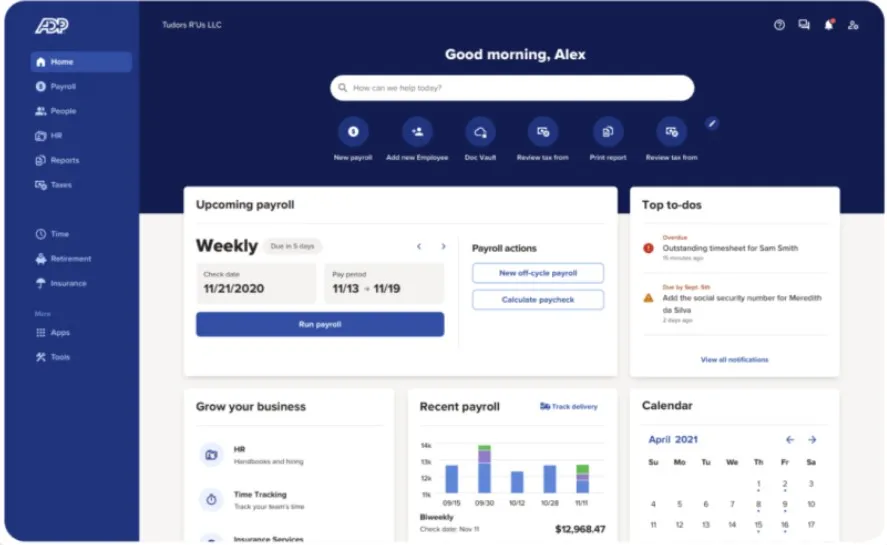
Photo from ADP
ADP is an enterprise time tracking software that works best when it’s part of the broader ADP ecosystem, where time data and payroll live in the same system and approved timecards flow through without manual exports or reconciliation.
Clock-in methods cover web, mobile, biometric terminals, kiosk tablets, and POS devices. Geofencing and IP restrictions verify punch locations.
Compliance policies are configured once and enforced automatically, with violations flagged before they become problems.
The honest caveat: if you’re not already on ADP payroll, the integration advantage disappears and other tools on this list will offer more depth for less. But if you are, consolidating time and payroll in one system is a reasonable call.
ADP’s Features for Enterprise Time Tracking:
- Creates and publishes employee schedules online so managers can plan coverage in one place.
- Allows employees to swap shifts or request coverage directly from their mobile device.
- Applies configurable work rules like maximum hours and overtime limits automatically.
- Shows labor cost impact while building schedules to help control staffing spend.
- Captures time via web, mobile, shared device, or ADP Kiosk for flexible clocking.
- Supports biometric clock-ins such as facial recognition and fingerprint scanning.
Can Be Used On:
Mobile (iOS and Android), Web, Kiosk, POS Systems, Physical Time Clock
Ratings:
- Capterra: 4.4/5
- G2: 4.2/5
- Play Store: 4.6/5
- App Store: 4.7/5
Pros:
- Comprehensive platform that combines HR, payroll, benefit management and reporting
- Organized dashboard
- Online access to pay stubs
- Straightforward process for leave applications
Cons:
- Some features can be complex to learn
- Schedules don’t automatically sync with mobile calendar apps
- Occasional system glitches may temporarily restrict access
“What I like most about ADP Workforce Now is how streamlined and user-friendly the platform is for managing payroll and HR in one place. It makes processing payroll efficient and accurate, and the reporting tools are extremely helpful for tracking employee data, benefits, and time off. I also appreciate how organized the dashboard is—it’s easy to find what you need without feeling overwhelmed.” – Rebecca R.
(Source: Capterra)
“Sometimes it’s hard to remember where to find certain things in the app, especially a few specific items.” – Christy H.
(Source: G2)
Hubstaff – Best Enterprise Time Tracking Software for Real-Time Productivity Monitoring
Free plan: No
Free trial: Yes, 14-day free trial
Paid plan: Starts at $4.99 per user per month, billed annually (minimum 2 seats required)
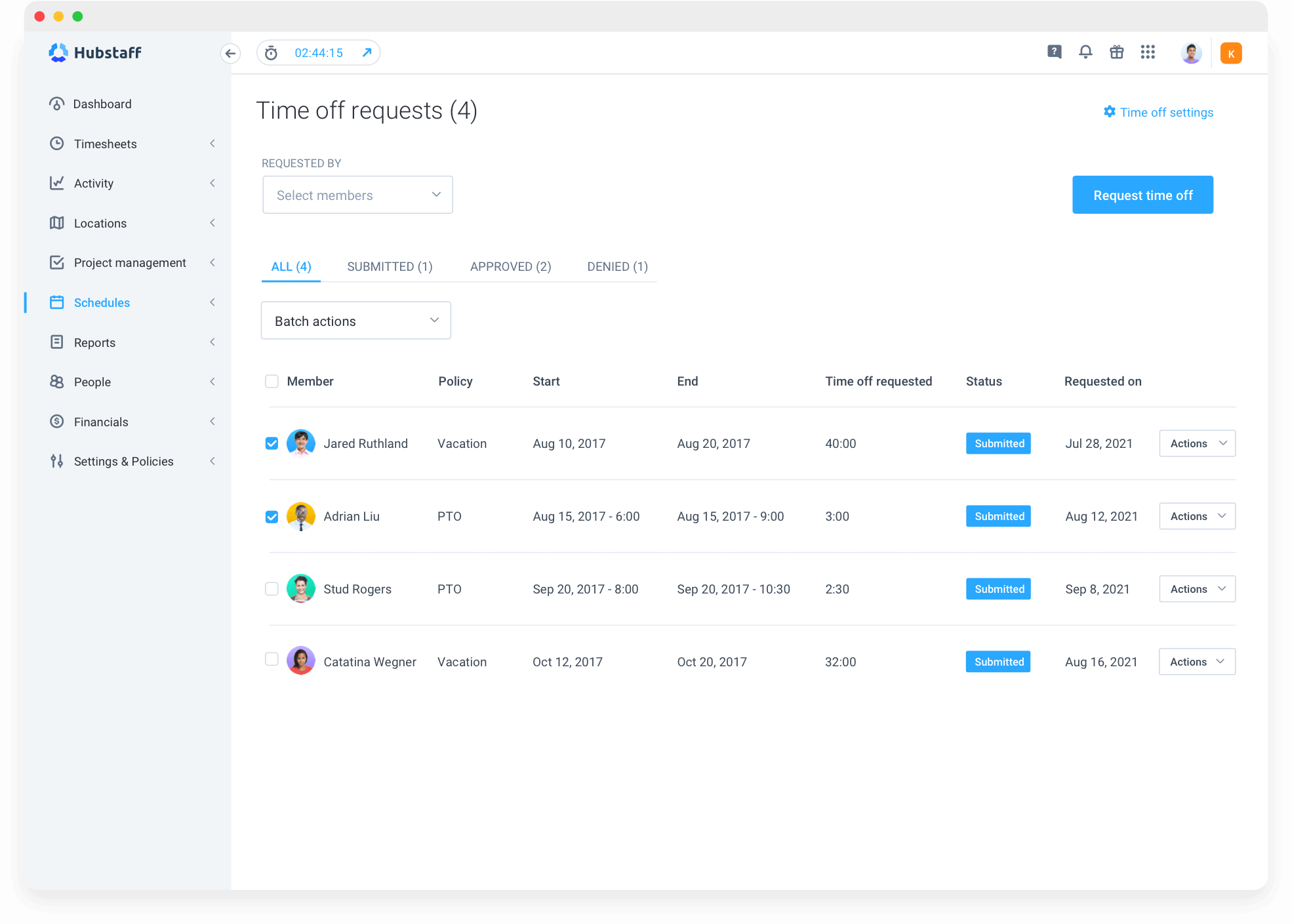
Photo from Hubstaff
Hubstaff is an enterprise time tracking software that gives operations leaders visibility into distributed teams through GPS tracking, configurable screenshot capture, and app and URL usage logging, all in one dashboard.
The screenshot feature deserves a fair read: managers control frequency, blurring, and whether it’s enabled at all on a per-user basis.
The Enterprise plan includes Insights, a workforce analytics module that turns activity data into utilization trends and cost driver reporting. HIPAA, GDPR, and SOC-2 Type II certifications cover compliance requirements for regulated industries.
Hubstaff’s Features for Enterprise Time Tracking:
- Tracks time via background app monitoring or manual clock-in.
- Displays live hours, earnings, activity, and PTO in customizable dashboards.
- Supports GPS tracking and geofenced job sites for location verification.
- Enforces rest and meal break policies for compliance control.
- Automatically converts tracked time into approval-ready digital timesheets.
- Generates detailed, exportable reports with visual summaries.
Can Be Used On:
Mobile (iOS and Android), Desktop (Mac and Windows), Web,
Ratings:
- Capterra: 4.5/5
- G2: 4.4/5
- Play Store: 3.1/5
- App Store: 4.5/5
Pros:
- Reliable payroll reporting
- Helps ensure accountability with activity monitoring features like screenshots
- Enables clear project and task allocation tracking
- Budget alerts to manage project costs
Cons:
- Monitoring features like screenshots can feel invasive
“I find Hubstaff incredibly useful for managing all of my employees’ time, ensuring accurate reporting for biweekly payroll. It also assists me and my employees in tracking different project allocations like admin, account management, client relations, and inbox managing, which keeps us organized and ensures efficient use of our time.” – Megan O,
(Source: G2)
“What I like least is that some employees may feel uncomfortable with the level of monitoring, especially the screenshot feature. Also, the interface could be more intuitive in some areas, and the reporting features could offer more customization.” – Bruno A.
(Source: Capterra)
Time Doctor – Best Enterprise Time Tracking Software for Workforce Health Insights
Free plan: No
Free trial: Yes, 14-day free trial
Paid plan: Starts at $6.67 per user per month, billed annually
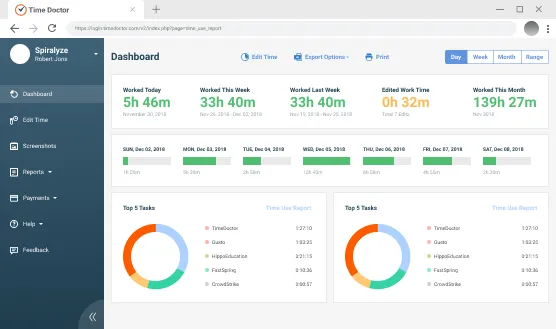
Photo from Time Doctor
Time Doctor is an enterprise time tracking software that goes beyond logging hours to surface productivity patterns and early signs of employee burnout, based on actual work data rather than self-reported input.
Its Work-life Balance widget flags employees who are consistently overworked, giving HR teams a leading indicator of disengagement before it becomes a retention problem.
Productivity analytics cover app and website usage by project and team, and a Software Cost Insights feature shows which tools are actively used versus sitting idle across the organization.
Monitoring settings are fully configurable per user, the platform aligns with SOC 2 and GDPR, and it connects with 60+ tools including Slack, Jira, Zoom, and Workday.
Time Doctor’s Features for Enterprise Time Tracking:
- Captures periodic screenshots during tracked sessions for work verification.
- Monitors keyboard and mouse activity levels to measure engagement.
- Sends real-time distraction and idle alerts when thresholds are triggered.
- Analyzes work-life balance metrics to detect workload imbalance and burnout risk.
- Provides real-time productivity dashboards across users, teams, and departments.
- Allows visible or silent deployment modes for enterprise environments.
Can Be Used On:
Mobile (iOS and Android), Desktop (Mac, Linux and Windows), Web
Ratings:
- Capterra: 4.5/5
- G2: 4.4/5
- Play Store: 2.4/5
- App Store: 3.0/5
Pros:
- User-friendly interface
- Initial set-up is easy
- Screen recording feature for deep visibility into how tasks are performed
- Comprehensive and intuitive reporting
Cons:
- Idle time or activity tracking can be inconsistent at times
- Spotty internet can affect software performance
- Platform updates require manual installation and management
“What we appreciate most about Time Doctor is how user-friendly and intuitive it is. The implementation process is simple, as it only requires installing the application and logging in. Whenever the documentation does not fully answer a question, the support team is responsive and helpful in resolving any issues.” – Karen C.
(Source: G2)
“The activity bar can use some improvement. It stays on top of the screen and sometimes takes up extra space. When I hide it, I lose track if it’s running or not. Sometimes I realize that I was working while Time Doctor was set to on break. That’s quite frustrating” – Irfan K.
(Source: G2)
Rippling – Best Enterprise Time Tracking Software for Location-Based Labor Law Compliance
Free plan: No
Free trial: No, but demo available
Paid plan: Custom pricing available on request
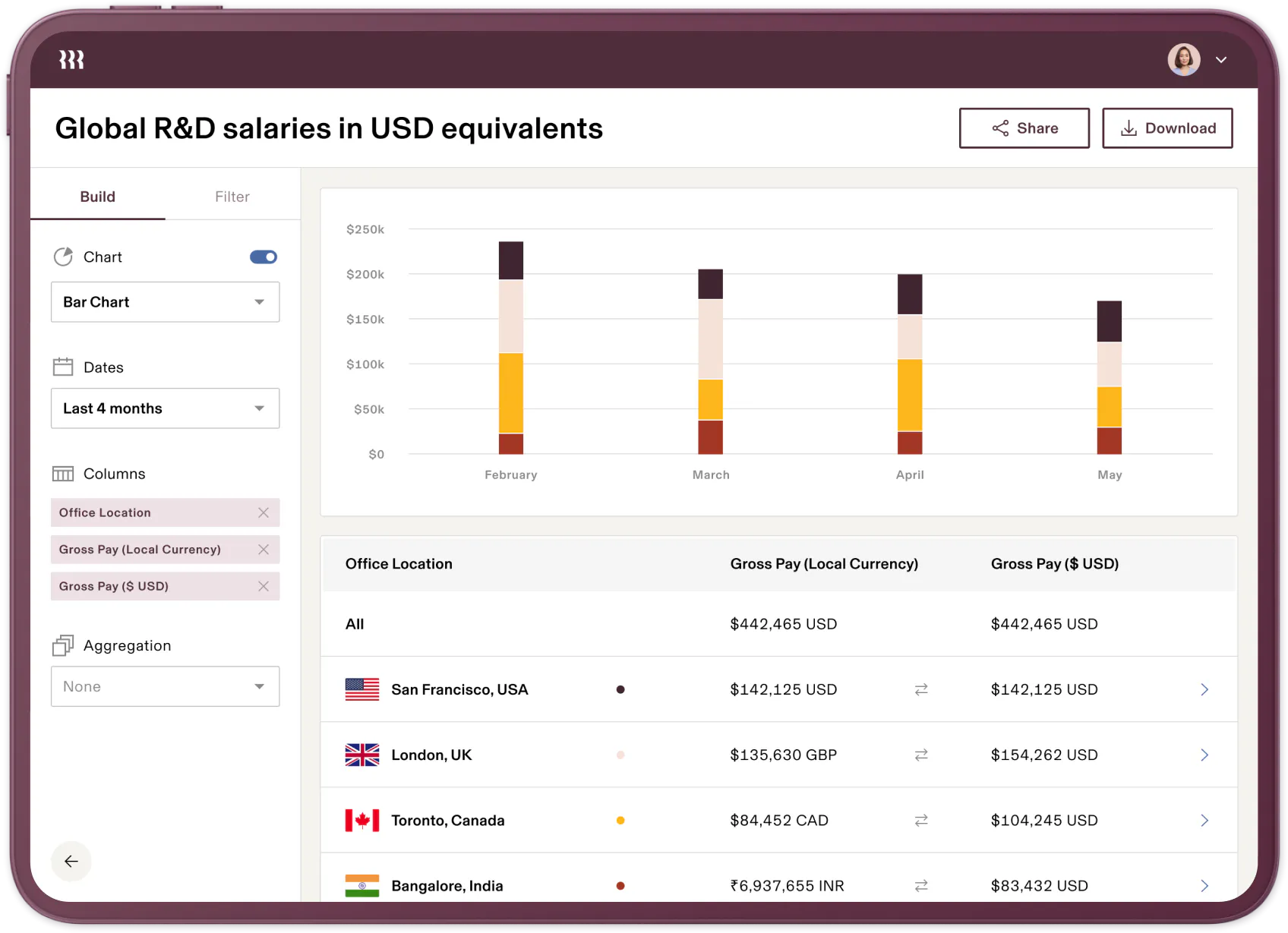
Photo from Rippling
Rippling is an enterprise time tracking software that automatically applies the correct labor laws based on each employee’s work location, covering overtime thresholds, break requirements, and wage minimums without manual policy configuration.
Everything runs on a single employee record shared across HR, IT, Finance, and payroll, so a role change or location update flows across all systems instantly. Approved hours move directly into payroll with no manual steps.
AI-assisted alerts flag overtime risks and missed clock-ins before they become payroll problems, and schedule building has compliance guardrails built in so violations surface before a schedule is published, not after.
Rippling’s Features for Enterprise Time Tracking:
- Allows employees to clock in via web, mobile, kiosk, QR code, geolocation, or selfie verification.
- Applies labor laws automatically based on employee work location.
- Flags overtime and break compliance risks in real time.
- Flows approved time cards directly into payroll within the same system.
- Calculates pay automatically based on hours, role, location, and job type.
- Sends automated reminders for unapproved timecards and missed clock-outs.
Can Be Used On:
Mobile (iOS and Android), Web, Tablets
Ratings:
- Capterra: 4.9/5
- G2: 4.8/5
- Play Store: 4.6/5
- App Store: 4.7/5
Pros:
- Streamlines HR and payroll activities
- Personalized workflows, approvals and work reports depending on company requirements
- Good for international payment processing
- Automatically calculates taxes, salaries and deductions
Cons:
- Integrations with other platforms are complex
- The platform can be overwhelming to learn due to numerous features
- Difficult to forecast costs due to lack of transparency in pricing plans, especially for add-ons
“Rippling helps me receive my salary and reimbursements quickly. It is very easy to navigate and not confusing at all. I use it for everything: checking my payments, requesting time off, and managing my team. It is a great tool for people working internationally.” – Andre H.
(Source: Capterra)
“I don’t feel any issue with Rippling apart from the integration complexity. It’s not easily customizable, and sometimes I have to look into FAQs or talk with the customer team to do something” – Ashwath S.
(Source: G2)
Deputy – Best Enterprise Time Tracking Software for Demand-Driven Scheduling
Free plan: No
Free trial: Yes
Paid plan: Starts at $5.00 per user per month, billed annually
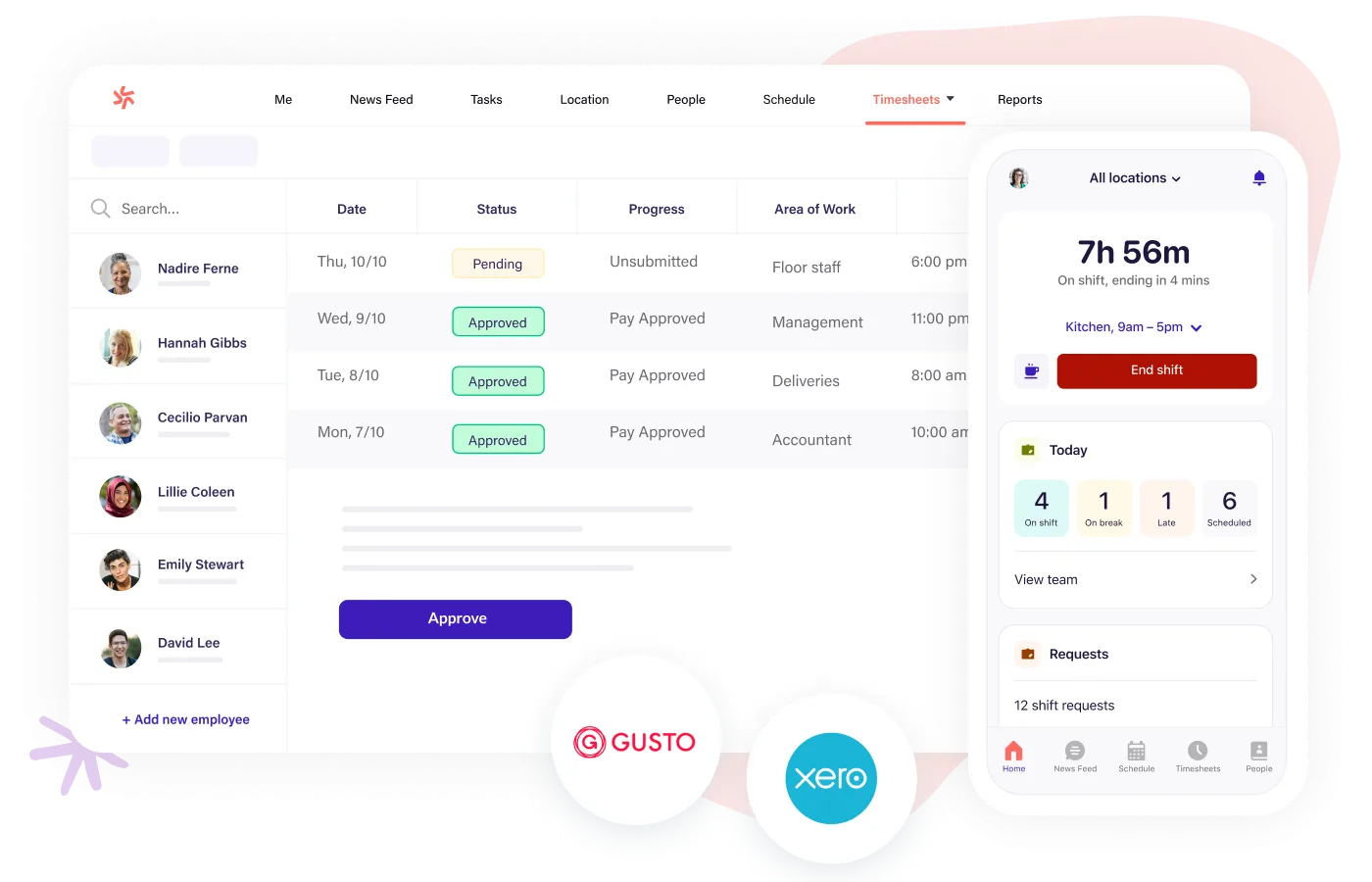
Photo from Deputy
Deputy is an enterprise time tracking software that forecasts staffing needs based on demand signals like sales and foot traffic, then builds a compliant schedule in one click, making it a strong fit for retail, hospitality, and logistics operators.
Time tracking is built around the schedule: managers get a live view of who is on shift, late, or on break, and the timesheet app compares scheduled hours against actual hours alongside wage costs.
Deputy also has purpose-built tooling for fair workweek compliance, covering advance notice requirements, premium pay for last-minute changes, and minimum rest periods. For multi-location enterprise operators, all of it runs from a single dashboard.
Deputy’s Features for Enterprise Time Tracking:
- Prevents clock-ins outside scheduled shifts.
- Calculates wages, overtime, and premium pay automatically per shift.
- Flags missed breaks and overtime risks in real time.
- Converts clock-ins into digital timesheets ready for approval.
- Forecasts staffing needs using AI based on attendance, sales, and demand trends.
- Compares scheduled hours against actual hours and wage costs.
Can Be Used On:
Mobile (iOS and Android), Apple Watch, Web, Tablets
Ratings:
- Capterra: 4.6/5
- G2: 4.6/5
- Play Store: 4.7/5
- App Store: 4.5/5
Pros:
- Clean and intuitive interface
- Instant notifications and updates for schedules
- Integrated task management
- Easy scheduling, shift management, and attendance tracking
Cons:
- Reports lack customization capabilities for larger teams
- Occasional inaccuracies in time tracking and total hour calculations
- Highly dependent on a good internet connection to work
“Deputy is very user-friendly and makes scheduling and time tracking straightforward. The mobile app is convenient for clocking in and out, and schedules are clearly displayed, which helps reduce confusion. I also appreciate how it centralizes shift management , making communication between staff and management more efficient. ” – Max D.
(Source: Capterra)
“Given the amount of employees that we have nationwide, it would’ve been great if the system was able to recognize the different states that the employees were in and that we would be able to assign managers per employees rather than create locations.” – Verified User.
(Source: G2)
What Features Do Enterprises Need in Time Tracking Software?
Choosing the right enterprise time tracking software can make a real difference to payroll accuracy, compliance, and how smoothly your team operates.
For smaller teams, the focus is usually on simple, reliable tools for tracking hours and managing basic attendance policies.
Larger organizations often need more advanced features to handle complex processes, compliance requirements, and employees working across multiple locations.
The table below highlights the key differences between small business and enterprise needs, helping you compare options and find the solution that best fits your organization.
| Small Teams Typically Need | Enterprise Teams Typically Need | |
|---|---|---|
| Core time tracking |
|
|
| Break management |
|
|
| Scheduling |
|
|
| Projects and activities |
|
|
| GPS and location |
|
|
| Identity and device control |
|
|
| Monitoring and productivity |
|
|
| Approvals and workflows |
|
|
| Leave management |
|
|
| Reporting |
|
|
| Security |
|
|
| Integrations |
|
|
| Support |
|
|
| Scalability and governance |
|
|
What is the Best Enterprise Time Tracking Software in 2026?
What separates a genuinely useful enterprise tool from a scaled-up SMB product is how it handles the hard parts: security, compliance depth, fraud prevention, and the ability to roll out to a large workforce without a six-month implementation project.
The tools on this list each do something well. Rippling handles multi-jurisdiction labor law automatically. Deputy earns its place for demand-driven scheduling. Paycom’s single-database architecture makes payroll cleaner. These are real advantages worth considering depending on where your organization’s pain sits.
That said, Jibble is the best enterprise time tracking software for most teams. It’s the only platform here that offers both cloud and self-hosted deployment, supports unlimited users without a per-seat paywall, and ships dedicated enterprise infrastructure alongside SSO, audit logs, biometric anti-spoofing, and white labelling.
It also holds the highest aggregate rating in its category across Capterra, G2, GetApp, the App Store, and Google Play, and it’s trusted by organizations like Tesla, Harvard, Airbus, and the NHS. That combination of depth, flexibility, and verified scale is hard to match.
FAQs
Some frequently asked questions...
Enterprise time and attendance software helps organizations reduce compliance risk by:
- Automatically calculating overtime based on configured thresholds
- Enforcing break and rest rulesTracking attendance history with audit logs
- Flagging missed punches and time anomalies
- Maintaining consistent records across locations
For large organizations, manual tracking increases the risk of payroll errors and labor violations. Enterprise-grade systems reduce that risk by standardizing and documenting attendance data.
Savings typically come from reducing time-related errors and administrative overhead. Enterprise time and attendance tracking tools help by:
- Eliminating manual timesheet reconciliation
- Reducing payroll processing errors
- Preventing time theft through GPS or biometric verification
- Identifying overtime trends before they escalate
- Minimizing administrative hours spent on approvals and corrections
Even small attendance inaccuracies compound quickly across thousands of employees. Automation helps control those hidden labor costs.
Implementation at enterprise scale requires planning. Common challenges include:
- Migrating legacy attendance data
- Configuring complex overtime and policy rules
- Training managers and employees across multiple locations
- Integrating with payroll or HR systems
- Ensuring adoption across distributed teams
The most successful rollouts involve phased implementation, clear policy alignment, and proper integration planning.