
Most employee time tracking software are either too lightweight to handle real workforce complexity, or so bloated with features that adoption falls apart within the first month.
The best time tracking software do one thing: they make it harder for bad data to get in than good data. That means tamper-resistant clock-in methods, payroll-ready exports, and a clear approval chain between hours worked and hours paid.
To find the platforms worth recommending, I evaluated each platform against the criteria that actually matter: clock-in reliability, payroll integration depth, ease of adoption for non-technical teams, mobile and offline functionality, and pricing transparency.
Here are the 9 software that cleared the bar.
Best Employee Time Tracking Software Compared in 2026
|
||
|---|---|---|
| Software | Free Plan | Pricing* |
| Jibble | ✅ FREE FOREVER for unlimited users |
$0.00 |
| Clockify | ✅ For up to 5 users only |
$3.99 per user per month |
| Homebase | ✅ For up to 10 users only at 1 location |
$24.00 per month per location |
| Hubstaff | ❌ | $4.99 per user per month |
| Time Doctor | ❌ | $6.67 per user per month |
| EARLY | ❌ | $7.50 per user per month |
| Everhour | ✅ For up to 5 users only |
$8.50 per user per month |
| Toggl Track | ✅ For limited users only |
$9.00 per user per month |
| actiTIME | ✅ For up to 3 users only |
$6.00 per user per month |
| *billed annually Note: The table shows entry-level rates and may not accurately reflect the overall value of the software. To gauge real value, consider each platform’s features, available monitoring capabilities, reporting tools, user limits, and any additional fees for advanced functionality. |
||
Jibble – Best Employee Time Tracking Software for Field-Based and Deskless Workers
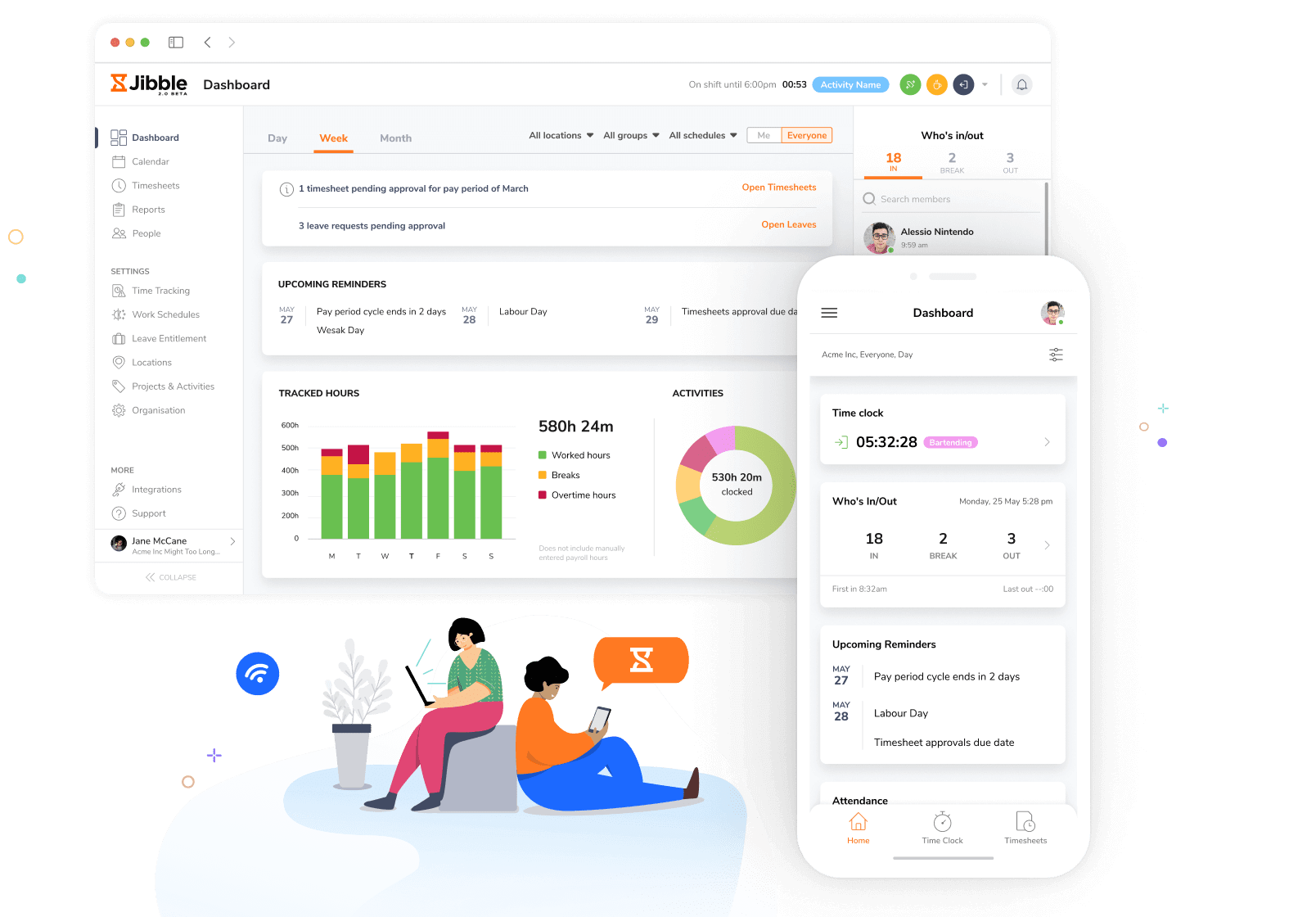
Jibble covers the full employee time tracking stack in one platform for field-based and deskless workers, from clock-in to payroll export, without making you choose between capability and cost.
Clock-in options include facial recognition with depth-estimation anti-spoofing, NFC/RFID card, PIN, and shared kiosk mode, giving teams a tamper-resistant method for every work environment.
Any shared device can also be turned into a dedicated clock-in station using face recognition, NFC, or PIN, so teams working from a single tablet don’t need separate hardware to get accurate, verified time records.
The facial recognition feature verifies a three-dimensional face at clock-in, which means photo and video spoofs are blocked at the hardware level.
GPS stamps every time entry with a live location, and geofencing restricts clock-ins to approved job sites only. Offline mode keeps tracking running without an internet connection, storing entries locally and syncing automatically once connectivity is restored.
Timesheets are generated automatically from every clock-in and move through configurable multi-level approval workflows before reaching payroll. Finalized data exports payroll-ready to XLS or CSV with overtime and break calculations already applied.
Key Features:
- Biometric clock-in with anti-spoofing facial recognition
- GPS time tracking with live location while clocked in
- Geofencing with configurable radius per location
- NFC/RFID card-based clock-in
- Kiosk mode for shared-device teams
- Offline mode with automatic sync on reconnect
- Multi-level timesheet approval workflows
- Automated overtime and break calculations
- Payroll-ready XLS and CSV exports
Pricing:
- Free Forever for an unlimited number of users
Pros:
- Easy attendance and timesheet management
- Great offline functionality and reporting
- Quick and easy to set up
- Strong value for money, especially with the free plan
- Responsive and helpful support team
- Useful for resource planning and allocation
Cons:
- Timesheet downloads can be simpler
- Limited visibility into location history and travel routes
“I have found Jibble to be used friendly and my team seems to have no complaints. It has saved us money being able to see where employees clock in and out from. Also the route feature is great to keep an eye on everyone.” – Nicola S.
(Source: Capterra)
Toggl Track — Best Employee Time Tracking Software for Freelancers and Consultants
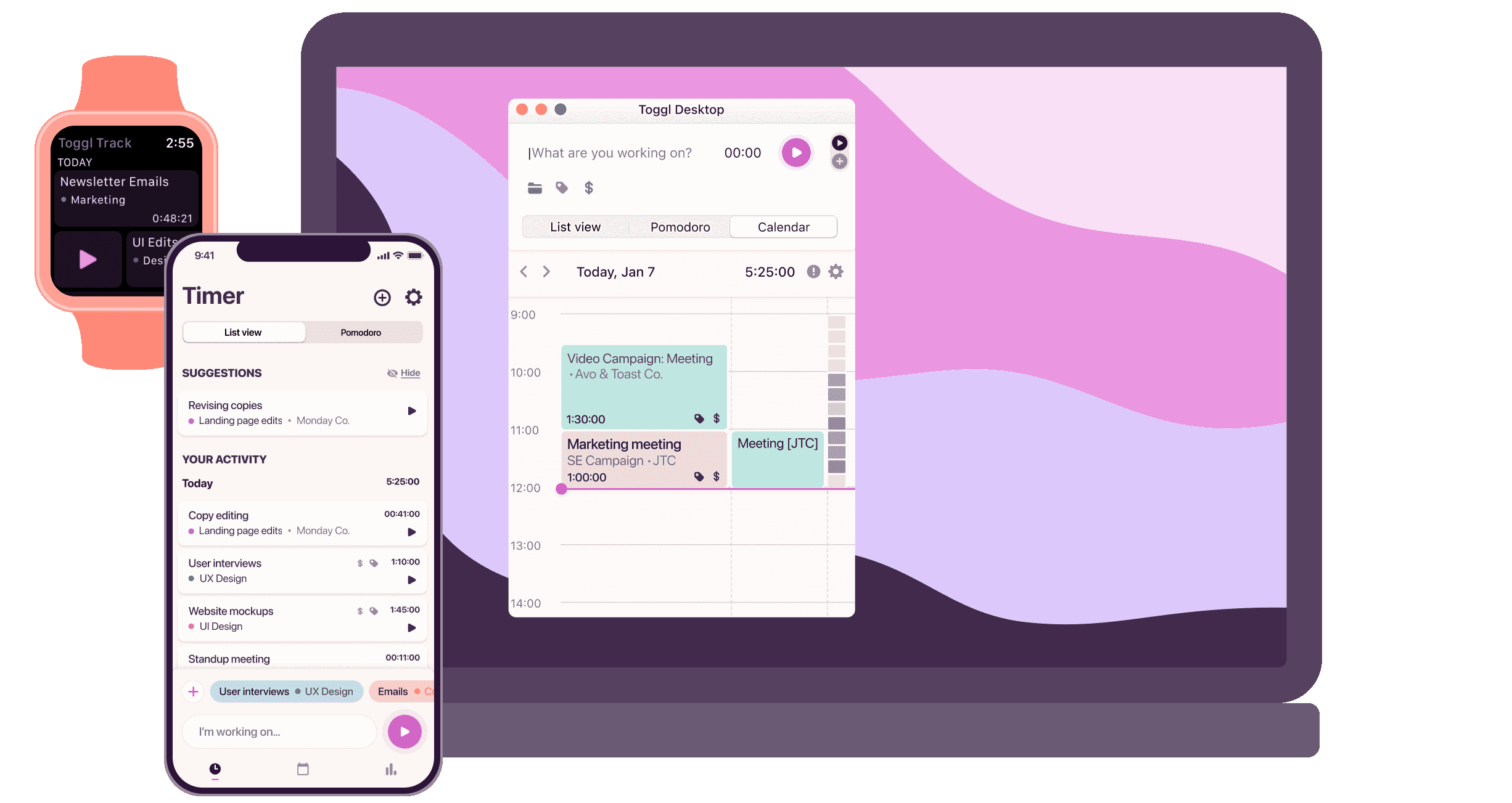
Photo from Toggl Track
Toggl Track is an employee time tracking tool designed for minimal friction, starting time with a single click from a browser extension, desktop app, or mobile.
When a timer runs, but no activity is detected, idle detection prompts you to discard or keep the inactive period before it reaches the timesheet.
Keyword-based automation maps open apps and browser tabs to projects and starts the right timer without manual input. Billable rates can be set at the workspace, team member, project, or task level, so profitability reports reflect actual client billing rather than just hours.
Reports are also customizable with chart options and can be scheduled to land in an inbox automatically.
Key Features:
- One-click timer via browser extension, desktop, and mobile app
- Idle detection with a prompt to discard or keep inactive time
- Automated time tracking via app and website keyword detection
- Billable rates assignable by workspace, member, project, or task
Pricing:
- Free for a limited number of users
- Paid plans start from $9.00 per user per month, billed annually
Pros:
- Simple timer-based tracking for different types of work
- Detailed visibility into how time is spent
- Useful reporting features for weekly time analysis
Cons:
- Detailed reporting and billable tracking require paid plans
- Relies on other tools for complete project management
“The interface is the part I like most compared to other tools: it’s clean, and you can start tracking in seconds. The reports are strong as well, giving you a clear, visual view of where your time is going.” – Mariana V.
(Source: G2)
Clockify — Best Employee Time Tracking Software for Small Businesses
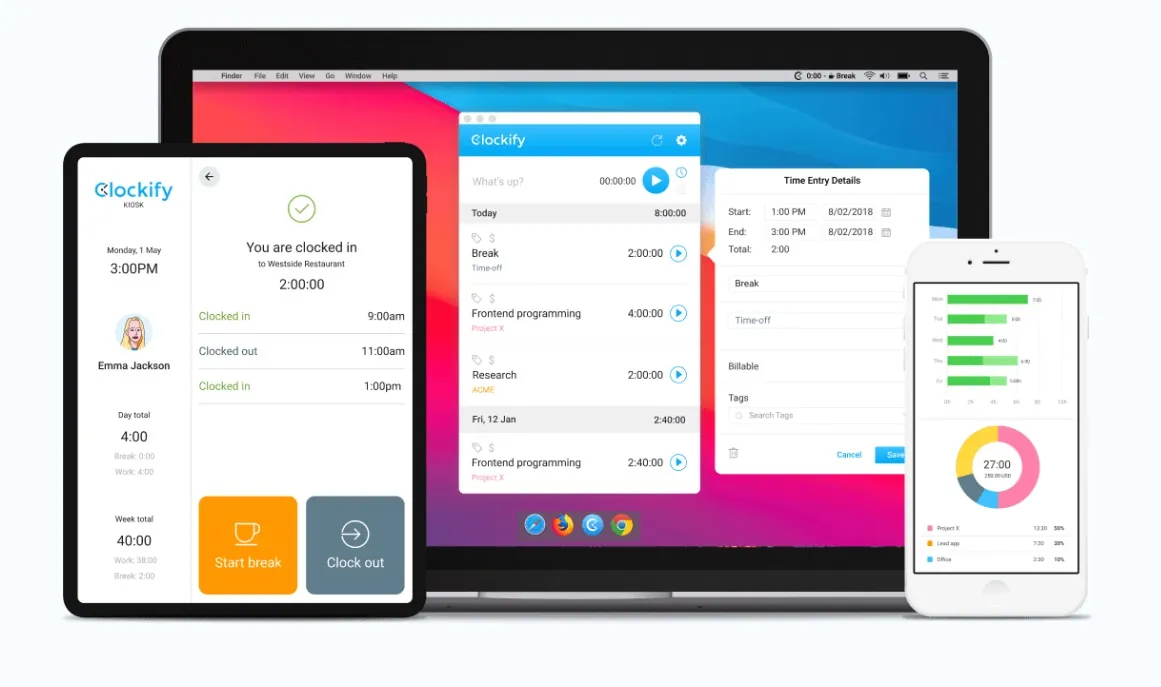
Photo from Clockify
Clockify is an employee time tracking software that small businesses can use to log time via a live timer, manual entry, or a weekly timesheet view for bulk entry at the end of the day.
Any shared device can become a dedicated clock-in station using a kiosk with PIN or QR code sign-in, so teams without personal devices can still clock in accurately. GPS location capture on mobile clock-ins, screenshot recording during sessions for activity verification, and scheduling across team members to manage workload alongside tracked time are also available.
Timesheet approvals and attendance reports that break down hours, breaks, and overtime by employee give managers a reviewable record before hours are sent to payroll
Key Features:
- Unlimited users, projects, and time entries on the free plan
- Timer, manual entry, and timesheet view
- Kiosk mode with PIN clock-in for shared devices
- GPS tracking on mobile clock-in
Pricing:
- Free for up to 5 users
- Paid plans start from $3.99 per user per month, billed annually
Pros:
- Clean and easy-to-understand reports
- Time tracking by different projects and tasks
- Detailed invoice creation for clients
Cons:
- Bulk editing time entries can be cumbersome
- Integrations feel less seamless and more like add-ons
“Clockify makes it easy to track work across multiple clients, projects, tasks, and team members. We use it every day to keep our billables accurate and it allows project managers to ensure work is staying within budget.” – Chris Z.
(Source: G2)
Homebase — Best Employee Time Tracking Software for Hourly Businesses
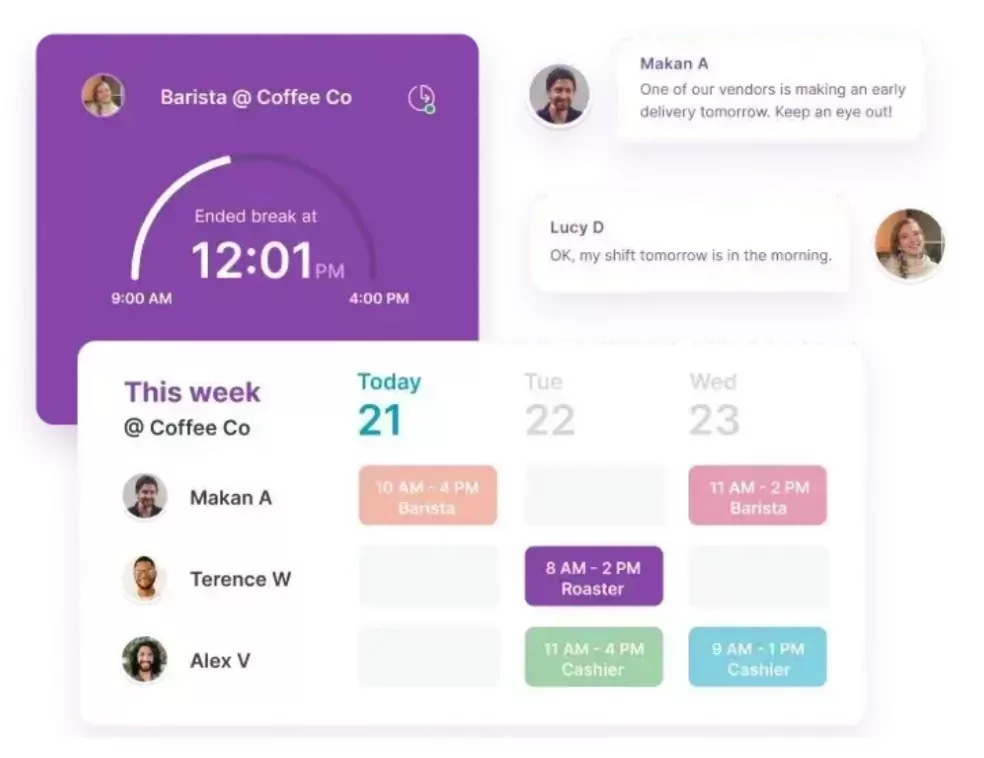
Photo from Homebase
Homebase’s employee time tracking software lets employees clock in via mobile app, tablet kiosk, or POS device, with GPS and photo verification available at clock-in.
Timesheets are generated automatically from that data, pulling in hours, breaks, and overtime without manual entry. Shift scheduling includes availability management and conflict detection, and managers receive overtime alerts with labor costs tracked against the scheduled hours.
Team messaging is built into the same platform and payroll data syncs directly to ADP, Gusto, Square Payroll, and QuickBooks.
Key Features:
- Clock in via mobile app, tablet kiosk, or POS device
- Auto-generated timesheets from clock-in data
- Shift scheduling with availability and conflict management
- Overtime alerts and labor cost tracking against schedule
Pricing:
- Free for up to 10 employees in one location
- Paid plans start from $24.00 per month per location, billed annually
Pros:
- Strong scheduling features
- Makes payroll processing easier and more efficient
- Helpful team communication features for coordination
Cons:
- Mobile app does not provide access to all information
- Occasional app freezing and crashing issues
“I like that Homebase is very easy to use and has many great features that make scheduling, time card management, and payroll a breeze. It’s extremely valuable for our business, helping us manage and keep track of where everyone is in case of an emergency.” – Kathleen G.
(Source: G2)
Hubstaff — Best Employee Time Tracking Tool for Remote Workforce Visibility
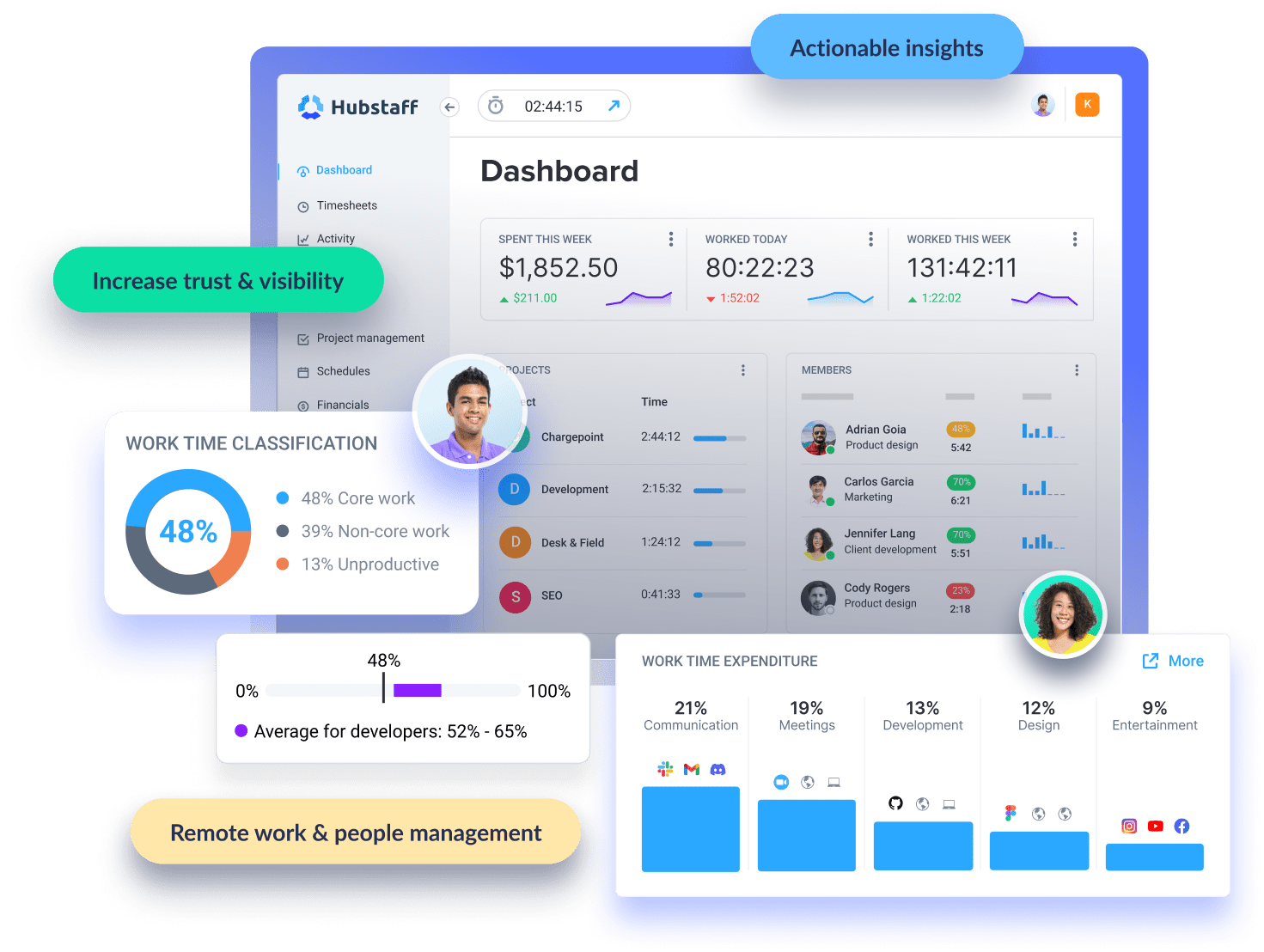
Photo from Hubstaff
Hubstaff is an employee time tracking and productivity monitoring software that tracks time across desktop, web, mobile, and Chrome extension, and records keyboard and mouse activity levels as a passive indicator of engagement during sessions.
Screenshot capture is optional and configurable per user, and app and URL usage is logged so managers can see how tracked hours were distributed.
GPS tracking and geofenced job sites cover field-based employees, and automated timesheets push approved hours to connected payroll systems.
Project budget and cost tracking show real-time spend against set limits, and the platform connects to QuickBooks, Gusto, Deel, PayPal, Salesforce, Slack, and ClickUp.
Key Features:
- Keyboard and mouse activity level monitoring
- Optional screenshot capture, configurable per user
- App and URL usage tracking during tracked sessions
- GPS tracking and geofenced job sites for field teams
Pricing:
- No free plan available
- Paid plan starts from $4.99 per user per month, billed annually. Minimum 2 seats are required.
Pros:
- Helpful reporting features
- Useful activity tracking for managing remote employees
- Team management and collaboration features
Cons:
- Initial learning curve can be a bit steep
- Mobile app navigation could be smoothe
“What I liked most about Hubstaff was how easy it was to track time and stay organised. The interface is simple to use, and I liked being able to monitor productivity without things feeling too complicated. It also made managing tasks and work hours much more efficient, especially when working with remote teams.” – Portia A.
(Source: Capterra)
Time Doctor — Best Employee Time Tracking Software for Productivity Analytics
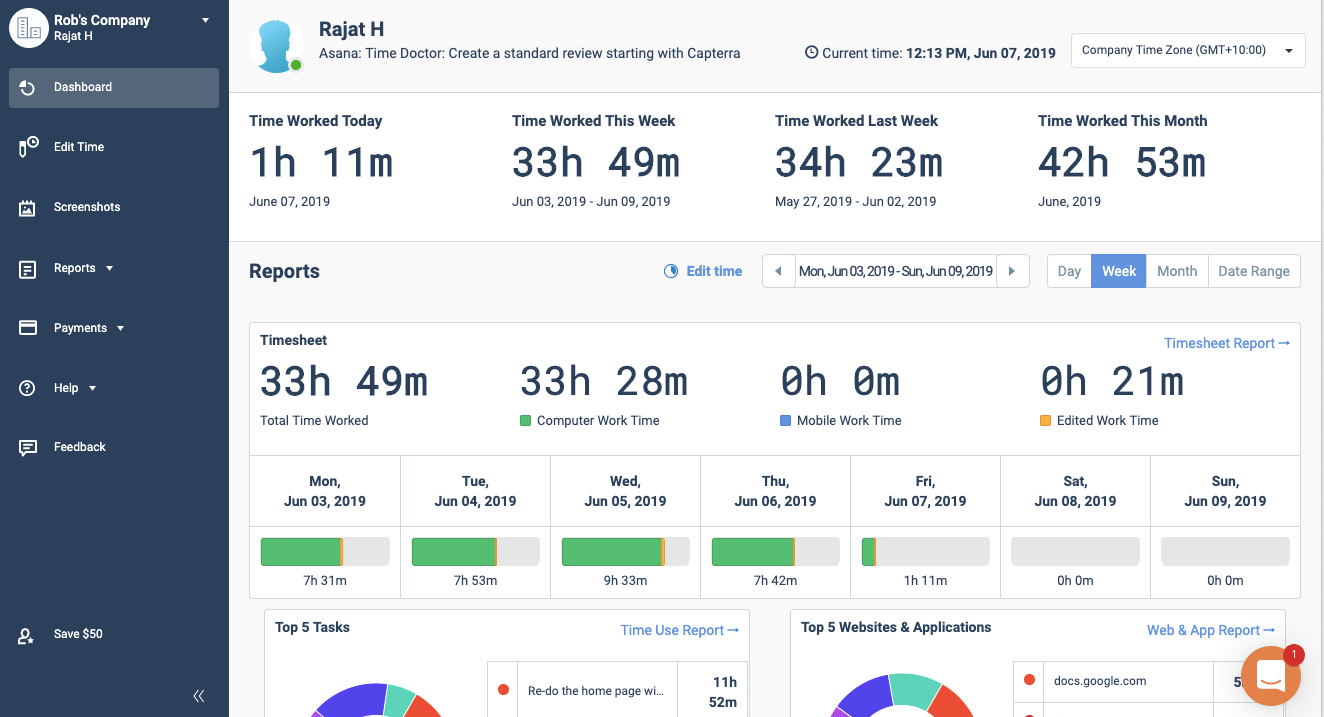
Photo from Time Doctor
Time Doctor is an employee time tracking software with built-in productivity monitoring, tracking time automatically and taking optional screenshots and screencasts at set intervals so managers can see what was worked on during each session.
It logs which websites and apps each employee used during tracked hours, and work-life balance reports flag anyone who is consistently overworking. A silent mode runs everything in the background, which makes the time tracking experience non-intrusive.
The built-in payroll module calculates pay from tracked hours and processes payments directly, and the platform connects to Asana, Jira, Slack, Salesforce, and 60+ other tools remote teams use.
Key Features:
- Automatic time tracking with screenshot capture
- Website and app usage breakdown per employee
- Work-life balance reports to flag overwork patterns
- Silent mode for less intrusive tracking
Pricing:
- No free plan available
- Paid plans start from $6.67 per user per month, billed annually
Pros:
- Screenshot and hourly time tracking features
- Helps allocate time across different tasks for better productivity
- Allows review of daily work through screen captures
Cons:
- Activity bar can be intrusive and takes up screen space
- Meeting reports may accidentally detect microphone use, leading to inaccurate records
“I like that it helps keep everyone honest and transparent while they’re on the clock. It also makes it easier to track and address issues with an employee without having to rely on assumptions.” – Natalya B.
(Source: G2)
Everhour — Best Employee Time Tracking Software for Project Management Tool Integrations
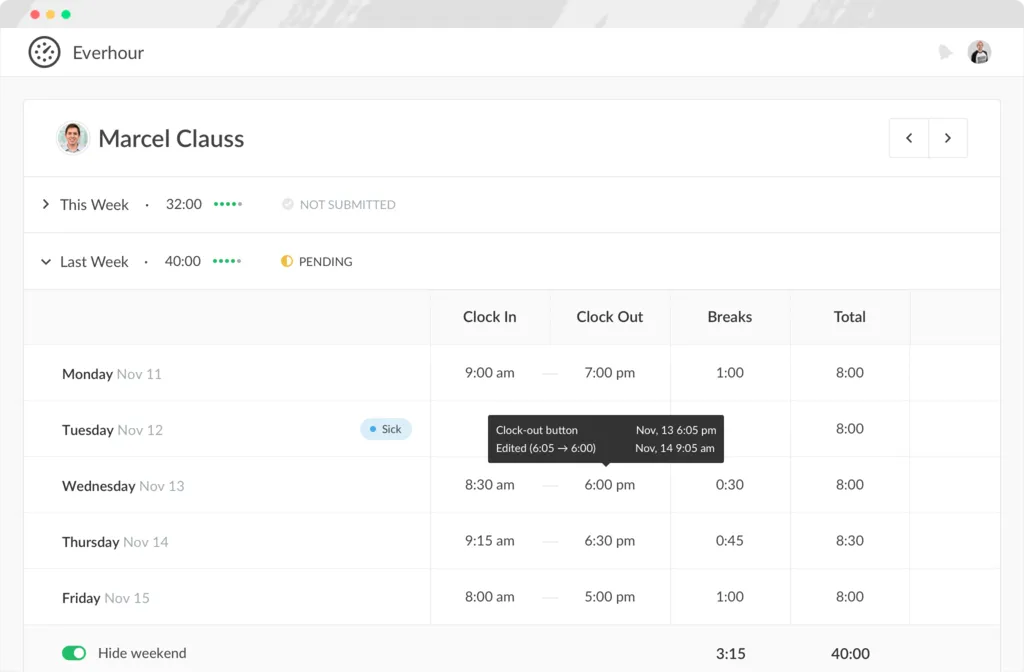
Photo from Everhour
Everhour is an employee time tracking tool that places start and stop timers directly inside Asana, Trello, Basecamp, Jira, ClickUp, and Notion so time is logged against tasks without opening a separate app.
Each project has a budget that updates in real time as hours are logged, making overruns visible before they happen. Team scheduling shows available capacity across members before new work is assigned, and billable hours pull automatically into client invoices from tracked time.
Reports can be filtered and grouped by project, team member, client, or date range for billing or internal review.
Key Features:
- Native integrations inside Asana, Trello, Basecamp, Jira, ClickUp, and Notion
- Project budgets with real-time burn tracking
- Client invoicing with billable hours pulled from tracked time
- Reporting by project, team member, client, or date range
Pricing:
- Free plan available for up to 5 users
- Paid plans start from $8.50 per user per month, billed annually
Pros:
- Works well with Basecamp and similar platforms
- Improves visibility of team and project time usage
- Easy time tracking with Chrome extension
Cons:
- Can be pricey for smaller teams
- Idle detection may not work properly
“Overall, my experience with Everhour has been great especially working as a developer and juggling many different tasks and projects. I like that it helps me stay organized and keep me on track for tasks, as well as allowing integration with project boards such as Asana.” – Marlon L.
(Source: Capterra)
EARLY — Best Employee Monitoring Software for AI-Powered Time Capture
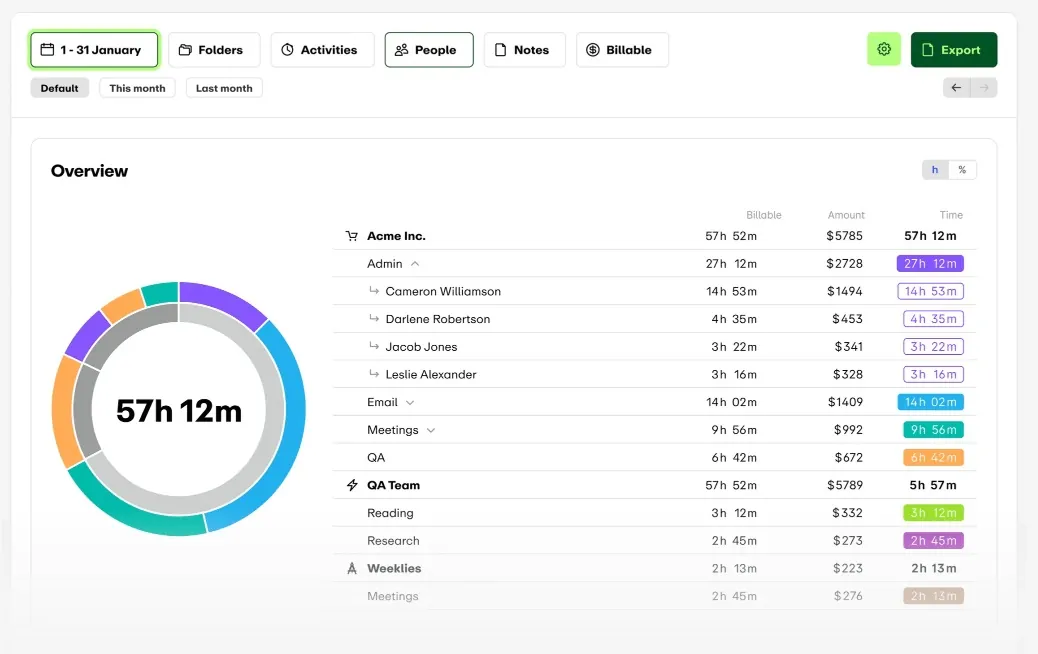
Photo from EARLY
EARLY (formerly Timeular) is an AI-powered employee time tracking software that runs in the background and automatically captures time spent across apps, websites, documents, and calendar events, then generates a draft timesheet for the employee to review and approve before it becomes a record.
An optional physical tracking cube lets users flip to a new task instead of typing, with each side mapped to a different project. Billable and non-billable hours are tracked separately so client billing stays clean, and leave, PTO, and overtime are managed within the same platform.
The platform connects to Jira, Asana, ClickUp, Slack, Teams, Google Calendar, Outlook, Zapier, QuickBooks, Xero, and an open API.
Key Features:
- AI-powered automatic time capture across apps and calendar
- Physical tracking cube for tactile task switching (optional)
- Billable and non-billable hour separation
- Leave and overtime tracking
Pricing:
- No free plan available
- Paid plans start from $7.50 per user per month, billed annually
Pros:
- Ability to track time across different tasks/projects
- Option to set time or productivity goals
- Physical timer has long battery life (nearly a month)
Cons:
- Lacks deeper visual customization or deeper analytics
- Current physical tracker is limited in number of trackable activities
“I really enjoy using EARLY with the built-in tracker. The software does a great job in structuring time management, making it easier for me to track my personal and work life. I really love the incorporation of the tracker because it allows me to track activities really easily.” – Jazzel R.
(Source: G2)
actiTIME — Best Employee Time Tracking Software for Professional Services Teams
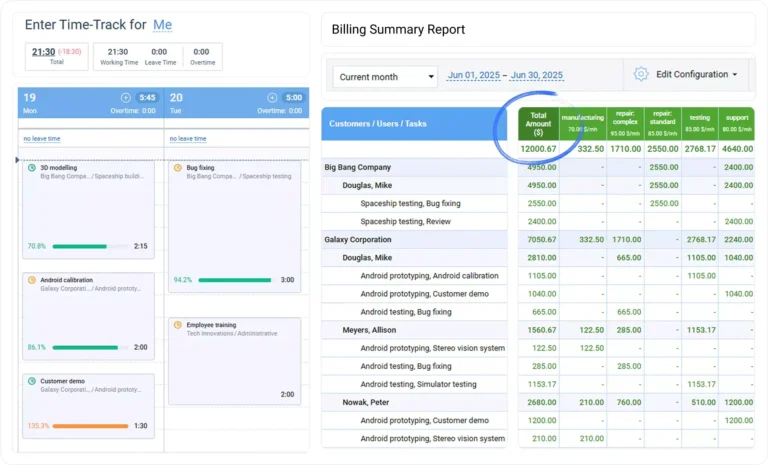
Photo from actiTime
actiTIME is built for teams tracking client projects where hours need to be linked to money. It allows users to log time against a client-project-task hierarchy and mark work types as billable or non-billable to set billing rates accordingly. The platform then calculates billing totals and summaries, cost of work, and profit and loss summaries by client or project automatically.
Managers can set budget estimates per task, project or client level, approve submitted timesheets before data flows to billing, and see how actual hours track against budgets as the project runs. actiTIME’s reporting covers billing summaries, cost of work, and profit and loss by client or project.
The software also tracks leave time alongside project hours, including PTO accruals, balances, and sick days.
For teams that need more control over where their data lives, actiTIME offers on-premise software hosting on a one-time per-user license, so data stays on your own servers and there’s no ongoing subscription to manage.
Key Features:
- Weekly timesheet and calendar view with start/stop time entries
- Client-project-task hierarchy for structured time logging
- Task estimates with estimated vs. actual tracking
- Timesheet approval workflow
Pricing:
- Free for up to 3 users
- Online deployment starts from $6.00 per user per month, billed annually. Volume discounts apply.
- Self-hosted deployment starts from $120.00 per user (one-time payment)
Pros:
- Timesheet approval for billing
- Per-task time estimates with time estimated vs actual time tracking
- Combined PTO and project time tracking
- Automatic billing and cost of work calculations
Cons:
- Free version capped at 3 users, with budgets, approvals, and API access excluded
- Native invoicing covers the basics, but teams with complex billing workflows may need an additional integration
“Overall, actiTIME has been a reliable and efficient solution for tracking time and managing projects. It helps us make informed decisions about resource allocation and improve communication with our partners.” – Hetakshi D.
(Source: Capterra)
How to Choose the Right Employee Time Tracking Tool
Getting this decision right starts with identifying your actual problem, not matching a feature checklist. Here are some questions you can ask yourself before you make a decision
- Is payroll accuracy your top priority when tracking employee time?
You should focus on tools that reduce any possibility of time manipulation and make payroll conversion seamless. Look for tamper-resistant clock-ins like biometric verification, GPS/geofencing, or NFC check-ins, plus a clean approval workflow that moves hours from capture → review → payroll without manual edits. Jibble is strong here because it combines these controls with direct payroll integrations and offers them for free. - Do you manage a field or deskless workforce that isn’t always online?
In that case, reliability in low-connectivity environments matters more than feature depth. Prioritize mobile-first apps with offline mode, GPS tracking, and geofencing that still logs work even when workers are out of signal range. Jibble handles offline syncing well for site-based work, while Homebase is usually sufficient for simpler, single-location hourly teams. - Are you tracking billable hours for client or project-based work?
You’ll want precise project tagging, client-level tracking, and smooth invoicing or export features. The key difference here is simplicity vs flexibility: Everhour and EARLY offer structured project tracking with reporting depth, while simpler tools like Tick alternatives in this space tend to focus on fast time entry and lightweight tracking without heavy configuration. - Do you need employee accountability in remote teams without heavy surveillance?
The best tools in this category focus on transparency rather than intrusive monitoring. Some rely on passive activity capture while keeping raw data private to employees until review, while others surface activity logs directly to managers in real time. Choosing here is less about features and more about aligning with your team culture and how much visibility feels appropriate. - Are you handling compliance-heavy work like grants or regulated funding?
You’ll need strong audit trails, allocation tracking across funding sources, and exportable reports that satisfy external reviewers. Jibble can work for lighter governance needs thanks to its approval workflows and audit logs, especially for smaller or less complex reporting structures.
What is the Best Employee Time Tracking Software in 2026?
The 9 tools covered in this list each solve a specific problem well, from shift-based scheduling and remote team monitoring to passive time capture and project billing. The right pick depends entirely on the workflow you’re trying to fix.
Jibble is the best employee time tracking software on this list for most teams. It covers the widest range of clock-in methods, works offline for field and deskless workers where other tools fail, enforces location with geofencing, and handles the full path from clock-in to payroll-ready export, including multi-level approvals.
Plus, Jibble is free forever for unlimited users, which removes the cost barrier that pushes teams toward tools that are simpler but less accurate. No other tool on this list covers that range without a tradeoff.
Looking for the best PTO tracking software for your team’s daily operations? Explore the best tools of 2026 in our detailed guide.
FAQs
Some frequently asked questions...
Jibble offers a permanent free plan for unlimited users with no feature time limit. Homebase is free for one location with unlimited employees.
Everhour and Clockify have free plans for teams of up to 5 users. Tick offers one project for free. Toggl Track also has a free plan for limited users.
Biometric and NFC/RFID methods are tamper-resistant because they require something physical to clock in, a verified face or a unique card that can’t be shared or faked easily. That eliminates buddy punching at the source.
GPS verification confirms location alongside identity, which matters for field teams or anyone working across multiple sites.
Automatic background trackers address a completely different accuracy problem: most timesheet errors don’t come from dishonesty, they come from people forgetting to log time. Capturing activity passively removes that variable entirely.
Time tracking records when employees start and stop work. Employee monitoring goes further and captures what employees are doing during that time, including screenshots, app usage, and website history. Jibble, Time Doctor and Hubstaff combine both. However, most tools on this list focus on time tracking without behavioral monitoring.