
As a small business owner, you’ve probably caught yourself chasing timesheets at the end of the week, manually calculating overtime, or just hoping your staff actually showed up when they said they did.
Here’s the thing: most small businesses don’t lose money because of big operational failures.
They lose it slowly, through inaccurate hours, payroll errors, and time spent on admin that should take minutes but takes hours.
A good time clock app fixes all of that by helping you track employee work hours and attendance, and process accurate payroll for compliance.
But with dozens of options on the market, each promising to be the simplest or the most powerful, picking the right one isn’t obvious.
In this guide, I’ve tested the tools that actually get used by real teams, in restaurants, on job sites, in offices, and everywhere in between, and ranked them by what matters most for small businesses.
What to Look for in a Time Clock App for Small Businesses
Not every time clock app is built the same. The best pick for a restaurant with 20 staff is different from the best one for a construction crew spread across three sites. Here are five major factors you should look out for when considering a time clock app for your small business:
- Does it stop time theft? Buddy punching (where one employee clocks in for another) costs businesses thousands of dollars a year. Look for apps with facial recognition or GPS verification baked in.
- Will your staff actually use it? Adoption is the silent killer of most time tracking rollouts. The best time clock apps offer a kiosk mode on a shared tablet so employees don’t even need their own phone.
- Does it talk to your payroll system? Timesheets are useless if someone has to manually re-enter them into QuickBooks or Xero every pay cycle. Check for native integrations before committing.
- Is the free plan actually free? Many apps advertise free but lock the features you actually need behind a paid tier. Jibble stands out as a free forever time clock software for unlimited users with features like GPS, facial recognition, attendance tracking, and more.
- How fast can you onboard new staff? If you have high turnover, you need an app where adding a new employee takes two minutes, not twenty.
Best Time Clock App for Small Business in 2026 |
|||
|---|---|---|---|
| Software | Starting Price | Best For | Key Strength |
| Jibble ⭐ | $0 (Free Forever) | Small businesses that need scalable time tracking |
|
| When I Work | $2.50 per user/month (single location) |
Shift-based small businesses |
|
| TimeTrex | $50.00 per month | Workforce management |
|
| TrackingTime | $3.75 per user/month | Lightweight tracking needs |
|
| Clockify | $3.99 per user/month | Freelancers & small teams |
|
| TimeCamp | $3.99 per user/month | Productivity-focused teams |
|
| OnTheClock | $4.00 per user/month (+$5.00 monthly base fee) |
SMBs needing time + PTO |
|
| Buddy Punch | $4.49 per user/month (+ $19.00 monthly base fee) |
Field and mobile teams |
|
| Fingercheck | $7.00 per user/month (+ $29.00 monthly base fee) |
Compliance-heavy businesses |
|
| Gusto | $6.00 per user/month (+ $49.00 monthly base fee) |
Payroll-heavy small businesses |
|
| Connecteam | $29.00/month (up to 30 users) |
All-in-one operations teams |
|
| 7shifts | ~$29.00/month (location-based) |
Restaurant teams |
|
|
Note: The table shows entry-level rates and may not accurately reflect the overall value of the software. To gauge real value, consider each platform’s features, base fees, and any limits on the number of users. |
|||
Jibble – Best Time Clock App for Small Businesses
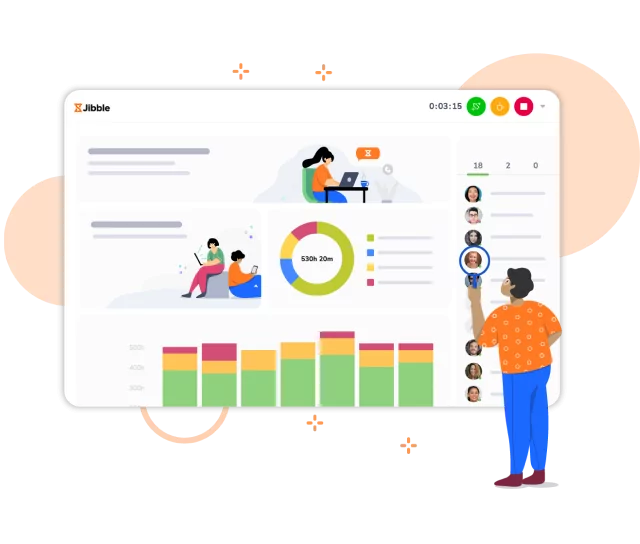
Jibble earns its spot as the best time clock app for small businesses because of its focus on accuracy, flexibility, and ease of use, making it a strong fit for teams that need reliable time tracking without adding complexity to their workflows.
Setting up Jibble is straightforward, and its interface is easy to navigate, which allows teams to get started without extensive training.
Employees can clock in using web browsers, mobile, desktop, Chrome extension, Slack, and Microsoft Teams, making it flexible across different working environments.
Its mobile app also supports daily use with one-tap clock-ins, reminders for missed entries, and automatic clock-outs to help maintain clean and complete timesheets.
Jibble includes multiple verification methods to help small businesses improve attendance accuracy. Facial recognition confirms employee identity at clock-in and clock-out, and kiosk mode supports shared devices in common workspaces.
GPS tracking records location data for each entry, and geofencing restricts clock-ins to approved areas, which is useful for field-based teams.
Jibble’s timesheets are generated automatically, and overtime is calculated based on your business’s rules, so payroll-ready data is always up to date.
At the same time, project and activity tracking are designed to give businesses a clear view of where time is actually going, which is essential for managing costs and productivity.
Jibble’s reporting and analytics tools make this data visually understandable, showing workloads, attendance, and performance in real time.
Jibble also integrates with tools such as Xero, QuickBooks, Slack, and Google Workspace, allowing it to fit into existing workflows with minimal disruption.
Jibble’s time clock app delivers real value to small businesses and scales with their operational needs as they grow.
That’s also why industry reviewers like Forbes ranked Jibble as the best time clock of 2025, highlighting its generous free plan packed with features like GPS tracking, facial recognition, geofencing, and automatic overtime.
However, Jibble’s reporting customization isn’t the most advanced, but it covers what most small businesses actually need without adding complexity. Also, some users mention slight delays in syncing across devices, but it’s rarely a blocker in day-to-day use.
What makes Jibble a strong choice for small businesses: Jibble provides full access to essential time tracking features without requiring upgrades or restricting users. This makes it practical for small businesses that need consistent adoption across teams and a system that can scale with them.
Pricing:
- Free Forever for an unlimited number of users
Available on:
Desktop, Mobile, Kiosk, Chrome Extension, and Web
Ratings:
- Capterra: 4.8/5
- G2: 4.8/5
- Play Store: 4.5/5
- App Store: 4.8/5
Pros:
- Easy to set up and use
- Well-designed interface and user-friendly
- Ensures accurate payroll and compliance with wage and hour requirements
- Work location restriction with geofencing
- Payroll-ready timesheets
Cons:
- Limited report customization
- Attendance data can take some time to sync across devices
“I like the ease of use and simplicity, which make it convenient and easy to remember. It’s simple to switch between logging hours and clocking in or out, and easy to adjust if a mistake is made. The initial setup was very easy, and I am very likely to recommend Jibble to others.” – Kyle O.
(Source: G2)
“Sometimes the system is down. It doesn’t happen very often, but when it does, it can be a bit inconvenient.” – Filipe C.
(Source: G2)
When I Work – Best Time Clock App for Shift-Based Small Businesses
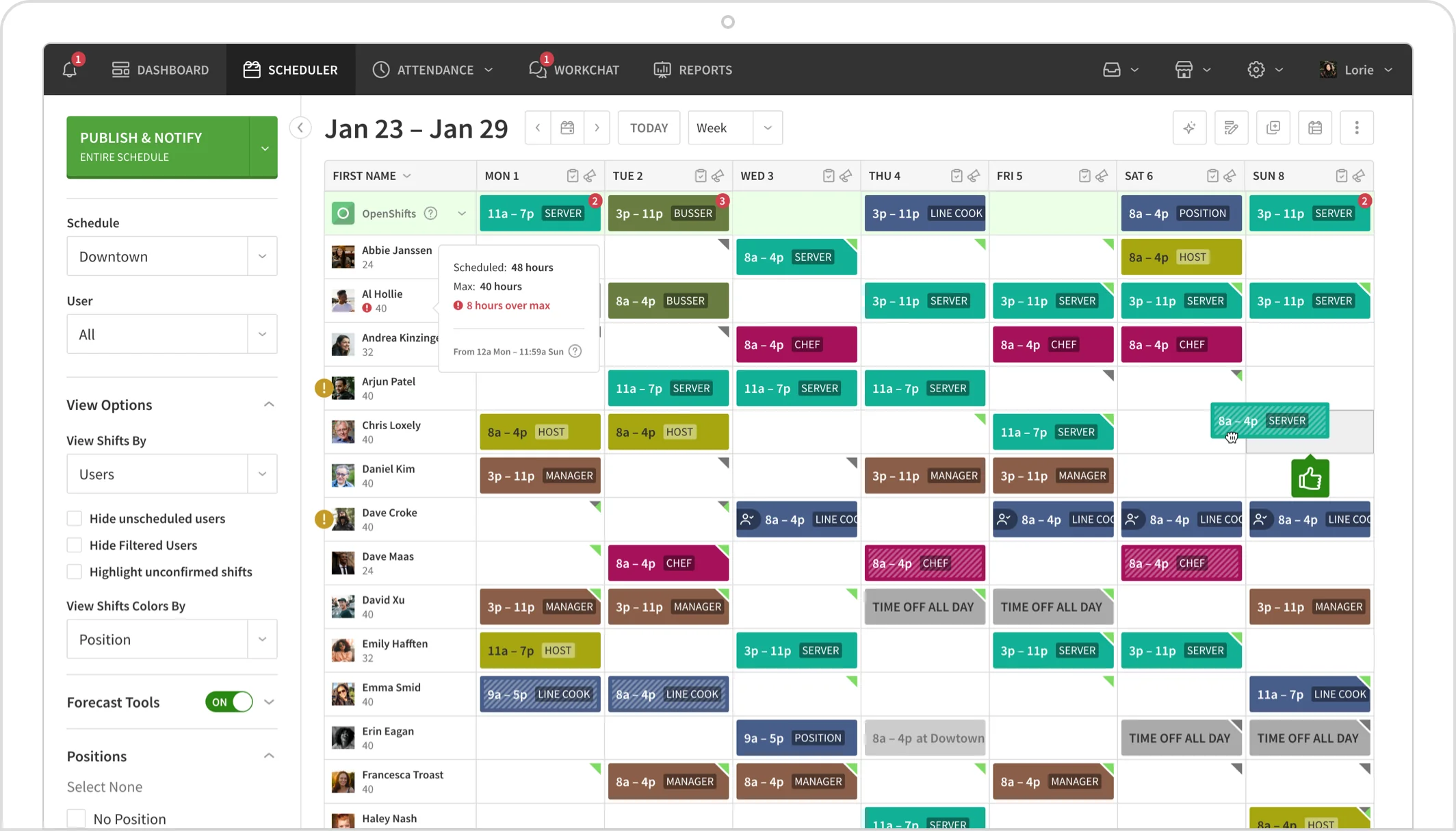
Photo from When I Work
When I Work’s time clock app is built for small businesses with shift-based teams that need scheduling and attendance to stay closely connected.
With When I Work, you can clock in and out through mobile, web, or a shared kiosk, with optional photo capture for added verification at the point of entry.
When I Work’s time clock app stands out because of how its scheduling feeds directly into time tracking data. You can define shifts for each employee first, and then their work hours are automatically tied back to their schedules.
Additionally, labor forecasting is included in When I Work’s schedule builder itself. This feature can show you shift costs before any schedule is published and flag potential overtime early.
You can also reuse schedule templates, fill gaps using OpenShifts, and require employees to confirm their schedules before they are finalized for action.
Once an employee ends their shift, When I Work converts their tracked time into attendance reports and digital timesheets. The app closely integrates with payroll platforms like ADP, Paychex, Gusto, Square Payroll, and Rippling, keeping all business workflows connected.
However, I did note that When I Work’s reporting and navigation felt less intuitive compared to simpler tools, especially when reviewing employee attendance data in detail.
What makes When I Work a strong choice for small businesses: When I Work connects scheduling directly with time tracking and labor costs, which can give small businesses clear visibility into shift expenses and help identify overtime risks before schedules are finalized.
Pricing:
- Free Plan: No
- Paid Plan: Starts at $2.50 per user per month for a single location
Available on:
Web, Desktop, Mobile, and Tablet
Ratings:
- Capterra: 4.5/5
- G2: 4.4/5
- Play Store: 4.8/5
- App Store: 4.8/5
Pros:
- Strong employee scheduling features
- Helpful customer service
- Color-coded shifts and positions to organize and visualise schedules
Cons:
- Advanced reporting features and customizations are not intuitive
- Attendance tracking can be difficult to navigate
“What I like best about When I Work is how user-friendly and efficient it is for managing schedules and communication. The clear layout and real-time updates help keep everyone on the same page, allowing us to focus more on our work and less on scheduling logistics.” – Maggy F.
(Source: G2)
“I don’t like that staff don’t always receive the notifications from When I Work, either from the messenger or when the schedule is posted. It would be nice if there was a way to help with that.” – Mathnasium of P
(Source: G2)
TimeTrex – Best Time Clock App for Workforce Management
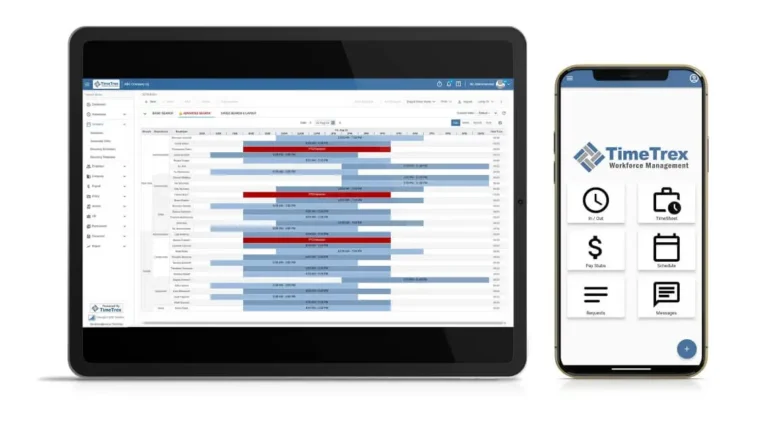
Photo from TimeTrex
TimeTrex is a comprehensive, all-in-one time clock app with a full workforce management suite. It’s a great choice for US businesses that want to consolidate their time tracking, scheduling, human resources, and payroll processing into a single, unified platform.
TimeTrex stands out for its robust feature set for tracking time. It offers advanced biometric facial recognition, allowing employees to clock in securely and touch-free from tablets or smartphones. It also supports GPS tracking and geofencing to reliably track time for both on-site and remote teams
And for US businesses, TimeTrex features a native payroll engine that automatically calculates taxes and deductions, which is a massive time saver for compliance with complex federal and state labor laws.
TimeTrex’s Community Edition is completely free and open-source, supporting an unlimited number of users. The catch is that you have to self-host it, which might require a bit of technical know-how. If you prefer a maintenance-free cloud solution, their paid tiers are still competitively priced.
It’s worth noting that TimeTrex’s initial setup can be a bit intimidating due to the sheer volume of customizable features, but user reviews consistently praise their outstanding customer support team for helping businesses get configured.
What makes TimeTrex a strong choice for small businesses: TimeTrex works well for small businesses that want their time tracking, scheduling, HR, and payroll all in one place. The free Community Edition supports unlimited users, and paid plans remain reasonably priced for teams that prefer a managed cloud solution.
Pricing:
- Free Plan: Yes
- Paid Plan: Starts at $50.00 per month
Available on:
Web, Mobile, and Tablet
Ratings:
- Capterra: 4.8/5
- G2: 4.2/5
- Play Store: 4.0/5
- App Store: 4.6/5
- GetApp: 4.8/5
- Software Advice: 4.8/5
Pros:
- Unlimited users on the free Community Edition
- Built-in payroll processing and HR suite
- Advanced biometric facial recognition
- Excellent customer support
- Accurate geolocation and geofencing
Cons:
- Complex initial setup due to the sheer number of features
- Self-hosting required for the completely free version
“To keep track of time for employees is it a good web interface as they just have to log in, i have to create a time sheet, and they just have to clock in and out. Timetrex will give a report of the time, either daily or weekly or however you want it.” – Amaury P.
(Source: Software Advice)
“The con is a two edged sword. You can make TimeTrex do some really complex things like getting into job costing. So that complexity necessitates a getting the set up right. Getting this right helps us build loyalty with our SMB clients.” – Arin C.
(Source: Software Advice)
Connecteam – Best All-in-One Time Clock App for Small Businesses
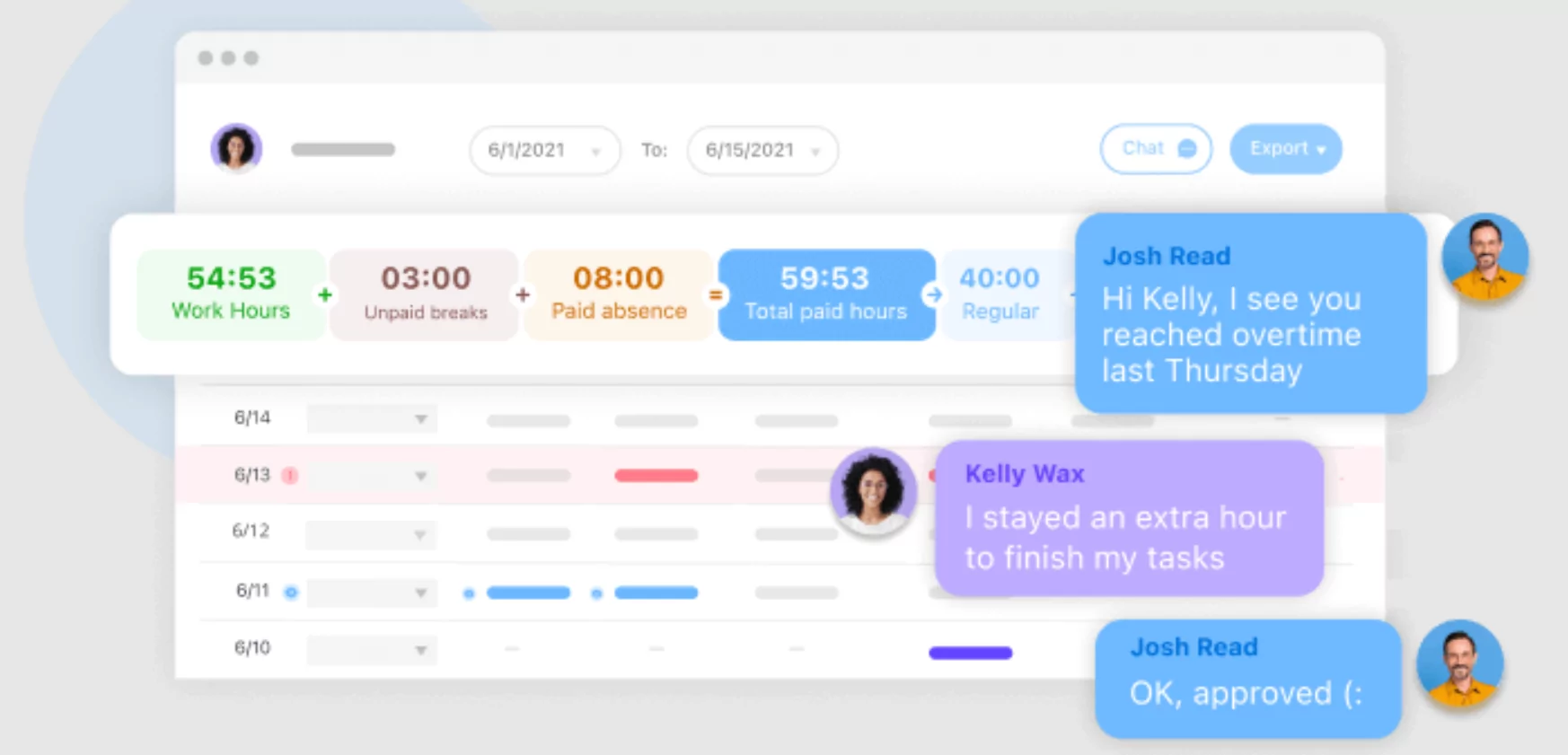
Photo from Connecteam
Connecteam is a time clock app for small businesses that combines time tracking, scheduling, and communication in a single mobile-first platform.
Clocking in is flexible with Connecteam’s mobile and desktop app, and it also supports shared kiosks, NFC badges, and POS-connected devices, with hours, breaks, PTO, and overtime tracked in real time and compiled into timesheets automatically.
Connecteam helps you track overtime, breaks, and PTO with predefined rules, and the system flags issues early so they don’t turn into payroll problems. Filtering timesheets by employee, job, or location is also straightforward.
The app’s GPS tracking and geofencing features attach location data to each clock-in, which helps ensure employees are working from approved job sites. Early clock-ins and out-of-area punches can also be restricted.
Connecteam’s reporting covers attendance, lateness, and absences, giving a clear view of workforce activity. And beyond time tracking, the platform includes scheduling, chat, task management, and training tools.
Task assignment is also simple with Connecteam, and shift management works smoothly from mobile.
But I found Connecteam’s reporting to be more limited than specialized tools, and the app’s performance depends heavily on a stable internet connection.
What makes Connecteam a strong choice for small businesses: Connecteam combines time tracking with GPS verification and built-in operations tools, which reduces the need for multiple systems and improves visibility across day-to-day workforce activity.
Pricing:
- Free Plan: Yes, for up to 10 users
- Paid Plan: Starts at $29.00 per month for up to 30 users
Available on:
Desktop, Mobile, Kiosk, and Web
Ratings:
- Capterra: 4.6/5
- G2: 4.6/5
- Play Store: 4.8/5
- App Store: 4.9/5
Pros:
- Easy to assign tasks to employees
- Shift management with bidding through the mobile app
- User-friendly and easy to learn
Cons:
- Lacks advanced reporting
- Does not work without a strong internet connection
“I use Connecteam to schedule my team for my event planning business, and it makes it much easier for me to see who can work. It’s seamless for my team to know when they are scheduled. I love the ability to keep shifts open for my team to bid on.” – Kristen C.
(Source: G2)
“The mobile app is pretty glitchy and doesn’t have all the same features as the web browser. For instance, I can’t duplicate a shift on the mobile app, so setting up a shift is best to do on the web browser.” – Fancy F.
(Source: G2)
Clockify – Best Time Clock App for Simple Time Tracking and Reporting
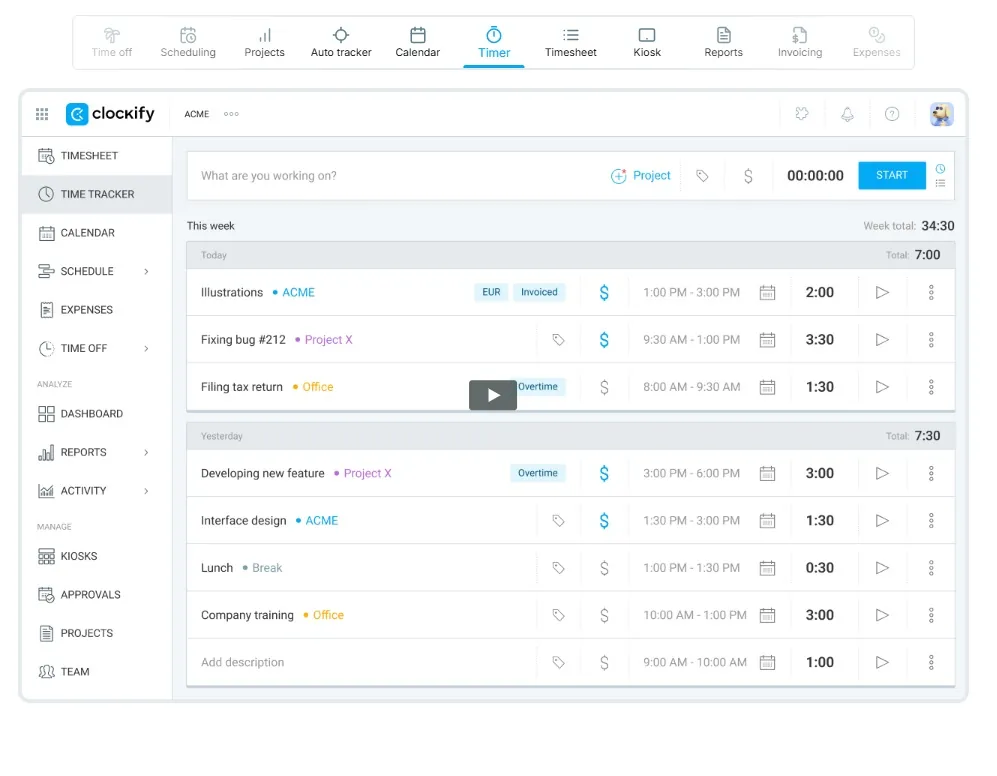
Photo from Clockify
Clockify is a time clock app for small businesses that focuses on keeping time tracking simple across web, desktop, and mobile.
Work can be tracked in real time using a timer or entered manually by project, task, or activity, depending on how your team operates.
The app’s Idle time detection helps flag employee inactivity, while the built-in Pomodoro timer can be used to set up structured work cycles. Clockify also supports offline tracking, with entries syncing once the connection is restored.
Setup is quick, especially when creating clients and projects, and timesheets stay easy to follow, which keeps payroll and invoicing from becoming overly complex.
The mobile app adds GPS tracking that logs clock-in locations and records movement during the day, which is useful for teams working across multiple job sites.
Clockify’s integrations with tools like Trello, Asana, Jira, and Slack make it easy to slot into existing workflows without changing how teams already operate.
Reporting is where Clockify performs the best. It breaks down time clearly across clients, projects, and tasks, and budget controls help keep spending in check by flagging when limits are close.
That said, the trade-off is that reporting stays fairly structured. It works well for billing and day-to-day oversight, but teams looking for deeper or more flexible analysis will find it somewhat limited.
What makes Clockify a strong choice for small businesses: Clockify keeps reporting clean and structured, which makes it easy to turn tracked time into accurate billing while maintaining visibility across project costs.
Pricing:
- Free Plan: Yes, for 5 users
- Paid Plan: Starts at $3.99 per user per month
Available on:
Web, Desktop, Mobile, and Kiosk
Ratings:
- Capterra: 4.8/5
- G2: 4.5/5
- Play Store: 3.2/5
- App Store: 4.6/5
Pros:
- Easy to create new clients and projects
- Solid reporting for billing and invoicing
- Clear and easy-to-follow timesheets
Cons:
- Limited customization for reporting visuals
- Can feel clunky for complex workflows
“Clockify makes it easy to track work across multiple clients, projects, tasks, and team members. We use it every day to keep our billables accurate and it allows project managers to ensure work is staying within budget.” – Chris Z.
(Source: G2)
“The visualization options are somewhat limited, especially when it comes to color coding different projects. I rely on color coding to quickly find specific entries, and having a greater variety of colors would make this process much faster.” – Victoria M.
(Source: G2)
OnTheClock – Best Time Clock App for Scheduling and PTO Management
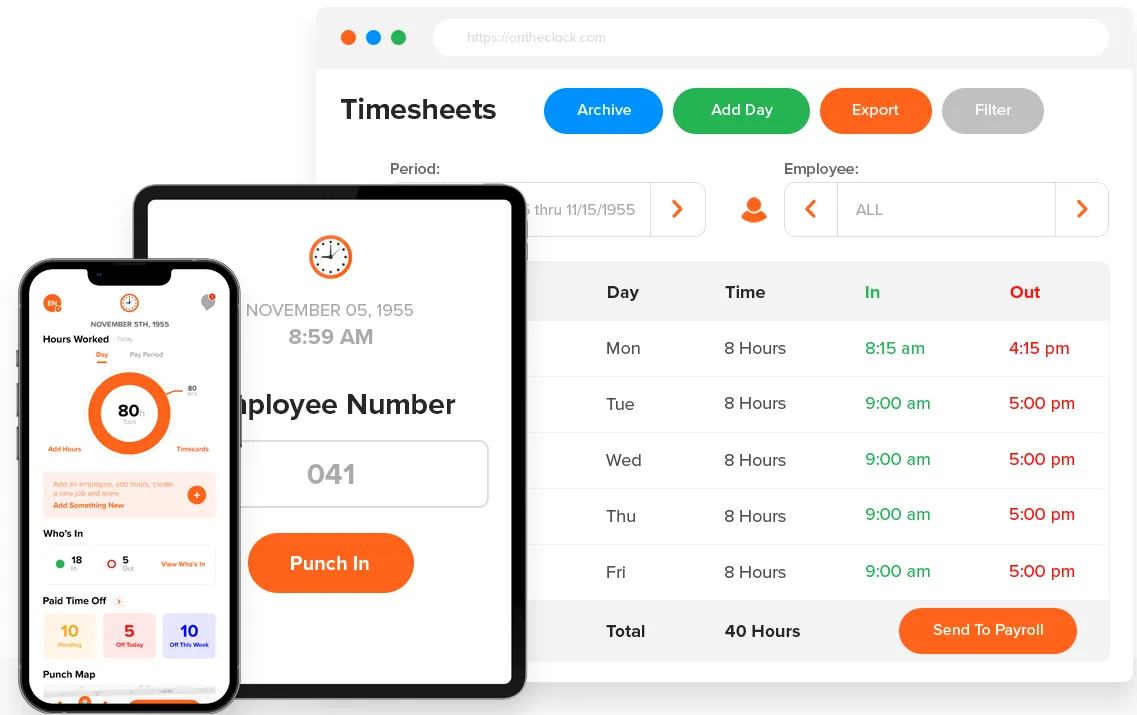
Photo from OnTheClock
OnTheClock is purpose-built for small and mid-sized businesses, combining time tracking, scheduling, PTO management, and payroll into one straightforward system.
Employees can clock in and out from a web browser, mobile app, or shared tablet kiosk. The system eliminates buddy punching through GPS location verification, IP address restrictions, and optional fingerprint or PIN authentication, so managers get accurate data without having to babysit the process.
The software’s kiosk mode is particularly well-suited for businesses with a central clock-in point, like restaurants, clinics, or warehouses.
Where OnTheClock really earns its keep for small businesses is its payroll feature.
Rather than just exporting timesheets and handing off to a third-party tool, OnTheClock offers native payroll processing as an add-on, handling tax calculations, direct deposit, and compliance in the same platform where time is tracked.
For small businesses that want to reduce the number of tools in their stack, that’s an advantage. Integrations with QuickBooks, Gusto, ADP, and Paychex are also available for businesses that prefer their existing payroll setup.
What makes OnTheClock a strong choice for small businesses: OnTheClock’s kiosk mode turns a shared device into a dedicated, locked-in punch station, which helps simplify clock-ins in environments where multiple employees use the same entry point. It reduces reliance on individual logins and keeps the process consistent at a single location, which can be especially useful in fast-paced or high-turnover workplaces.
Pricing:
- Free Plan: No
- Paid Plan: Starts at $4.00 per user per month + $5.00 base fee per month for Time & Scheduling module
Available on:
Web, Mobile, and Kiosk
Ratings:
- Capterra: 4.7/5
- G2: 4.5/5
- App Store: 4.3/5
Pros:
- Clean, intuitive interface
- GPS tracking, IP restrictions, and fingerprint verification
- Kiosk mode for shared clock-in locations
- Responsive U.S.-based customer support
Cons:
- No free plan
- Reporting and analytics are not advanced
“We have been using OnTheClock for our team, and it has made tracking hours so much easier. The system is very user-friendly, both for employees clocking in/out and for managers reviewing timesheets. Reports are clear and easy to export, which saves us a lot of time when doing payroll. I also appreciate that their customer support is quick to respond and very helpful.” – Joe K.
(Source: G2)
“Editing punches can be clunky for managers—too many clicks for something that’s actually pretty common. So yeah—OnTheClock is solid and dependable, but it’s more “gets the job done” than “wow, this is elegant.” Perfect for straightforward time tracking, less so if your workforce rules are complicated or fast-growing.” – Grace B.
(Source: Capterra)
TimeCamp – Best Time Clock App for Productivity Tracking
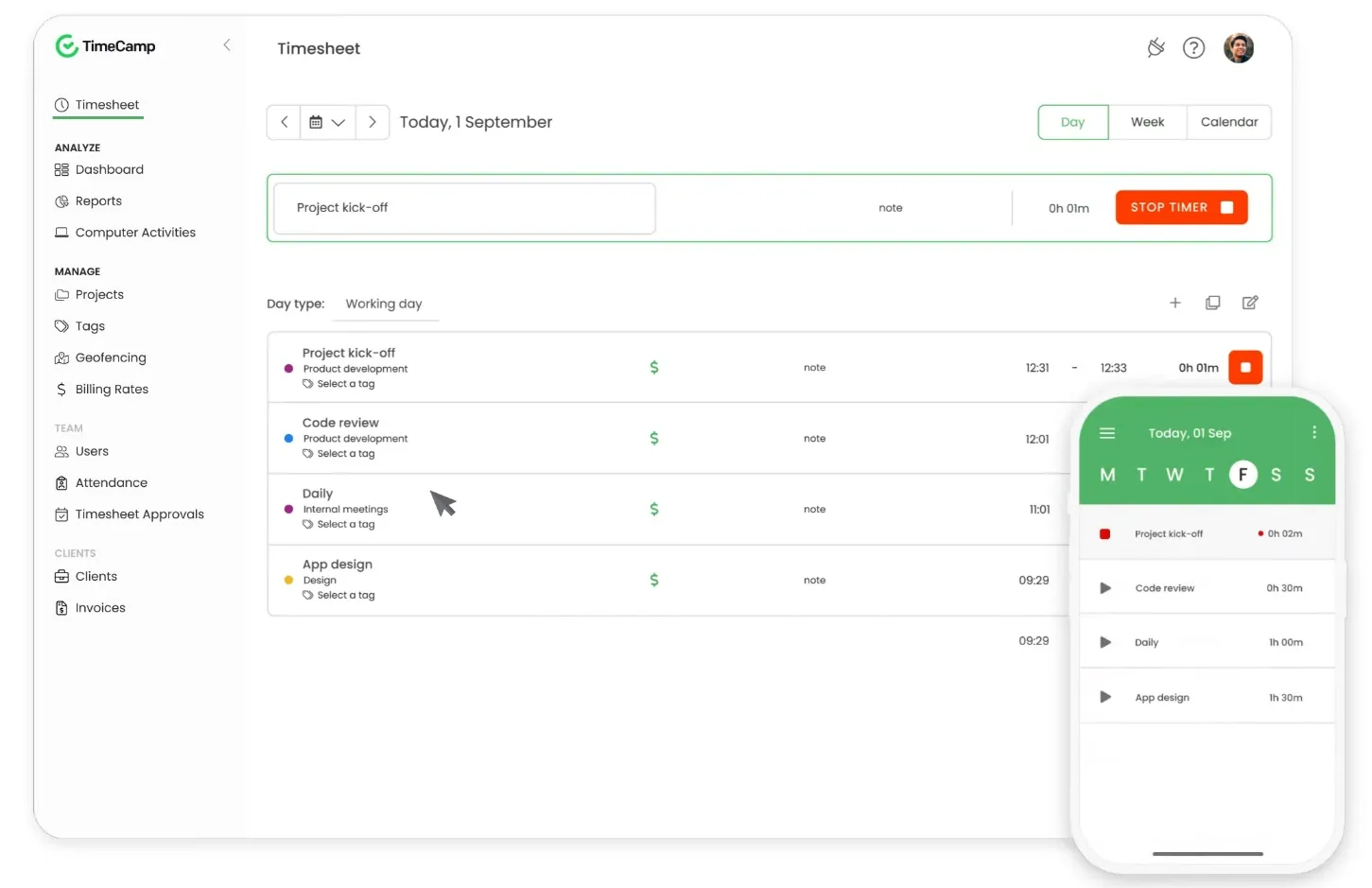
Photo from TimeCamp
TimeCamp is a time clock app for small businesses that need a timer that runs quietly in the background, capturing activity across apps and websites so employees don’t need to constantly start or stop timers.
Instead of adding time entries by starting and stopping a timer or with manual entries, TimeCamp’s keyword-based tracking assigns time entries automatically based on what applications or windows are being used. This removes a lot of administrative effort from day-to-day tracking.
The real value shows up in how work is interpreted. Time can be broken down across tasks, projects, and tools in a way that highlights productivity patterns rather than just logged hours.
However, I could not find an option to pause the timer, which can feel restrictive depending on your workflows.
TimeCamp makes it easy to separate billable and non-billable tracking, which can help small businesses clarify what work is actually generating revenue. And its reporting stays simple, focusing on clarity rather than depth or complexity.
The app also offers attendance tracking, including workdays, remote work, holidays, leave types, and overtime, with exports available to QuickBooks Online and Xero for payroll processing.
Overall, the app is pretty lightweight, though its performance can vary depending on connection stability.
What makes TimeCamp a strong choice for small businesses: TimeCamp automatically captures activity in the background and turns it into structured time data, reducing dependence on manual tracking while improving consistency in reporting.
Pricing:
- Free Plan: Yes
- Paid Plan: Starts at $3.99 per user per month
Available on:
Web, Desktop, Kiosk, and Mobile
Ratings:
- Capterra: 4.7/5
- G2: 4.8/5
- Play Store: 3.7/5
- App Store: 3.1/5
Pros:
- Easy to track billable and non-billable tasks
- Strong customer support
- Easy reporting features
Cons:
- No pause timer option
- Unreliable mobile experience at times
“It assists me in recording the hours I have worked and logging my time. Also, the main thing I liked about Time Camp is I do not have to start it manually, as it starts automatically when I log in to my working system.” – Prerak J.
(Source: G2)
“The program does have a bit of a learning curve, the company provided a free usage consultation that was very helpful. It took a while for me to get used to using the program, but it has grown on me.” – Verified User
(Source: G2)
Fingercheck – Best Time Clock App with Biometric Verification Features
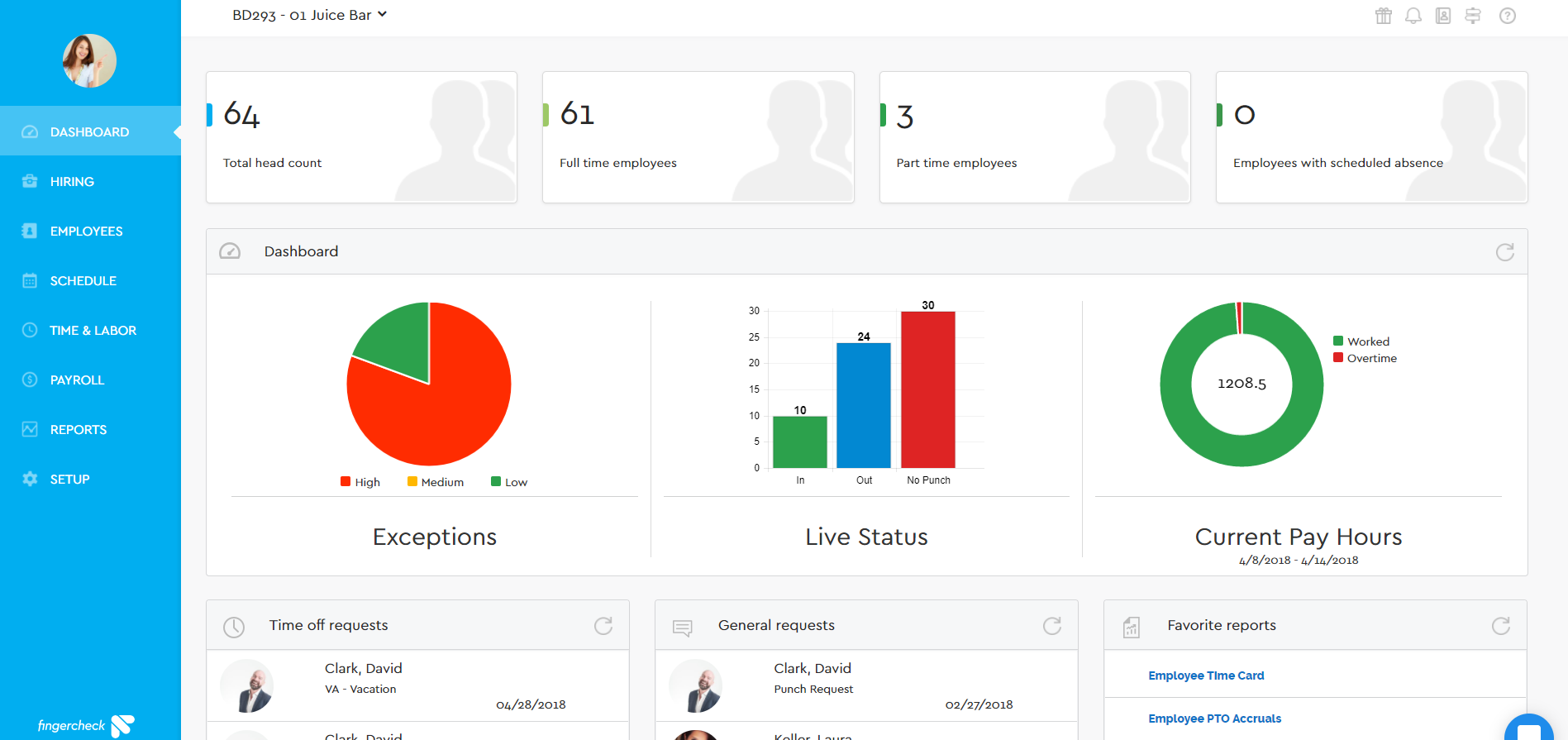
Photo by Fingercheck
Fingercheck is a time clock app for small businesses that need flexible clock-in options to accurately track employee hours.
Employees can clock in from mobile, desktop, or a shared tablet, with GPS tagging and optional facial or photo verification at each punch.
This is especially useful in setups where staff move between sites and accuracy matters more than flexibility alone.
Fingercheck supports various methods to clock in, including PIN, fingerprint, face recognition, SMS, and card-based entry, with offline mode ensuring punches are saved and synced once connectivity is restored.
For day-to-day operations, employees can use Fingercheck to review schedules, request time off, and swap shifts, while managers can utilize it to handle attendance and workforce activity from a single dashboard.
Fingercheck offers GPS and geofencing to restrict clock-ins to approved locations, and job codes can be tied to entries to keep work allocation clearer across teams.
The app also offers an integrated payroll system with tax calculations, overtime rules, and compliance, along with the option to share data with external tools like QuickBooks if needed.
That said, Fingercheck’s reporting feels more limited, and the interface can feel restrictive if you want deeper customization of data.
What makes Fingercheck a strong choice for small businesses: Fingercheck stands out for its range of clock-in options like facial recognition, fingerprint scans, PIN, SMS clock-ins, card-based entry, and GPS tagging at every punch, making it a flexible option to track employee time.
Pricing:
- Free Plan: No
- Paid Plan: Starts at $7.00 per user per month + $29.00 monthly base fee
Available on:
Mobile, Web, Tablet, and Physical Time Tracking Devices
Ratings:
- Capterra: 5/5
- G2: 4.7/5
- Play Store: 4.3/5
- App Store: 4.7/5
Pros:
- Intuitive to use
- Responsive customer support
- Time clock feature with facial recognition
Cons:
- Lack of customization options for reports
- Interface can seem limited for detailed settings
“I find Fingercheck clear, simple, and efficient, and I appreciate the help available whenever needed. I really like that employees can view their history and stubs without bothering the admin, which increases the admin’s available time at work. It’s quick and easy to use, and setting it up was very easy for our team.” – Mrs W.
(Source: G2)
“One thing that could be improved is the occasional lag or glitch when switching between screens or approving timesheets — it’s not a dealbreaker, but it can slow things down. It would also be great if reports loaded a bit faster or had more customization options.” – chesky f.
(Source: G2)
Buddy Punch – Best Time Clock App for Field Teams
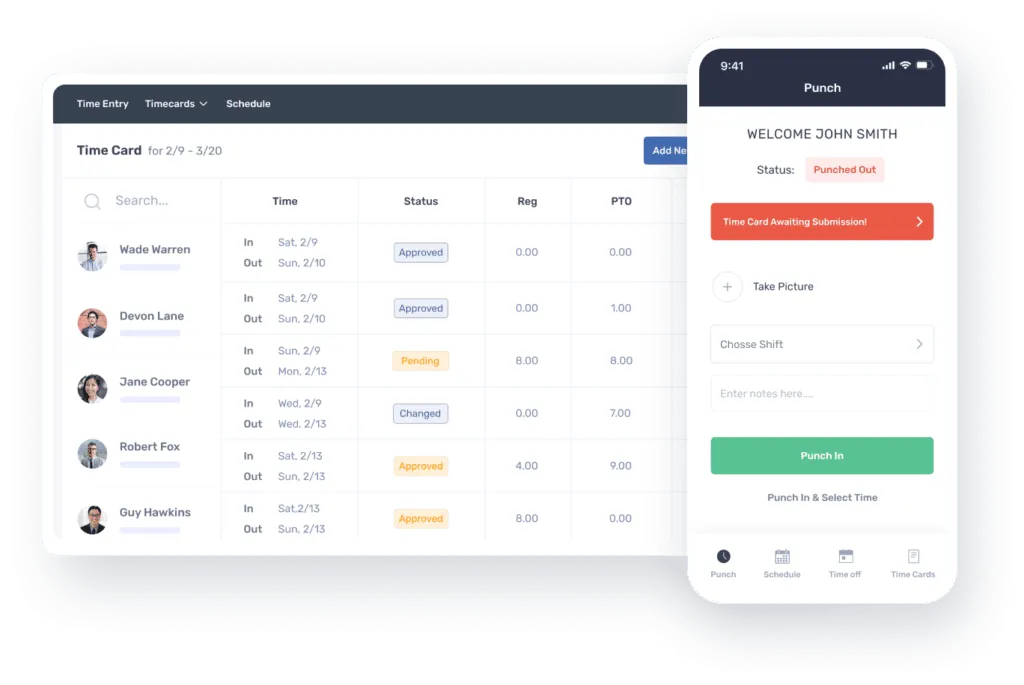
Photo from Buddy Punch
Buddy Punch is a time clock app for small businesses built for field teams that need flexible clock-in options and location control.
Employees can clock in from mobile, web, or a shared kiosk, and managers can set up tablet-based time clock stations for on-site use.
It supports multiple clock-in methods, including PIN, QR code, facial recognition, and text-to-punch, making it easy for workers in the field to log time even without a traditional setup.
GPS tracking and geofencing ensure employees are clocking in from approved job sites, while location data is recorded on every punch for added accountability.
For teams working across multiple locations, schedules, and updates are pushed directly to employees’ phones, so everyone stays aligned without manual follow-ups.
Time entries automatically turn into timesheets with overtime and break rules applied, and managers can review and approve everything before payroll.
It integrates with payroll tools like QuickBooks, ADP, Gusto, and Paychex, or can handle payroll directly within the platform.
However, Buddy Punch’s main drawbacks are that its PTO requests can’t be edited after submission, and performance can slow down with poor internet connections.
What makes Buddy Punch a strong choice for small businesses: Buddy Punch offers flexible clock-in methods with GPS and geofencing built in, which makes it well-suited for managing teams that don’t operate in a single location.
Pricing:
- Free Plan: No
- Paid Plan: Starts at $4.49 per user per month + $19.00 monthly base fee
Available on:
Mobile, Web, and Chromebooks
Ratings:
- Capterra: 4.8/5
- G2: 4.8/5
- Play Store: 4.5/5
- App Store: 4.9/5
Pros:
- Geofencing and location tracking for employee visibility
- Easy and simple to use
- Great customer service
Cons:
- PTO requests are not editable after submission
- Can be slow with poor internet connectivity
“The system made it easy for employees to clock in and out using mobile devices or desktops, which was especially helpful for staff who worked across multiple buildings or shifts. The GPS and location verification features added an extra layer of accountability, ensuring staff were clocking in from approved locations.” – Andre F.
(Source: Capterra)
“One downside of Buddy Punch is that some advanced features are locked, which can be limiting for smaller organizations. Occasional mobile app glitches and syncing delays can also be frustrating, especially for staff in the field.” – Wendell M.
(Source: Capterra)
Gusto – Best Time Clock App with Built-in HRM and Payroll
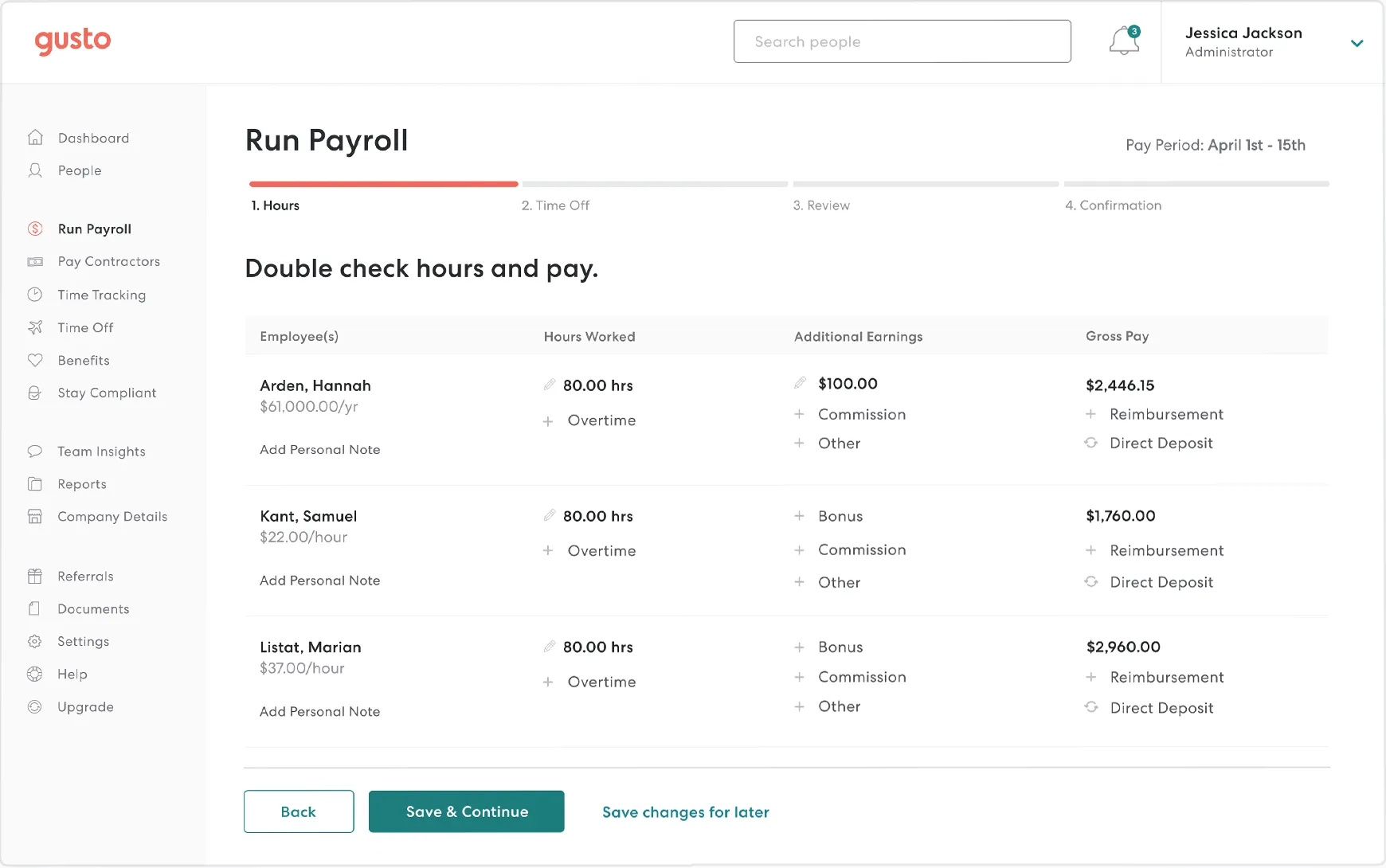
Photo from Gusto
Gusto is a time clock app for small businesses that combines time tracking with payroll and HR in one system.
Employees can clock in from mobile, web, or a shared kiosk, with GPS recorded at each punch.
Once time is approved, hours, overtime, and breaks flow straight into payroll, and everything locks after processing so nothing gets adjusted after the fact.
Beyond time tracking, Gusto can help small businesses remove day-to-day administrative tasks from their workflows.
Compliance, taxes, overtime rules, and payroll calculations are handled automatically rather than being something you actively manage.
Scheduling also feeds into the same system, so planned vs actual hours can be compared without exporting anything or reconciling data elsewhere.
However, Gusto’s pricing does step up as headcount grows, which is worth keeping in mind.
What makes Gusto a strong choice for small businesses: Gusto stands out because of how it integrates time tracking to payroll and HR. Hours flow straight into payroll with taxes, compliance, and employee payroll is built-in and handled automatically, so there’s no manual handoff between systems.
Pricing:
- Free Plan: No
- Paid Plan: Starts at $6.00 per user per month + $49.00 monthly base fee
Available on:
Web, Mobile, and Tablet
Ratings:
- Capterra: 4.6/5
- G2: 4.6/5
- Play Store: 4.4/5
- App Store: 4.8/5
Pros:
- Easy to access
- Automated tax filing and direct deposits
- Simplifies payroll processing and HR tasks
Cons:
- Pricing can add up as you scale
- User roles and permissions are not customizable
“What I like most about Gusto is how it simplifies payroll and HR tasks. It’s user friendly, automates time consuming processes, and helps ensure employees are paid accurately and on time.” – Lynne P.
(Source: Capterra)
“It was tricky to get Gusto fully integrated with our preferred timekeeping system. Additionally, user roles and permissions cannot be customized, so you must choose from a small set of pre-configured roles – but these were sufficient for our use.” – John B.
(Source: Capterra)
TrackingTime – Best Lightweight Time Clock App for Small Businesses

Photo from TrackingTime
TrackingTime is a lightweight time clock app that can be used by small teams that want structure without getting dragged into overly complex time tracking setups.
Employees can track time from desktop, mobile, or browser extensions, depending on how the team actually operates day to day. GPS tracking and geofencing sit underneath that setup, so clock-ins are tied back to locations when needed.
The app’s AutoTrack feature runs in the background and captures activity across apps, websites, and meetings, then builds suggested time entries from that behaviour.
Breaks, overtime, and time-off requests are handled inside the same system, and timesheets are generated automatically once activity is captured.
TrackingTime links all time entries back to schedules, which makes it easier to see things like late starts or early finishes without manually digging through logs or chasing down discrepancies.
Its reporting is fairly minimal by design. It’s focused on giving a clear view of where time went rather than offering deep analysis layers that most small teams don’t actually use.
It also integrates cleanly with tools like Asana, Trello, and Slack, so it can easily fit into existing workflows.
What makes TrackingTime a strong choice for small businesses: It captures activity in the background and turns it into structured time entries without relying heavily on manual tracking.
Pricing:
- Free Plan: Yes
- Paid Plan: Starts at $3.75 per user per month
Available on:
Mobile, Desktop, and Web
Ratings:
- Capterra: 4.7/5
- G2: 4.4/5
- Play Store: 3.8/5
- App Store: 4.1/5
Pros:
- Accurate client-based work hour tracking
- Smart reminders to log time entries
- User-friendly
Cons:
- Weak offline tracking experience
- Lacks flexible reporting options
“The overall function is excellent and easy to navigate. I also like how easy it is to have a little plugin next to my search bar for quick access. I also like the ability to add tasks for your projects, which makes it great for project management, not just tracking time.” – Samantha.
(Source: Capterra)
“The board list could be improved, but nothing relevant. Also, tracking time should provide access to queries or allow us to record time entries in our company’s server.” – Alan.
(Source: Capterra)
7shifts – Best Time Clock App for Restaurant Teams
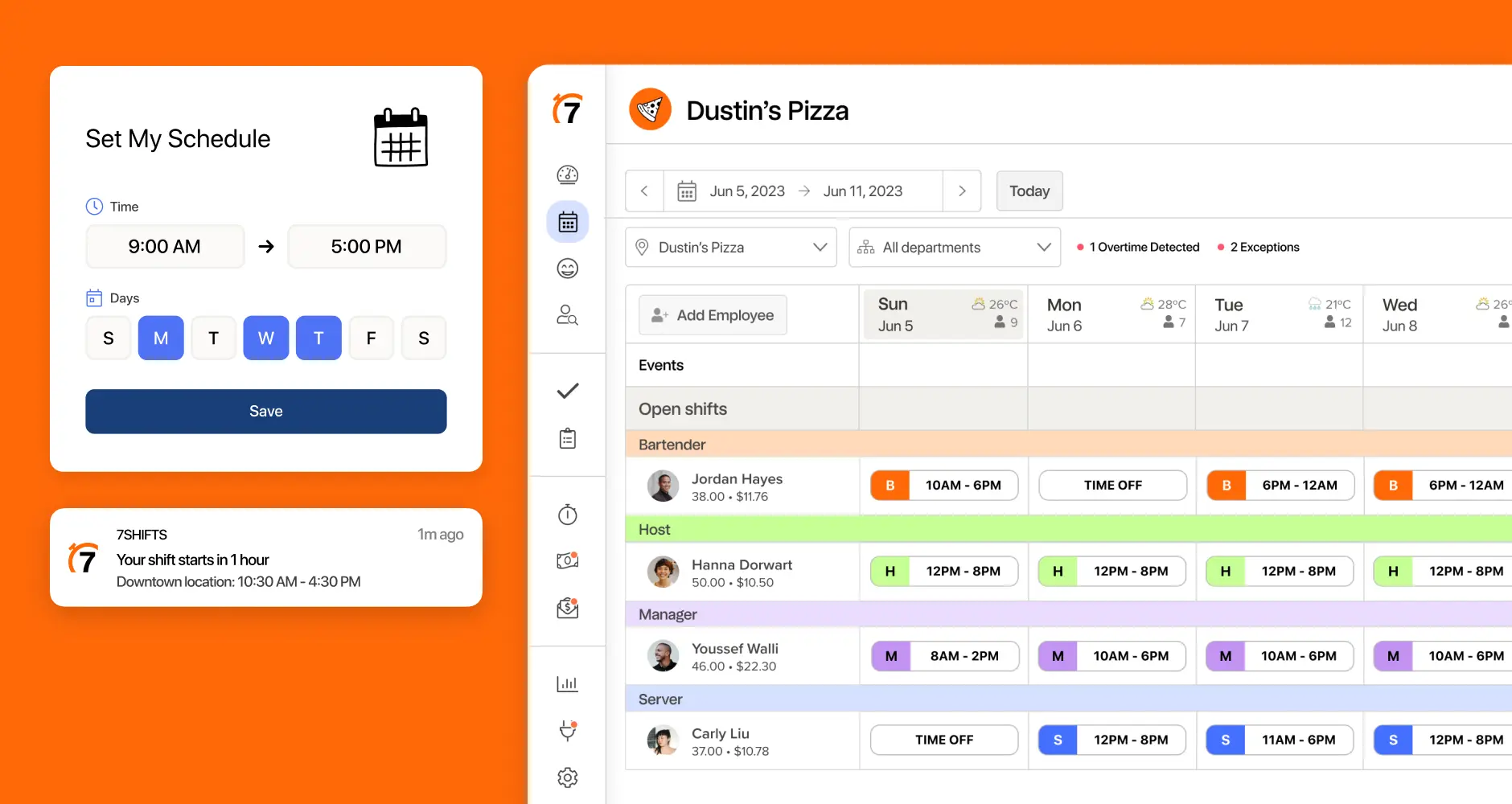
Photo from 7shifts
7shifts dedicated time clock app ‘7punches’ is built specifically for restaurant businesses, where scheduling and labour tracking need to stay closely aligned in real time.
The app is easy to get started with. Employees can clock in from their phones or a shared tablet.
Clock-ins can include photo capture and geofencing, so employees can only punch in on-site and identity is verified without extra hardware.
You can also restrict clock-ins to scheduled shifts only, which helps control labor costs and avoid unplanned hours.
What makes 7shifts work well for restaurants is how closely it ties time tracking to scheduling and operations.
Managers can see real-time labor data, get alerts when employees approach overtime, and compare scheduled vs actual hours to spot inefficiencies.
It also handles compliance automatically, tracking breaks, overtime, and local labor rules without manual oversight. Once hours are approved, everything flows directly into payroll or can be exported.
Employees can pick up open shifts directly in the app, and built-in messaging, group chat, and announcements keep communication in one place.
Although the app is easy to get started with, it can feel cluttered at times, and performance issues like slow loading or random logouts can get in the way.
What makes 7shifts a strong choice for small businesses: 7shifts keeps scheduling, time tracking, and labour data tied together in real time, so managers can see how shifts are actually playing out as they happen.
Pricing:
- Free Plan: Yes, for up to 15 employees in a single location
- Paid Plan: Starts at $39.99 CAD (~$29.00 USD) for 30 employees in a single location
Available on:
Mobile, Tablet, and Web
Ratings:
- Capterra: 4.7/5
- G2: 4.5/5
- Play Store: 4.7/5
- App Store: 4.8/5
Pros:
- Easy to pick up open shifts directly through the app
- Built-in messaging, group chat and announcements feature
- User-friendly and intuitive
Cons:
- Slow loading times and random logouts from the app
- App can seem a bit cluttered
“Very user friendly for the staff, intuitive, easy to keep all of an employee’s documents in one place. Makes communication simple amongst employees and management. Saves us money having everything in one place.” – Rebecca B.
(Source: G2)
“Scheduling display is somewhat hard to use and follow, can be confusing when looking at future schedules.” – Verified Reviewer
(Source: Capterra)
How I Evaluated the Best Time Clock Apps for Small Businesses
I reviewed over 25 time clock apps and tested a selection of them in real-world small business scenarios, narrowing it down to the 13 best based on the following criteria:
1. Real-World Usability:
Each tool was evaluated in everyday small business environments, including hourly teams, remote workers, and shift-based setups. Only apps that performed reliably for daily clock-ins, edits, and approvals made the cut.
2. Cost vs. Value:
I focused on how much value each platform delivers at its price point, especially for small teams. This included free plans, per-user pricing, and whether the features justify the cost as the business grows.
3. Ease of Use:
The software had to be simple for employees to clock in and out, while also giving managers a clear and efficient way to review timesheets, manage schedules, and run payroll-related tasks.
4. Reliability and Accuracy:
Findings from hands-on testing were cross-checked with verified user reviews on platforms like G2 and Capterra, with a focus on time tracking accuracy, system reliability, and overall support quality.
So, What is the Best Time Clock App for Small Businesses in 2026?
Choosing the right time clock app for your small business ultimately comes down to how your team works day to day.
There’s no one-size-fits-all solution; each tool in this list solves a different problem, whether it’s field tracking, payroll integration, shift scheduling, or productivity insights.
Jibble stands out as the best time clock app because it is free forever for unlimited users. It offers strong attendance features such as GPS tracking and facial recognition, making it a reliable choice for most small businesses.
On the other hand, there are special tools that are best-suited to unique workflows, such as 7shifts for restaurants, Gusto for small businesses that need integrated HRM and payroll processing, or Connecteam for teams that need built-in communication and scheduling features.
Pick the app that fits your workflow, your team size, and your industry needs, and you’ll not only track time more accurately but also improve overall efficiency and decision-making across your business. Good luck!
Looking for the the best time and attendance software for your team’s daily operations? Head over to our breakdown of the best solutions available in 2026.
FAQs
Some frequently asked questions...
Yes! Time clock apps are worth it for small businesses because they improve accuracy, reduce payroll mistakes, and save time on manual tracking. Many tools also offer free or low-cost plans, making them cost-effective even for small teams.
Time clock apps reduce payroll errors, prevent time theft, and automate timesheets. This saves small businesses money by reducing manual admin work and ensuring employees are only paid for accurate hours worked.
Jibble is the best time clock app for small businesses, offering enterprise-level time tracking features with a free plan, including face recognition attendance and GPS tracking.
Tools like Clockify and Homebase are also popular because they offer payroll integrations, GPS tracking, and easy time tracking features for small teams.