
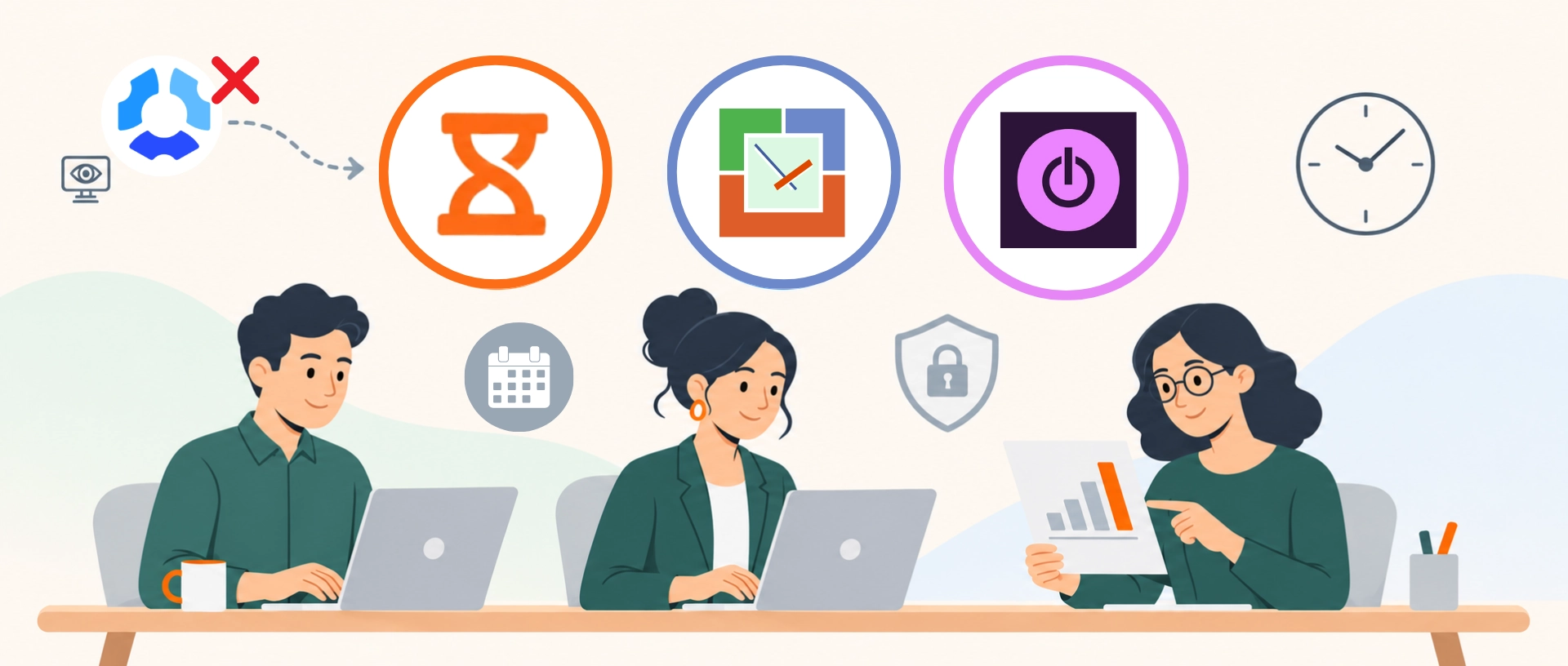
Hubstaff tracks work hours and manages attendance, but it also offers a range of employee monitoring features which may not suit every team. Some Hubstaff users have questioned how the software measures work activity levels while others have raised concerns over how “intrusive” its monitoring features are. If your team shares these concerns, here are a few Hubstaff alternatives that may be worth considering.
What Do Users Say About Hubstaff?
Feedback across online platforms offers some insight into users’ experiences with Hubstaff’s employee monitoring features.
Some Reddit users raised concerns about the accuracy of Hubstaff’s activity percentages and how it reflected their work. A quality assurance (QA) tester reported being laid off two months into a contractual job because their activity percentages on the platform fell below their employer’s expectations. They explained that reading was part of their work but it involved little keyboard or mouse activity, resulting in lower activity percentages.
A junior developer similarly pointed out that their activity percentage on Hubstaff dropped every time they opened a browser or Google. They added that Hubstaff was tracking how fast they were typing and termed it as “really unfair.”
Another user echoed these concerns, describing Hubstaff’s activity percentages as a “bad metric for real productivity.” They explained: “You can have low activity while doing high-value work like reading docs, reviewing code, or thinking through solutions.”
Beyond concerns about activity scores, some users also question how monitoring affects their work experience. According to a G2 reviewer, some of Hubstaff’s employee monitoring features can feel “a bit intrusive, particularly for teams that place a high value on autonomy.”
With these user experiences in mind, let’s look at some Hubstaff alternatives and how their features compare.
What to Look for in a Hubstaff Alternative?
When comparing alternatives, consider how much monitoring you need and which features support your team’s work.
- Level of monitoring: Decide whether you need limited monitoring with optional screenshots, non-invasive screen analysis features, or time tracking without monitoring.
- Privacy controls: Check whether monitoring features can be disabled and whether employees can pause tracking and view their own records.
- Other essential features: Look for project tracking and billing for client work, or attendance verification, scheduling, and payroll support for managing staff.
In this article, we compare the three best Hubstaff alternatives that either offer limited monitoring, non-invasive productivity insights, or time tracking without employee monitoring.
3 Best Hubstaff Alternatives at a Glance
Alternative |
Why consider it? |
Rating |
Free option |
Price |
|---|---|---|---|---|
| Jibble | Time tracking, project tracking and attendance verification with limited monitoring | ⭐ 4.8/5 | Free forever for unlimited users | |
| WorkTime | Employee productivity monitoring without screenshots | ⭐ 4.6/5 | Yes, for 3 users | Starts at $~5.83/user/month (billed annually) |
| Toggl | Time tracking and project planning without employee monitoring | ⭐ 4.7/5 | Yes, for 3 users | Starts at $9/user/month (billed annually) |
How Much Can You Save by Switching to Jibble?
Jibble is free forever for unlimited users. The table below compares it with Hubstaff’s Starter plan at $4.99 per seat per month, billed annually.
| Team size | Hubstaff Starter Plan (billed annually)* | Jibble (annual) | Potential annual savings with Jibble |
|---|---|---|---|
| 5 users | $24.95 per month | $0/year | $299.40 |
| 10 users | $49.90 per month | $0/year | $598.80 |
| 25 users | $124.75 per month | $0/year | $1,497.00 |
| 50 users | $249.50 per month | $0/year | $2,994.00 |
| * Hubstaff applies a two-user minimum to its Starter plan, Team plan and Grow plan. It also offers multiple add-ons at an additional cost. |
|||
Selfie clock-in, GPS, geofencing and the kiosk app are free forever.
3 Best Hubstaff Alternatives: Full Breakdown
1. Jibble – Best free overall Hubstaff alternative for enterprise teams
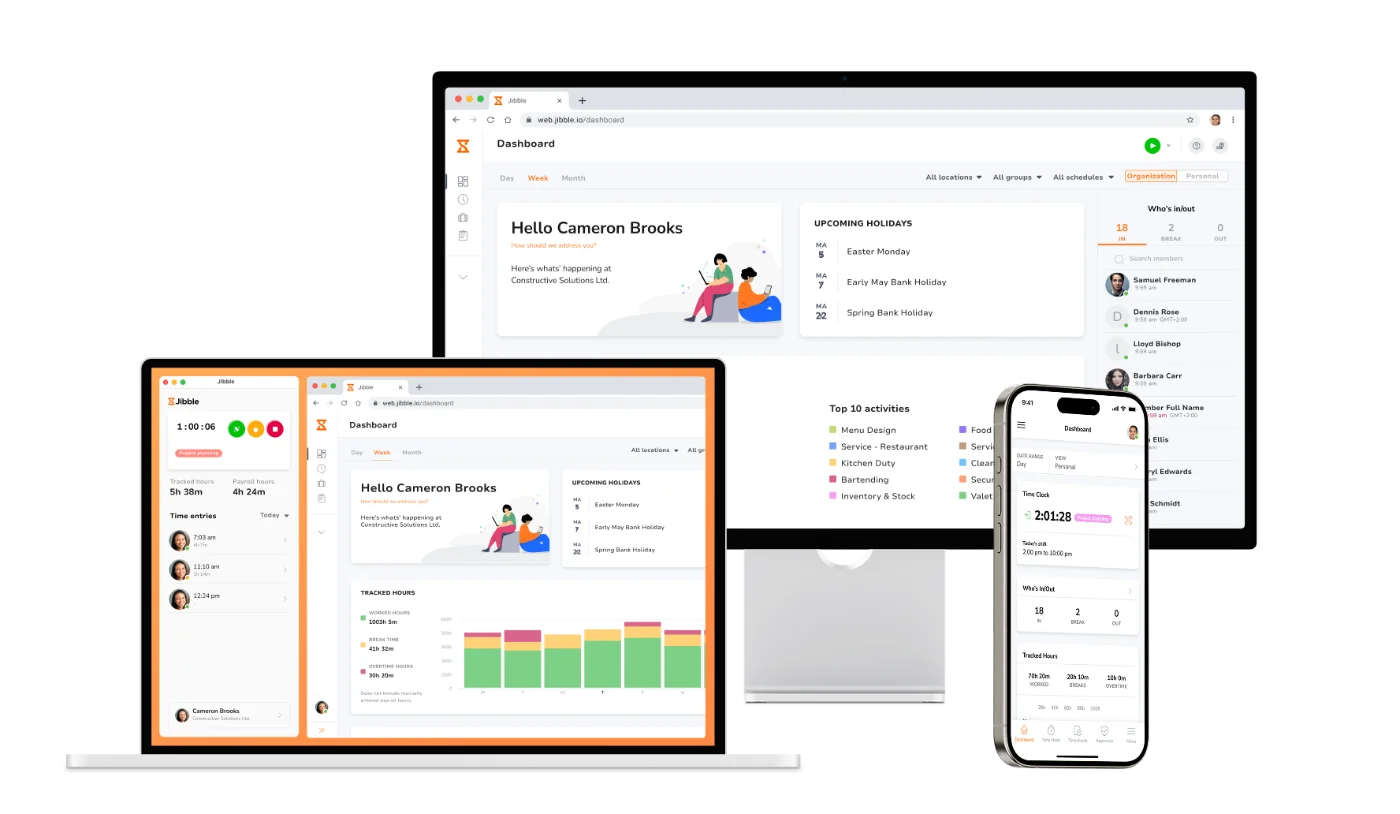
Jibble is the best Hubstaff alternative that combines time tracking, advanced attendance verification features like facial recognition and geofencing, project tracking and invoicing, as well as reporting.
Employees can track time on the web, desktop, mobile devices, or a shared kiosk, with offline tracking supporting field teams at sites with poor connectivity. Jibble is free forever for unlimited users and its employee monitoring features are limited to optional screenshots with privacy controls.
Why choose Jibble over Hubstaff?
| Jibble stands out for | Why it matters |
|---|---|
| Project time tracking | Tracks time by project or activity, with one-tap project switching to keep hours assigned correctly. |
| Screenshot monitoring with privacy controls | Screenshot monitoring is optional and works only when enabled. Screenshots taken are of low resolution and blurred by default. Employees can view and delete their own captures, and screenshot capture stops during breaks and after clocking out. |
| Facial recognition | Verifies who clocks in and out, on a phone or shared tablet. Face mismatches can be allowed, flagged, or blocked based on settings. |
| GPS tracking and geofencing | GPS tracking verifies locations at the time of clock-in and geofencing ensures workers can clock in only when they are within designated areas. |
| Shared kiosk | Lets employees clock in and out from a shared phone or tablet, with options including NFC tags, PINs, and QR codes. |
| Work schedules | Supports fixed, flexible, and weekly flexible schedules, with break and overtime rules. |
| Reports |
Provides reports on activities, projects, clients, tracked time, billable amounts, and more, which can be exported in Excel or CSV formats. |
Things to consider before choosing Jibble:
- Great for field teams: Clock-ins through mobile phones or shared kiosks and attendance verification suit crews spread across job sites, while offline tracking keeps attendance records complete in areas with poor connectivity.
- Easy to use: Reviewers consistently praise Jibble’s simple, intuitive interface, making it easy for employees to start tracking time with minimal training.
- Privacy depends on the settings: Screenshots are blurred by default, but administrators can enable high-resolution captures and choose intervals of two, five, or ten minutes.
- Screenshot capture requires the desktop app: The app must be running with screen-capture permissions enabled. Capture can start when an employee clocks in through another platform if the desktop app remains active.
Pricing:
| PRICING | COST |
|---|---|
| Free | $0 forever |
2. WorkTime – Best Hubstaff alternative for employee monitoring with no screenshots
WorkTime is an employee monitoring software that tracks attendance and productivity without offering any screenshot-capturing features. Its screen analysis feature measures the screen time spent on productive or unproductive apps and provides a productivity score without capturing screen images or recordings.
The platform also helps managers compare remote and in-office productivity, set attendance goals and monitor the progress, and identify work patterns that may signal employee burnout.
Why choose WorkTime over Hubstaff?
| WorkTime stands out for | Why it matters |
|---|---|
| Attendance tracking | Tracks login times, active hours, and overtime. Includes an attendance leaderboard which can be used to set attendance goals and targets across teams and evaluate whether they are met. |
| Screen analysis | Does not take screenshots. Instead, it analyzes screens numerically to measure the percentage of screen space occupied by productive and unproductive apps and websites, using this data to generate a Screen Productivity Score. |
| App and website usage tracking | Optionally records app names and website domains and subdomains along with the time spent using those apps and websites. Also records the duration of keyboard, mouse, video camera, and microphone usage. |
| Remote vs in-office productivity tracking | Detects IP-based location for comparison of remote and office work in terms of productivity, attendance patterns and overtime. |
| Burnout score | Allows for the setup of a permitted burnout score maximum which managers can observe to ensure employees are within the accepted range. Burnout score is calculated using various metrics, including high volume of extra hours, frequent switches between productive and unproductive sites, and attendance patterns. |

Photo from WorkTime
Things to consider before choosing WorkTime:
- The free plan is limited: WorkTime’s free plan supports up to three employees and two weeks of data history only.
- WorkTime does not handle client invoicing: Businesses replacing Hubstaff’s client invoicing features will need a separate tool to create invoices and bill clients.
Pricing plans:
| PLAN | PRICE |
|---|---|
| Free | $0 for up to 3 employees |
| Basic | $~5.83/user/month, billed annually |
| Premium | $~7.49/user/month, billed annually |
| Enterprise | $~9.16/user/month, billed annually |
3. Toggl – Best Hubstaff alternative for project planning
Toggl offers time tracking, project management, and capacity planning features, making it a suitable software for freelancers or teams handling client work. For accurate project planning, the platform lets users set time estimates for tasks and compare them with the actual time tracked and its timesheets help break down data by client, project, task, and more.
Toggl maintains a firm stance against employee surveillance which makes it a useful Hubstaff alternative for teams that want to track work without monitoring capabilities.
Why choose Toggl over Hubstaff?
| Toggl stands out for | Why it matters |
|---|---|
| No employee surveillance | Does not offer screen recording, location tracking, keystroke tracking, or webcam monitoring. |
| List and calendar views | Offers two views for tracking and editing time entries. List view can show time entries individually or group those with the same description and project. Calendar view displays tracked time in a vertical timeline alongside calendar events, with each entry color-coded to match its project. |
| Project management | Lets users organize work into multiple views, including a board with Kanban cards, a task list, a calendar, or a timeline. Allows for setting time estimates for tasks side-by-side with actual logged time for better planning. |
| Capacity planning | Lets managers see overbooked team members and those with available capacity and automatically factors in paid time off, local public holidays, and individual working hours. |
| Idle detection | Notifies users when a timer is running while they are inactive or away from the keyboard for a pre-specified number of minutes. Users have the option to choose whether timers continue running, stop, or start tracking idle time. |
| Timesheets & reporting | Allows filtering and grouping of data by client, project, task, user, billability, and more. Reports can be exported in PDF or CSV formats. |
Photo from Toggl
Things to consider before choosing Toggl:
- Easy to use: Reviewers describe Toggl as user-friendly, with a straightforward setup process.
- Limited free plan: Toggl’s free plan supports up to three users only. Larger teams will need a paid subscription.
- Most expensive software on this list: Toggl has the highest starting price ($9/user/month, billed annually) among these alternatives. Jibble is free forever for unlimited users and WorkTime’s paid plans start at $~5.83/user/month, billed annually.
- Some capacity planning features cost extra: Paid plans include basic capacity planning features. Features including planning beyond the current month and team-level timeline grouping, among others, require the Capacity Management add-on at $5/user/month, billed annually.
Pricing plans:
| PLAN | PRICE* |
|---|---|
| Free | $0 for up to 3 users |
| Starter | $9/user/month, billed annually |
| Premium | $16/user/month, billed annually |
| Enterprise | Custom pricing |
| *Optional add-ons are charged on top of the paid tiers. |
|
Hubstaff Alternatives: Which Should You Choose?
Choosing the best Hubstaff alternative depends on what features you need most:
- If you want free time tracking, project tracking, invoicing, and advanced attendance verification for unlimited users, with optional screenshots → Jibble.
- If you want employee attendance and productivity monitoring without capturing screen content → WorkTime.
- If you want time tracking and project planning, with no employee monitoring features → Toggl.
Final Thoughts
When choosing time tracking software, look beyond the amount of data it collects and consider how useful that data is.
If employees spend more time trying to improve activity percentages than focusing on their actual work, those metrics may not provide meaningful insights.
However, if it helps you bill clients accurately, plan workloads, or identify attendance gaps, it serves a clear purpose.
When evaluating a Hubstaff alternative, consider whether its reports provide meaningful insights into how work gets done and help you make informed decisions.
Choose a tool that offers the information you need without imposing a level of monitoring that makes employees uncomfortable.
FAQs
Some frequently asked questions...
What are the best Hubstaff alternatives?
Jibble, WorkTime, and Toggl are among the best Hubstaff alternatives.
Jibble combines time tracking and attendance verification with optional screenshots. WorkTime monitors productivity without capturing screenshots, while Toggl offers time tracking and project planning without employee monitoring.
Which Hubstaff alternative offers less intrusive employee monitoring?
For teams that need some oversight, Jibble offers optional screenshots with privacy controls, while WorkTime provides productivity monitoring without screenshots or screen recordings.
Toggl suits teams that want time tracking without employee monitoring.
Is there a free alternative to Hubstaff?
Yes, Jibble is a time tracking software that is free forever for unlimited users, making it the best free alternative to Hubstaff. WorkTime and Toggl offer free options, each limited to three users.