
The Best Free Apploye Alternative
Jibble gives you the time tracking Apploye is built on, then adds GPS, geofencing and field attendance verification for free, with unlimited users and no project caps.
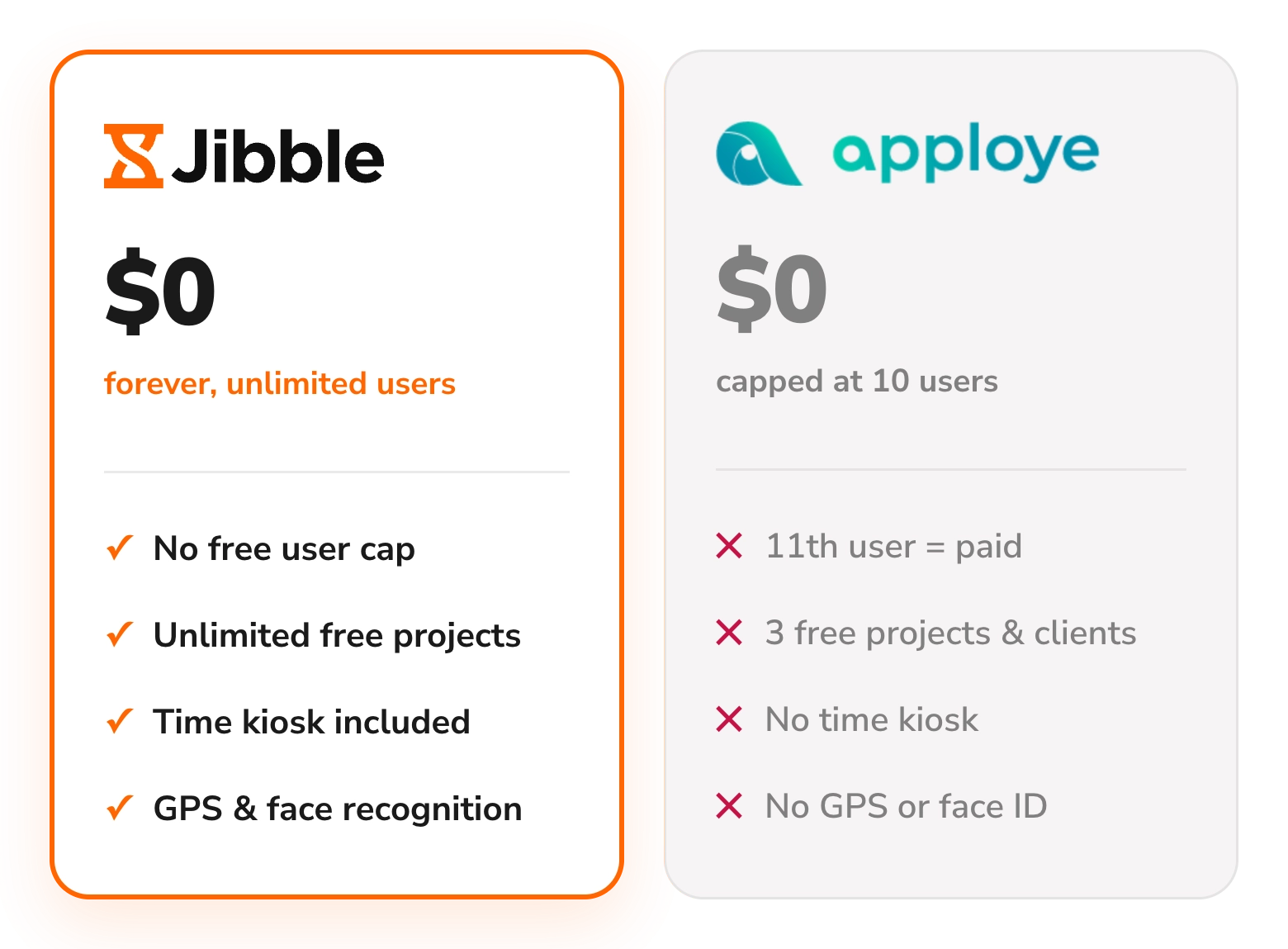






What are the main differences between Jibble and Apploye?
A feature-by-feature comparison of where Jibble gives you more, for free.
| Feature | Jibble | Apploye |
|---|---|---|
| Free forever | Unlimited users | Up to 10 users |
| Time tracking (web, desktop, mobile) | ||
| Automated timesheets | ||
| Time clock kiosk | ||
| Projects and clients | Unlimited for free | 3 free, then paid |
| Facial recognition | ||
| GPS tracking | ||
| Geofencing | ||
| Screenshot monitoring | ||
| PTO / leave tracking | ||
| Integrations | Paid feature | |
| Real cost for a full setup | $0, always | $4.50–$8/user/month |
Want to see more of what Jibble can do?
From GPS tracking to automated timesheets, discover the tools that make time and attendance management easier.
Explore more of Jibble's featuresWhy choose Jibble as an Apploye alternative?
The real limitations teams hit on Apploye, and exactly how Jibble solves each one.
Your whole team, free forever
Apploye's free plan stops at 10 users, 3 projects and 3 clients, so growing teams hit a paywall fast. Jibble is free for unlimited users, projects and clients, with no per-seat charge. Add new hires, contractors and client work as you grow, without a new bill.
See our full Apploye review →
Keep every record, not just last month's
Year-end, an audit or a pay dispute often means looking back months. On Apploye's free plan, attendance, timesheet and payroll history is wiped after one month, and activity data after just seven days. Jibble keeps your full history, so every hour stays on file for as long as you need it.
Timesheet software → Turn any tablet into a time clock
Apploye has no kiosk mode, so every employee needs their own device to clock in. With Jibble, a single shared tablet or phone becomes a time clock at your entrance or job site. Staff clock in with a PIN or a face scan in seconds, with no personal device needed.
Attendance kiosk → See who's on site with GPS and geofencing
Apploye doesn't support field team tracking, and points customers to a separate platform for GPS. Jibble records each clock-in location and lets you set geofences around job sites and offices, free of charge. That way, you can be sure every shift starts in the right place.
GPS time tracking → Stop buddy punching with face recognition
Without facial recognition, Apploye can't tell you who's really behind a clock-in, so one employee can easily punch in for another. Jibble verifies every face against the employee's profile in seconds, on a personal phone or a shared kiosk, at no extra cost. The hours on each timesheet are guaranteed to belong to the person who worked them.
Face recognition attendance system → Is Jibble the right Apploye alternative for you?
Still weighing options? See how Jibble ranks against every time tracker.
- You want to keep it free past 10 users
- You need more than 3 free projects or clients
- You need attendance and payroll records that last longer than a month
- Your team clocks in on site and you need GPS and geofencing in one app
- You want a shared kiosk with face recognition to stop buddy punching
Still weighing your options?
See how Jibble ranks against every other time tracker.
See the best time tracking software →Ready to switch from Apploye to Jibble?
Export your data
Download your projects, clients and time entries from Apploye.
Import into Jibble
Transfer your Apploye data to Jibble in just a few clicks.
Invite your team
Add your team and get everyone set up in minutes.
Start tracking
Jibble picks up where Apploye left off, free forever.
Don't just take our word for it
★★★★★
4.9 out of 5
★★★★★
5.0 out of 5
★★★★★
4.9 out of 5
★★★★★
4.8 out of 5
★★★★★
4.8 out of 5
★★★★★
4.7 out of 5
Useful for off-site tracking
Since we are in the construction business and mostly work in different site locations, Jibble's mobile time clock is very useful for tracking employees during off-site work.
Jibble is AWESOME!
The attendance app is really helpful for tracking multiple employees and the customer support is top notch. It's an awesome experience overall.
Very simple to set up
Very simple to set up for admin, quick and easy setup for its users. Overall, it's a very easy to use tool which gives you peace of mind that your employees are on-site and it logs employee hours for payroll.
Hassle-free work hour tracking!
I am very happy with Jibble because of its functionality and ease-of-use. My employees can record their work hours hassle-free with accurate timesheets. I will definitely recommend Jibble to my friends and colleagues as it is very helpful and easy to use.
Great for tracking work hours, overtime and PTO
I can easily monitor daily activities with Jibble's time tracking. I can track remote workers' hours as well as overtime, and also set the calendar according to my region to assign holidays and weekends accordingly.
Perfect for payroll
This is exactly what I needed to automatically track employee hours and enter them in our payroll processing system! It's great for multiple employees, easy to manage, and has a straightforward interface. Employees seem to like the mobile app for check in/check out.
Your questions about Apploye, answered
Everything people ask before switching from Apploye to Jibble.