
As someone who runs a business, I’m always looking for ways to eliminate repetitive work, make our teams more efficient, and give people more time to focus on the work that actually drives the business forward. The right AI tools can make a real difference.
There’s now a large number of AI tools designed to tackle almost every aspect of running a business. Some are built from the ground up around AI, while others bring AI-powered features to the software you already use.
The challenge is knowing which tools are actually worth using.
I’ve done extensive research and played around with several AI tools to present the best solutions in their respective categories. Most of these tools we actively use within the companies I run.
These 12 tools will help your business streamline operations and unlock new levels of productivity.
How I Evaluated the Best AI Tools for Business
I reviewed over 50 AI-powered software to identify the best AI tools for businesses, with 12 ultimately making the list.
Together, these 12 tools cover a broad range of business needs, from time tracking, project management, customer support, and sales to design, automation, research, writing, meetings, and coding, giving you AI support across the key areas involved in running a business.
The final picks made the list based on our 4-point review criteria:
1. Real-World Performance: We tested each tool against everyday business tasks, from creating content and managing projects to handling customer support. Only tools that delivered consistent results in practical workflows made the list.
2. AI Capabilities: We evaluated how deeply AI was integrated into each platform, not just whether it offered a basic chatbot.
3. Ease of Use: The best tools should be simple for employees to adopt and efficient for managers to oversee across both desktop and mobile.
4. Reliability: We combined hands-on testing with verified user feedback from G2 and Capterra, focusing on accuracy, performance, reliability, and customer support.
Since AI is now being built into almost every type of business software, I wanted to make a clear distinction between AI native tools, which are designed from the ground up with AI as a core component, and AI-enhanced tools, existing software that has added AI features.
So I’ll be splitting this list into two categories: Best AI-Powered Business Software and Best Standalone Business AI Tools.
My 12 Best AI Tools for Business
AI Tools For Your Business Tech Stack |
|
| Department |
Recommended AI Tools |
| Marketing & Content | Jasper, Canva, Claude, ChatGPT |
| Sales | Salesforce, Claude |
| Customer Support | Intercom, Salesforce |
| Operations / HR |
Jibble, Zapier |
| Project Management | ClickUp, Jibble |
| Engineering / Dev | Cursor, Claude Code |
| Research & Strategy | Perplexity, Claude, ChatGPT |
| Executive / Admin | ChatGPT, Otter.ai, Claude |
|
These are our researched recommendations, many of these AI tools can serve more than one department, so the right stack depends on your team size, budget, and where you’re looking to offload manual work first. |
|
Jibble – Best AI Time Tracking Software
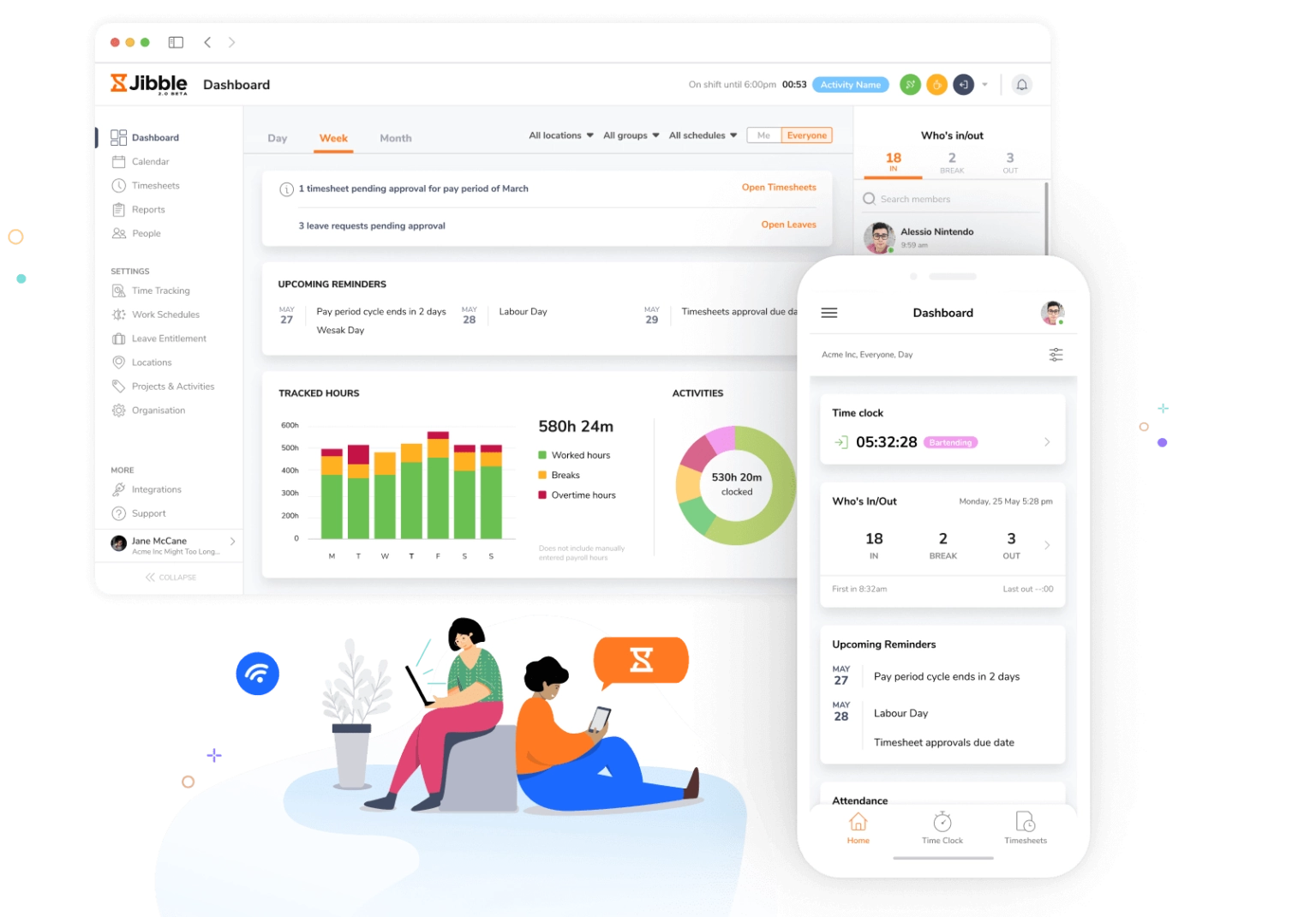
Photo from Jibble
For AI time tracking tools, Jibble leads with a powerful set of AI features that are free and easy to use.
It helps teams track regular hours, breaks, and overtime right on mobile, tablet, kiosk, or desktop. Every time entry automatically syncs to payroll-ready timesheets.
Every business gets its own built-in AI assistant within Jibble, which can be used to create time entries, retrieve reports, and provide instant data about your team, making day-to-day management even more efficient.
The AI assistant also simplifies leave management by enabling users to create, review, and approve leave requests with simple prompts.
All tracked data on Jibble comes together in a centralized dashboard, giving businesses real-time visibility into attendance, work hours, and team activity. AI-powered reporting then analyzes this data, helping managers uncover insights and make smarter business decisions.
Jibble adds another layer of security to time tracking with AI facial recognition, GPS tracking, and geofencing. These features prevent buddy punching and ensure that employees clock in only from approved locations.
To extend these capabilities, Jibble integrates with leading AI tools through MCP, allowing businesses to manage time entries and access workforce data directly from the AI assistants and platforms they already use.
Pricing:
- Free forever for an unlimited number of users
Ratings:
- Capterra: 4.9/5
- G2: 4.7/5
- Play Store: 4.7/5
- App Store: 4.8/5
ClickUp – Best AI Project Management Tool
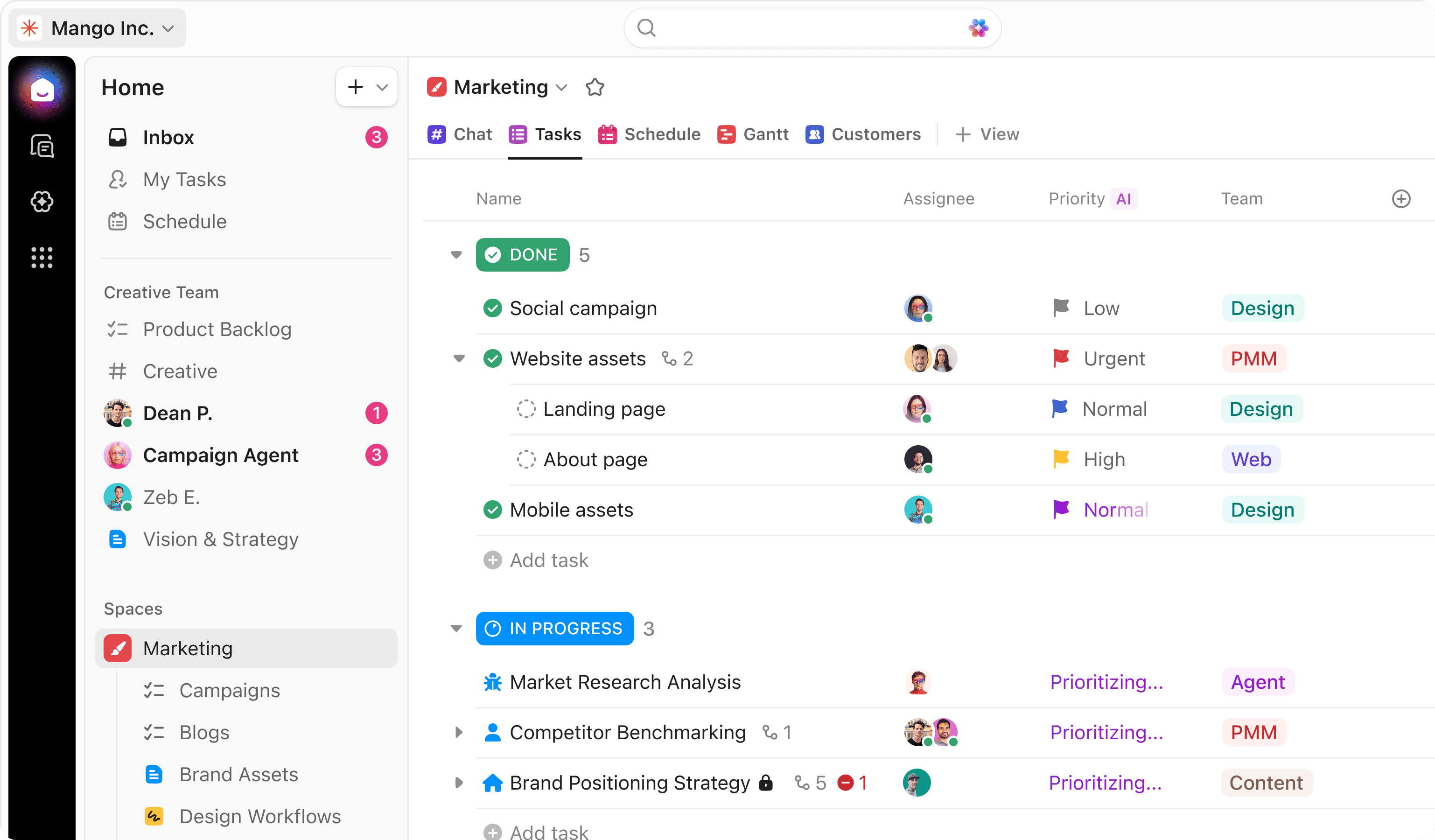
Photo from ClickUp
ClickUp is a project management software that brings tasks, collaborative documents, integrated chat, calendars, and workflows together in one platform.
It offers a built-in AI assistant called ClickUp Brain (recently evolved into Brain²), automating planning and task coordination through simple prompts.
Brain can build slides, dashboards, emails, research, and full workflows from team tasks, Docs, and conversations. It can also join calls, take notes, understand individual schedules, and automatically build context from every interaction.
The best AI model for each task is automatically selected, including GPT, Claude Opus, and Gemini, while Max is Brain’s default model. Users can also switch models at any point in a conversation while keeping their Workspace context.
For projects, Brain can monitor running tasks and take action when work stalls. It can identify blocks, suggest the best reassignment option, notify stakeholders, and update project status.
Teams can also create AI teammates, known as Super Agents, and assign them specialized tasks. These agents can answer questions, retrieve information from workspaces, and execute predefined workflows.
To avoid entering the same prompts over and over, ClickUp lets you create “Skills”, reusable instructions that Brain can load on demand for specific workflows, formats, or tasks.
The range of ClickUp’s AI features makes it a powerful AI project management tool but it is also its disadvantage. As ClickUp has increasingly integrated AI into its software, its core features can sometimes feel buried beneath frequent updates and an already complex interface. It’s also worth noting that the software’s AI features are available through separate AI add-ons and plans.
Pricing:
- Free Plan: Yes (Limited AI trial features)
- Paid Plan: Starts at $7 per user per month, billed annually
- Brain AI: $9 per user per month, billed annually
- Everything AI: $28 per user per month, billed annually
Ratings:
- Capterra: 4.6/5
- G2: 4.6/5
- App Store: 4.7/5
- Play Store: 3.7/5
Intercom – Best AI Customer Support Tool
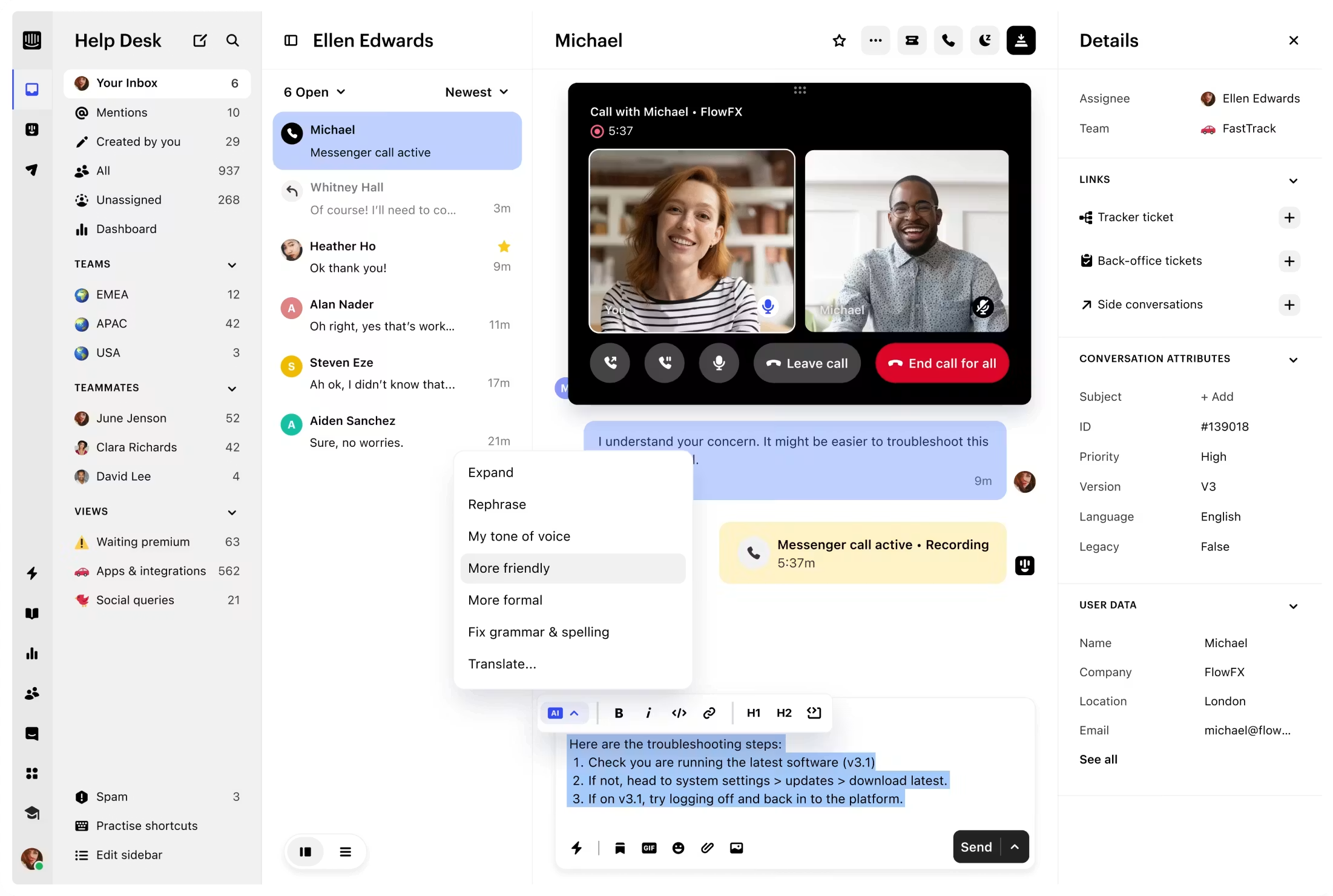
Photo from Intercom
Intercom is an AI-powered helpdesk tool that helps support teams manage customer conversations, resolve queries, and automate support across channels.
Its AI customer service chatbot, Fin, can handle different customer interactions across the entire customer journey, seamlessly switching between them based on configured roles.
These roles include Service for resolving customer issues, Sales for handling inbound conversations end-to-end, and Ecommerce for providing personalized shopping recommendations and purchase guidance.
If Fin can’t resolve an issue, it automatically hands it off to an agent with the full conversation history attached. Fin also doesn’t just work with Intercom, it can be integrated with other helpdesk platforms including Salesforce and HubSpot.
For teams that need AI support alongside human agents, Intercom also offers AI Copilot, a built-in AI assistant that integrates with support inboxes to find relevant information, provide resolutions, and suggest responses.
Beyond the above features, Intercom also supports real-time AI inbox translation across over 45 languages, while its AI Insights help teams understand customer interactions, track Fin’s performance, identify gaps, and improve conversation quality.
Overall, Intercom provides a promising AI-powered customer support solution, but it does have some limitations. One downside with Intercom is that it doesn’t offer live customer support. Many users have had a hard time finding help with platform issues.
Cost can also be a concern for smaller businesses and startups looking to use Intercom’s AI features. In addition to its paid plans, Intercom charges $0.99 per Fin resolution, meaning each customer issue successfully resolved by Fin is charged separately.
Pricing:
- Free Plan: No free plan
- Paid Plan: $29 per seat per month (Fin AI Agent itself is billed separately, starting at $0.99 per resolved question)
Ratings:
- Capterra: 4.5/5
- G2: 4.5/5
Canva – Best AI Design Tool
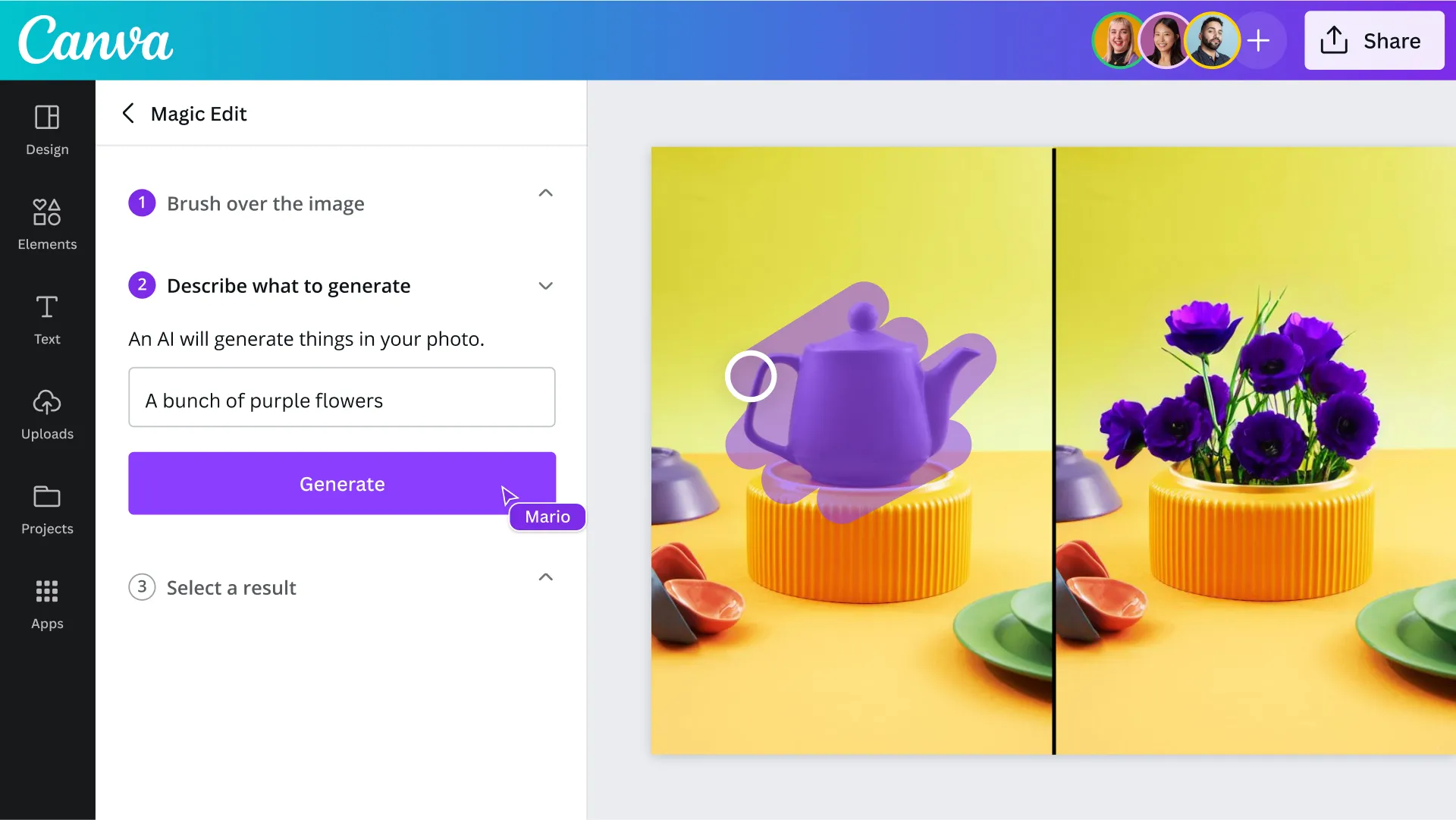
Photo from Canva
Canva is an online graphic design platform that lets businesses create professional-looking visuals, offering AI through Canva AI and its Magic Studio.
Canva’s Magic Studio brings together AI-powered creative tools, including Magic Design, which turns a simple prompt into ready-made design options, and Dream Lab, which generates original images from text prompts for more customized visuals.
Other tools include Magic Write for generating and editing text, Magic Media for creating images and videos, Magic Edit for modifying images with prompts, and Magic Switch (previously Magic Resize) for reformatting and translating designs. Users can also use features such as Magic Grab and Magic Expand to edit and adjust images.
Canva AI, on the other hand, launched in 2025, is Canva’s all-in-one, chat-based creative assistant that lives on users’ homepage and lets users generate and refine content through conversation.
Users can start with an idea or prompt, generate designs, presentations, images, documents, and interactive content, then make changes and refine the result through follow-up prompts.
It’s worth noting that while Canva is a practical and easy-to-use AI design tool for businesses, many of its AI features require a paid plan.
It’s also worth acknowledging that Canva’s AI image generation remains quite basic compared to other AI tools, which produce more impressive and realistic results.
Pricing:
- Free Plan: Yes
- Paid Plan: $12 per user per month, billed annually
Ratings:
- Capterra: 4.7/5
- G2: 4.7/5
- Play Store: 4.7/5
- App Store: 4.9/5
Zapier – Best AI Automation Tool
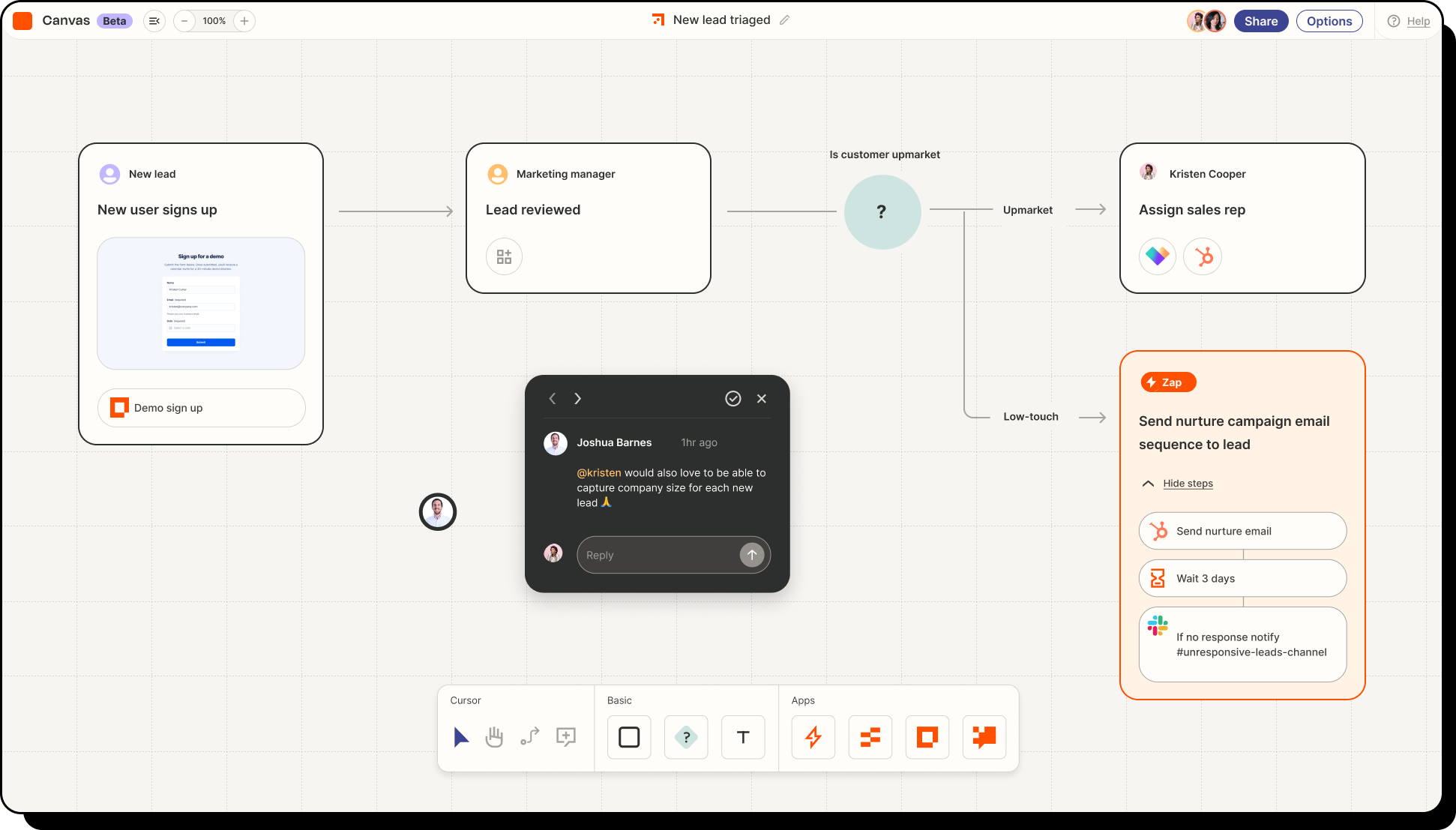
Photo from Zapier
Zapier is a no-code, web-based automation tool that connects more than 9,000 apps, helping businesses create custom automations between the platforms they use.
To set up automations (Zaps) on Zapier, you define a trigger and the actions that should follow. A customer purchase, for instance, could trigger a Slack notification to the team, add the order to Google Sheets, and add the customer to the email list.
Zapier’s AI-powered assistant, called Copilot, helps you create these automations through simple prompts. By describing the desired workflow, it creates the automation, suggests the relevant tools and actions, and guides the setup of more complex automations.
Workflows can be refined through chatting with Copilot, adding, removing, or changing steps until they work as intended.
For more complex workflows that require reasoning, users can utilize AI by Zapier, a built-in tool that lets them add AI action steps to their Zap workflows, allowing them to perform an AI task inside that workflow.
Zapier also offers AI Agents (recently migrated into AI by Zapier) for tasks that require more than a single automated step.
Agents can be given goals, instructions, and access to the apps needed to perform tasks, allowing them to gather information, make decisions, and take actions to complete a task, with multiple agents able to work together on different parts of a larger task.
For expanded capabilities, Zapier MCP lets AI tools like Claude, ChatGPT, and Cursor connect to the apps you already use through Zapier.
While Zapier does make automation faster, it has a steep learning curve, especially when it comes to building more complex workflows. The free plan also limits how many automated tasks users can run each month, which is not ideal for businesses with higher automation needs.
Pricing:
- Free Plan: Yes (Limited to 100 tasks per month)
- Paid Plan: Starts at $19.99 per month per user, billed annually
Ratings:
- Capterra: 4.7/5
- G2: 4.5/5
Salesforce AI – Best AI Sales Automation Software
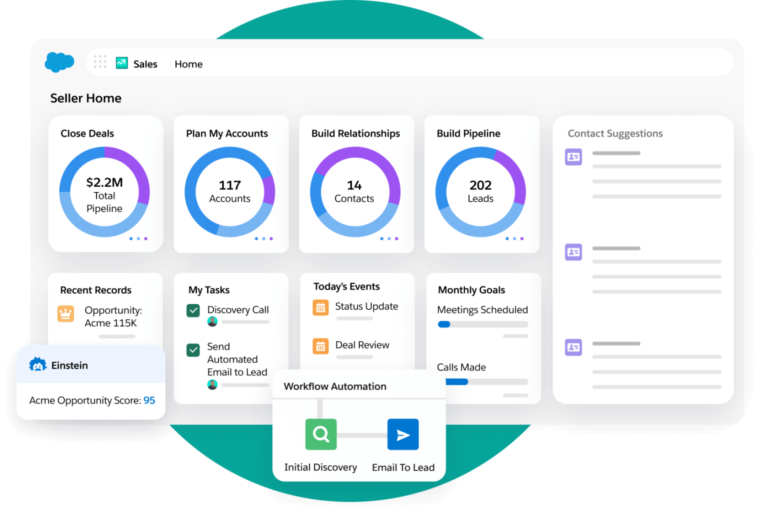
Photo from Salesforce
Salesforce is a cloud-based customer relationship management (CRM) platform that helps businesses manage customer data, sales, marketing, and related operations.
Salesforce Einstein is Salesforce’s suite of AI capabilities, built into its CRM platform. It uses data stored in Salesforce to identify patterns, make predictions, and provide recommendations.
For example, Salesforce Einstein can score leads based on how likely they are to convert to customers, forecast sales outcomes, and identify at-risk customers.
Salesforce also offers Agentforce, an AI agent platform that enables teams to build, customize, test, deploy, and manage AI agents for specific industries and use cases.
These include engaging website visitors, answering product questions, qualifying leads, creating personalized outreach plans, and generating or updating quotes in Salesforce or Slack.
To keep CRM records up-to-date, Agentforce can automatically update customer records, filling in details like deal stages and next steps based on customer conversations.
One thing to keep in mind is that Salesforce doesn’t have the most user-friendly interface. Many users have found it difficult to set up. Teams can expect a steep learning curve and may require detailed onboarding.
Pricing:
- Free Plan: No
- Paid Plan: Starts at $25 per user per month, billed monthly
Ratings:
- Capterra: 4.4/5
- G2: 4.5/5
- Play Store: 3.8/5
- App Store: 4.6/5
Claude – Best AI Business Assistant
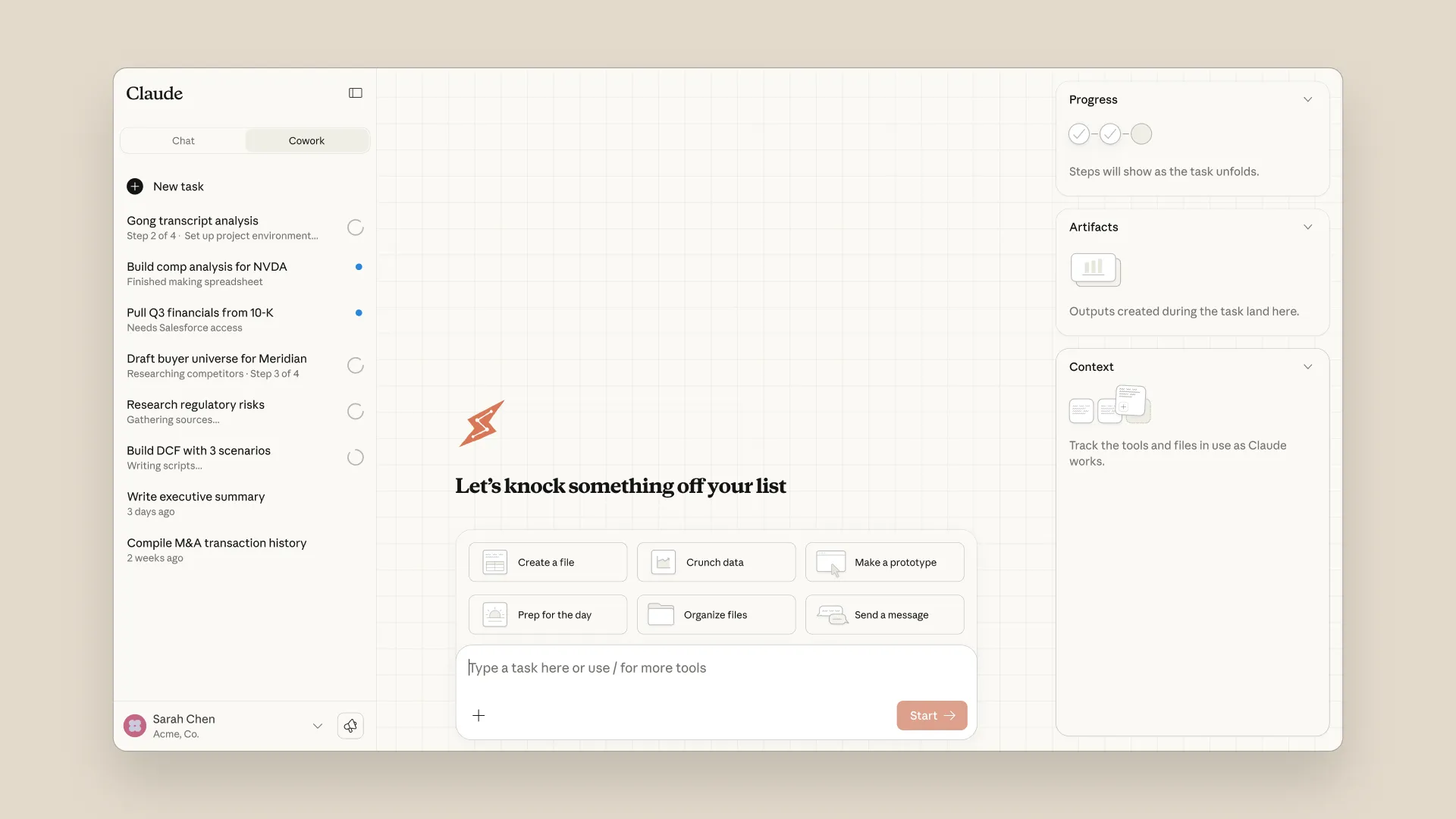
Photo from Anthropic
Claude is a large language model (LLM) developed by Anthropic, designed as a helpful assistant with capabilities spanning conversational AI, writing, research, design, coding, data analysis, and agentic task automation.
At the core of Claude is its AI chat assistant, available on web, desktop, and mobile, which can answer questions and handle a wide range of tasks. It can analyze files, search the web, create content through Artifacts, organize work in Projects, and access information from other services through connectors.
Beyond its conversational capabilities, Claude also offers agentic features that can complete multi-step tasks rather than only responding to prompts. Claude Cowork can access files, use apps and websites, create and edit documents, and carry out workflows with minimal supervision. It can also run tasks remotely or on a schedule, making it useful for repetitive work and larger projects.
For software development, users can use Claude Code, an AI coding agent that can build, modify, debug, and maintain software. It can understand codebases, edit files, run tests, fix errors, and handle many coding tasks automatically. Developers can also use Anthropic’s Agent SDK to build Claude-powered applications and agents.
When it comes to web-based tasks, Claude in Chrome lets Claude work directly in the browser by reading webpages, navigating tabs, clicking buttons, filling out forms, and extracting information. This allows it to complete multi-step web tasks and automate everyday browser workflows.
These capabilities are powered by several Claude models optimized for different tasks, from everyday work and coding to complex reasoning and agentic tasks. Users can choose a model based on their needs and plan, while Anthropic regularly updates its lineup with newer generations.
Like any AI tool, it’s worth noting that Claude isn’t without its drawbacks. Each task uses up credits, which can make the usage limits restrictive for heavy daily users. Answers that Claude generates will also need further verification to ensure accuracy.
Pricing:
- Free Plan: Yes
- Paid Plan: Starts at $17 per user per month, billed annually
Ratings:
- Capterra: 4.4/5
- G2: 4.6/5
- Play Store: 4.6/5
- App Store: 4.7/5
Otter.ai – Best AI Meeting Assistant
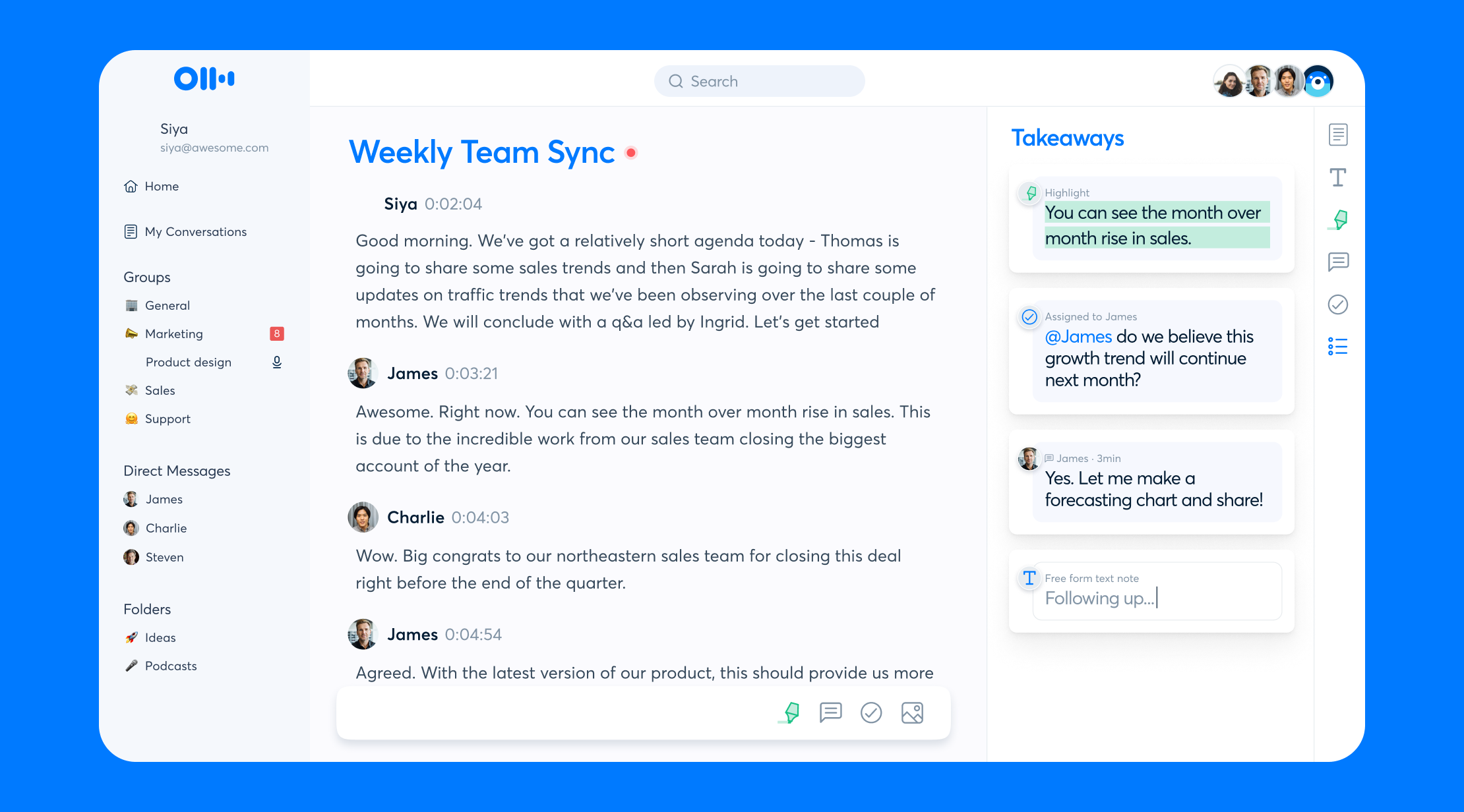
Photo from Otter.ai
Otter.ai is an AI meeting assistant that acts as your notetaker and meeting agent.
Otter.ai joins video calls, records meetings, and transcribes conversations in real time, supporting multiple languages. Its Otter AI Chat feature also lets participants ask questions and interact with the live transcript during the meeting without interrupting the conversation.
After each meeting, Otter automatically creates summaries, key takeaways, and action items, and shares them with meeting attendees, making it easy to catch up on important topics.
You can also ask Otter questions about a meeting or search across every past meeting that your team has recorded to find key meeting topics without digging through old notes.
For businesses with frequent meetings, Otter.ai can be a good time-saver, helping teams capture important information and stay aligned on important tasks. However, Otter’s accuracy can drop with strong accents, background noise, or fast-paced conversations, which may require manual corrections.
Some users also find Otter’s summaries less reliable for complex discussions with multiple topics.
Pricing:
- Free Plan: Yes
- Paid Plan: Starts at $8.33 per user per month, billed annually
Ratings:
- Capterra: 4.4/5
- G2: 4.4/5
- Play Store: 4.7/5
- App Store: 4.8/5
Perplexity – Best AI Research Tool

Photo from Perplexity
Perplexity is an AI search engine that combines web search with AI models to provide direct responses with source citations.
Users ask a question, and Perplexity searches the web to generate an answer with the sources listed alongside it. Its main advantage is transparency, as users can check the sources behind each response instead of relying only on the AI’s output.
Perplexity offers several modes, each designed for a different type of task. Search is suited for quick, everyday questions, while Deep Research performs more extensive searches across multiple sources to produce detailed reports with analysis and charts.
Learn Mode takes a more interactive approach, using step-by-step explanations, guided questions, hints, flashcards, and quizzes to help users understand a topic, while Model Council runs queries across three AI models simultaneously and synthesizes their responses, making it useful for complex research or verification.
Perplexity also offers tools that go beyond finding information. Its AI-powered web browser called Comet, integrates Perplexity into the browsing experience, while Computer acts as an AI digital worker capable of carrying out longer, multi-step tasks using web search, code, document creation, connected apps, and other tools.
Beyond these modes and tools, users can upload files like PDFs, spreadsheets, images, audio, and video to Perplexity for AI-powered analysis. The AI can extract and summarize information, identify key points, compare information, and answer specific questions based on the file.
Perplexity uses different AI models, including OpenAI’s GPT models and Anthropic’s Claude, depending on the task. Users also have the flexibility to choose the model that best fits their specific needs.
However, it’s important for businesses to note that Perplexity’s answers can vary in quality, and some users report that responses are not always accurate or consistent in tone. Customer support has also received criticism from some users who find it difficult to get help when issues occur.
Pricing:
- Free Plan: Yes
- Paid Plan: $20 per user per month, billed monthly
Ratings:
- Capterra: 4.2/5
- G2: 4.4/5
- Play Store: 4.6/5
- App Store: 4.8/5
ChatGPT – Best AI Personal Assistant
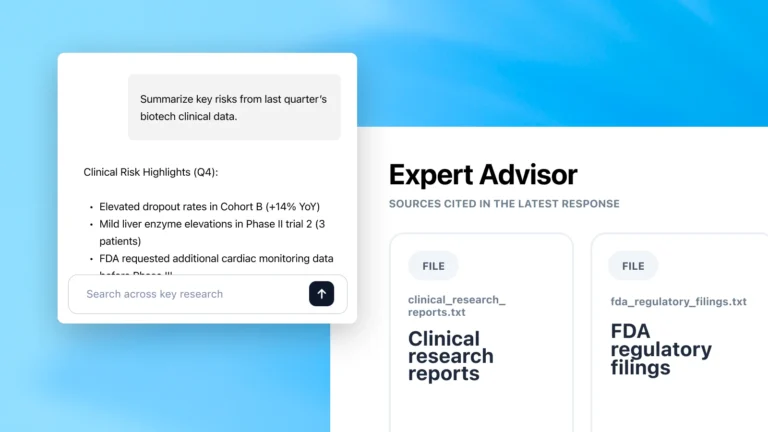
Photo from OpenAI
ChatGPT is a general-purpose AI assistant, developed by OpenAI to be able to understand and generate text, analyze information, and help with a wide range of tasks.
Users can interact with ChatGPT through text prompts or voice mode, ask it to summarize a document, research a topic, draft an email, analyze a spreadsheet, or prepare a report, and it can handle the task.
ChatGPT can search the web for up-to-date information, perform deeper research across multiple sources, and provide structured answers with references.
Its memory feature lets it remember useful facts across conversations, like user role, preferences, or an ongoing project, so the same context is not repeated every time.
For document-heavy work, ChatGPT can analyze uploaded files like PDFs and spreadsheets, answer questions about their content, and create charts or insights from the data.
Other functionalities of ChatGPT include image input and generation, data analysis, translations, and task scheduling.
ChatGPT also supports app plugins that extend its functionality, including integrations with services such as Gmail, Slack, and other connected apps.
When working with ChatGPT, it’s worth noting that complex prompts can sometimes be misunderstood, and responses may be longer than necessary. Clear and specific prompts are key to improving results.
And like other large language models (LLMs), ChatGPT can also make mistakes, so important information needs to be reviewed and verified.
Pricing:
- Free Plan: Yes
- Paid Plan: $20 per user per month, billed monthly
Ratings:
- Capterra: 4.4/5
- G2: 4.6/5
- Play Store: 4.7/5
- App Store: 4.8/5
Jasper – Best AI Writing Assistant
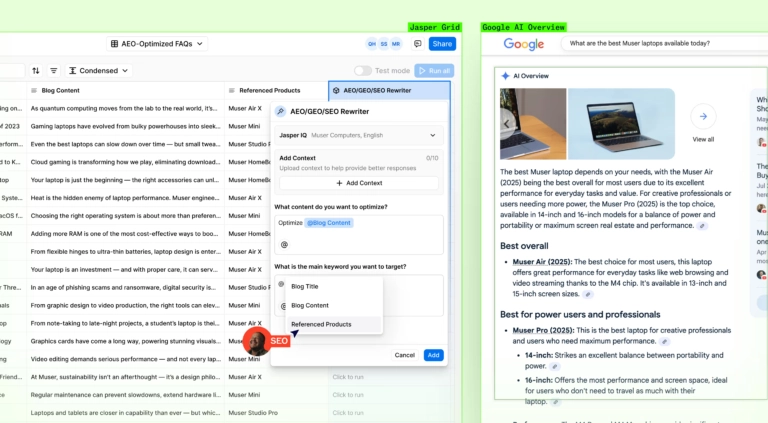
Photo from Jasper
Jasper is an AI writing platform designed for marketing and content creation, with tools that help keep generated content consistent with a brand’s guidelines.
It stores users’ brand rules, knowledge, audience information, and approved messaging in one place, called Jasper IQ, so everything it writes can be guided by the same brand context.
Businesses can use simple prompts to produce blog posts, product descriptions, and email campaigns.
Jasper also offers more than 100 specialized AI Agents designed to independently handle tasks across different parts of the marketing and content creation process.
Its Research Agent can gather and analyze information from multiple sources and produce a cited research report, while its Optimization Agent can research keywords, analyze competitors, evaluate existing content, and recommend improvements for SEO, AEO, and GEO. Other agents can rewrite existing content, translate marketing materials, or analyze competitor content.
For businesses operating across multiple markets, Jasper also offers tools for adapting and translating marketing content for different languages and audiences.
While all these features can help businesses streamline marketing tasks, Jasper has some limitations.
Its generated content still requires human review, as it can sometimes misunderstand instructions or produce inaccurate information. Jasper is also more expensive than some competing AI writing tools, which may make it less suitable for smaller businesses.
Pricing:
- Free Plan: No
- Paid Plan: $69 per user per month, billed monthly
Ratings:
- Capterra: 4.8/5
- G2: 4.7/5
- Play Store: 4.2/5
- App Store: 4.8/5
Cursor – Best AI Coding Assistant

Photo from Cursor
Cursor is an AI-powered code editor for software development teams, helping developers write, edit, test, and review code more efficiently by adding AI directly into the coding workflow.
Cursor can understand entire codebases, so developers can ask it to modify multiple files, generate code, or answer questions about the project.
There are several modes that developers can use within Cursor, including Agent Mode, which can help build new features, improve existing code, fix bugs, write tests, and run commands. Developers describe the task in a prompt, and Cursor determines which files need to be changed and how to test the changes.
Cursor also supports AI-assisted “vibe coding” workflows, where developers can describe what they want to build in natural language and let Cursor generate and refine the code.
Cursor works across a developer’s existing tech stack, operating in the terminal, collaborating in Slack, and reviewing pull requests in GitHub. Teams can pick between different AI models, including ChatGPT, Claude, or Gemini, depending on the task.
While Cursor can handle many coding tasks, its AI-generated code still requires review. It can produce incorrect suggestions that need to be fixed manually, particularly in larger projects. Usage can also become a limitation, as allocated tokens may be consumed quickly with heavier use.
Pricing:
- Free Plan: Yes
- Paid Plan: $16 per month, billed annually
Ratings:
- G2: 4.6/5
- App Store: 4.7/5
To sum it up…
AI tools offer many benefits for businesses of all sizes. By automating tasks and streamlining workflows, companies can improve efficiency, accuracy, and quality while lowering operational costs.
Users can now use AI to track time, manage projects, handle customer support, write and design content, automate repetitive workflows, write code, and research a market, often within tools your team is already using.
In many ways, there’s now an AI solution for almost every part of running a business.
In November 2025, McKinsey’s The State of AI in 2025 survey report found that AI is now used in at least one business function by 88% of surveyed organizations, continuing a steady upward trend that is expected to continue.
The technology is here. The question is whether you’ll use it to work smarter, or watch your competitors use it to move ahead.
Looking for the the best time and attendance software for your team’s daily operations? Head over to our breakdown of the best apps available in 2026.
FAQs
Some frequently asked questions...
Businesses of all sizes can benefit from using AI, particularly when it is used to automate repetitive work, improve productivity, reduce operational costs, and help employees focus on higher-value activities. The key is choosing AI tools that solve your specific business problems.
AI may reduce business costs by automating repetitive work, reducing errors, and improving efficiency.
Common areas where AI can potentially reduce costs include:
- Customer service chatbots handling routine questions
- Automated data entry, reporting, and email drafting
- Better scheduling, inventory forecasting, and resource planning
- AI-assisted sales and marketing research
- Predictive maintenance to prevent equipment issues
Many AI tools like Claude and ChatGPT offer a free plan or features, while some AI-powered tools like Jibble are completely free, making them suitable for startups and small businesses.
AI time tracking helps businesses automate employee time tracking, improve payroll accuracy, and reduce administrative work.
Yes, Jibble is free forever for unlimited users and is equipped with AI-powered features including AI facial recognition, automated timesheets, and a personal AI assistant that can do tasks for you.