
100% FREE Desktop Time Clock Kiosk
Save hardware costs, enhance security, and streamline check-ins with our flexible desktop kiosk solution. Coming soon!
60,662
signed up last month, nearly
3x
more than a year ago, all without any paid advertising!
-

What is a desktop time clock kiosk?
A shared, secure way to track employees
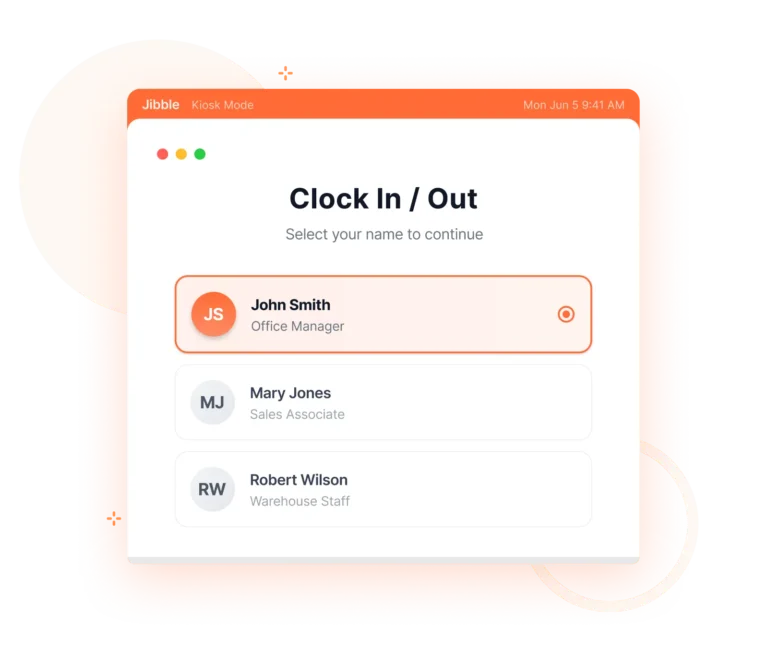
A desktop time clock kiosk is a modern alternative to traditional punch machines, turning a computer or laptop into a shared employee time tracking station. Instead of having each employee track time from a personal device, the kiosk serves as a central hub for quick and easy staff check ins.
-
How does a desktop time clock kiosk work?
Ensure accountability without the hardware
A desktop time clock kiosk helps teams clock in accurately, prevent time theft, and keep attendance organized. Jibble’s desktop time tracker makes getting started easy:
- Step 1: Download & Install
Download the Jibble app for Windows or macOS. - Step 2: Configure Your Preferences
Choose verification methods and invite your team. - Step 3: Start Tracking
Place your computer/laptop at entry points. Employees verify identity and clock in/out in seconds!
- Step 1: Download & Install
-
Customizable verification options
Multiple ways for employees to verify their identity
Whether you need quick, frictionless clock-ins or strict identity checks, the desktop kiosk adapts. Select from face recognition, NFC/RFID card scans, PIN entry, or a combination of methods.
-
Built for shared workstations
Perfect for offices, retail counters, and more
Jibble works flawlessly on shared devices, making it ideal for environments where employees clock in from the same computer. Every entry is validated and stored securely, ensuring accurate attendance data without manual oversight.
-
Secure and tamper-proof
Prevent buddy punching and unauthorized access
With built-in verification and optional biometric checks, Jibble’s employee time clock kiosk helps eliminate time theft and ensures that only approved team members can clock in.
-
From clock ins to timesheets
Let us handle the heavy lifting
Timesheet appEvery second tracked through Jibble’s desktop time clock software is automatically converted into organized timesheets in real-time—giving you a clear, accurate view of work hours and overtime hours.
-
Keep clocking in, even without internet
Attendance stays accurate, no matter your connection
Employees can still clock in and out using their chosen verification method even when your network goes down. All entries are stored securely on the device and sync automatically once the internet is restored.
-
More than just a time clock kiosk
Your ultimate desktop assistant
Jibble goes beyond simple check-ins. With built-in screenshot capture and sleep/lock detection, it’s the easiest way to ensure accurate time tracking while keeping teams accountable without disrupting their workflow.
-
Get your desktop kiosk running in minutes
Easy to use & quick to set up
Jibble’s desktop kiosk is designed to be intuitive and hassle-free. Simply create an account, install the app, enable kiosk mode, and you’re ready to go! Employees can start clocking in immediately, and managers can view real-time data on any device.