-
Payroll now takes minutes
Before Jibble we were using pen and paper to keep track of time. It would take at least an hour to do payroll every 2 weeks. Now it takes minutes.
Employees enjoy the simplicity
I onboard a lot of employees every month and it is simple to get them up and running with only a 2 minute explanation of how to use Jibble.
Seamless, easy to use
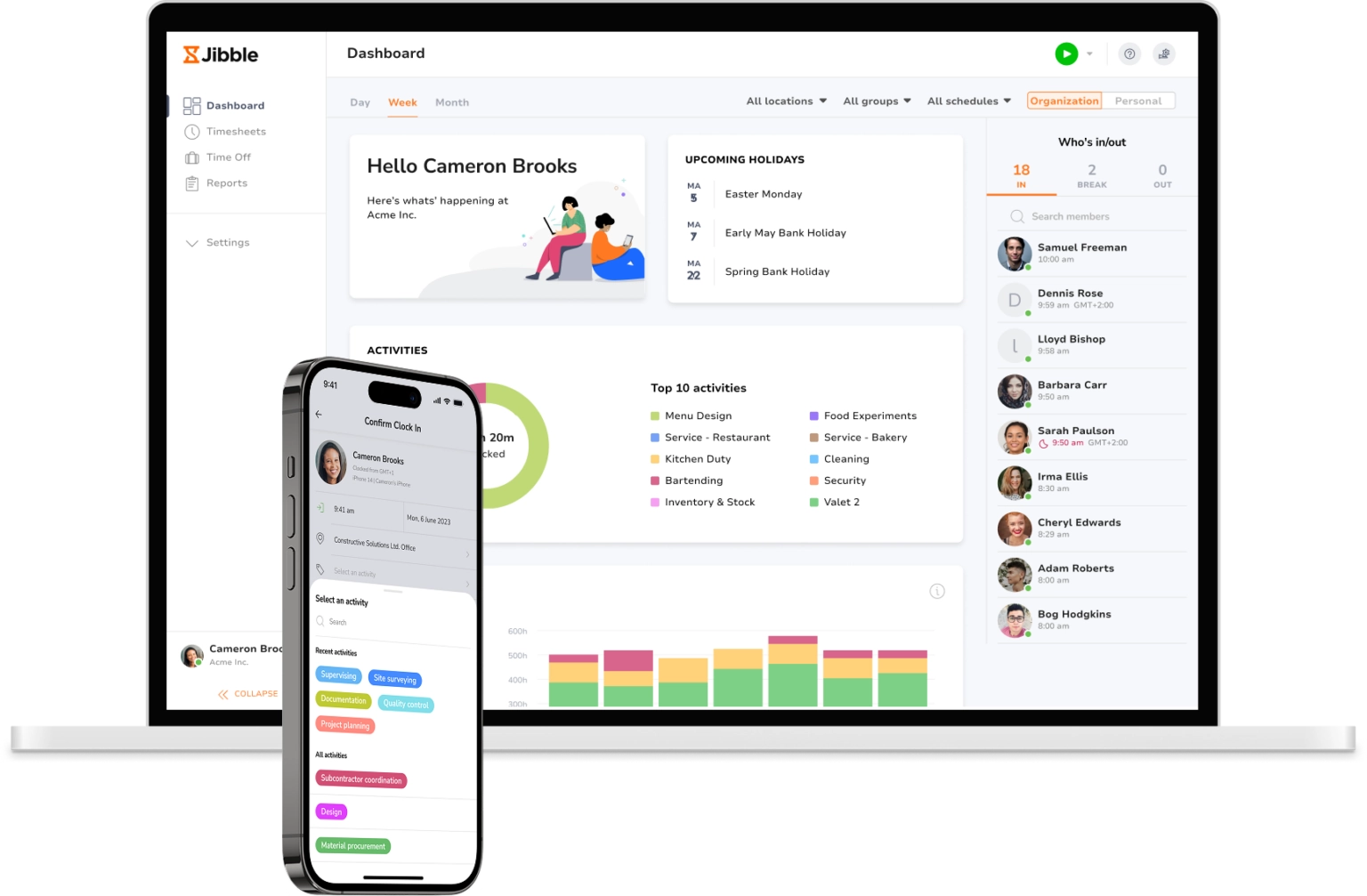
I love the web dashboard that gives me the ability to quickly see hour spent on projects. Seamless, easy to use, and the Jibble support team is extremely responsive!
Jibble Rocks!
Jibble Rocks! So far, I've tried multiple platforms but I've stuck with Jibble as it is easy to use. Also, it sends me daily, weekly updates on the team's timesheet.
Customer support is outstanding
Really very pleased with Jibble... very easy to navigate and customer support is outstanding. Easy to clock in and out and make adjustments. Plus, reports are very easy to request.
Jibble is the best tool for managing staff timesheets!
Jibble is very easy to use and I love that it works on both a pc and a phone. It integrates well with other programs like Slack and more importantly it's an amazing tool, especially with the recent rise in 'remote working'.
Hassle-free work hour tracking!
I am very happy with Jibble because of its functionality and ease-of-use. My employees can record their work hours hassle-free with accurate timesheets. I will definitely recommend Jibble to my friends and colleagues as it is very helpful and easy to use.
Accurate tracking with Jibble
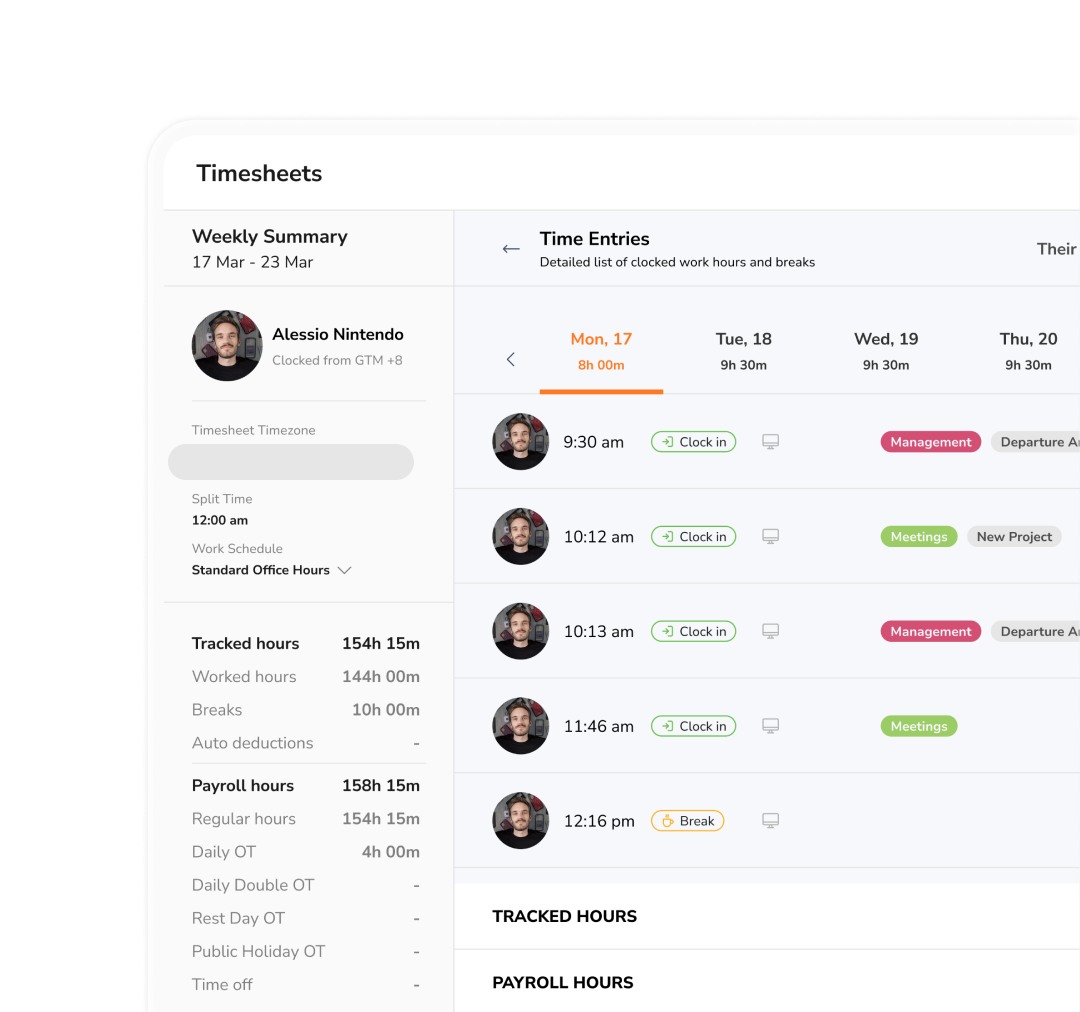
I love how easily I can look up my interns' attendance with the timesheets, as well as edit the time stamps when needed. Overall, I am very satisfied with the software and would recommend it to other organizations that are looking to track attendance for any of their programs.
FAQs
Some frequently asked questions...
A timesheet is a tool used to record the amount of time an employee spends on tasks or projects over a set period, typically daily or weekly.
Traditionally, timesheets were paper-based, but most businesses today use timesheet apps for ease, accuracy, and integration with payroll systems.
A free timesheet calculator allows you to input work start and end times, break periods, and other details. It then automatically calculates the total hours worked and can be exported for payroll or project management.
Yes, Jibble’s online calculator allows you to include overtime by setting overtime thresholds and multiplier rates. The calculator will then track any hours worked beyond those thresholds as overtime and include them in the final calculation.
A timesheet calculator is an online or software tool that helps you quickly and accurately calculate total work hours, break times, and overtime for employees or yourself. Instead of manually adding clock-in and clock-out times, a timesheet calculator automatically converts these entries into daily, weekly, or custom period totals.
Yes! Jibble’s online calculator is completely FREE and features a user-friendly interface, making it simple to use without requiring sign-up. Plus, it includes the option to export data for payroll processing.
Don't waste another minute! Jibble is FREE forever.
Get jibbling with the ultimate timesheet calculator.
Track time now - it's FREE!
FREE Timesheet Calculator
Easily calculate work hours, overtime hours and employee pay.
No Results yet
What is a timesheet calculator?
A timesheet calculator is a digital tool designed to help employees and business owners automatically calculate total work hours, breaks, and overtime. Instead of adding hours manually or relying on error-prone spreadsheets, a timesheet calculator converts clock-in and clock-out times into accurate daily or weekly totals, making it an essential tool for accurate payroll processing.
These calculators are commonly used by employees, freelancers, HR teams, and small businesses to prepare payroll, track billable hours, or manage work schedules.
Why use a timesheet calculator?
Switching from manual methods to an online timesheet calculator transforms how you track employee hours and manage payroll. Here are the key benefits:
- Eliminate Payroll Errors: Manual calculations are prone to mistakes that can lead to inaccurate employee payroll. An automated calculator ensures precision with every entry, reducing compliance risks and employee disputes.
- Save Hours on Admin: Stop wrestling with complex Excel formulas or manual calculators. A dedicated tool processes timesheets instantly, freeing up valuable time for HR and management to focus on core business tasks.
- Simplify Overtime Tracking: Easily configure rules to automatically calculate overtime, double time, or other premium rates based on daily or weekly thresholds.
- Cost-Effective Solution: Unlike paid software, our timesheet calculator is completely free. There’s no sign-up, no credit card required, and no hidden fees. Use it as often as you need, for as many employees as you have, entirely free.
How to use a timesheet calculator?
Using our free online timesheet calculator is straightforward. Follow these steps to accurately calculate work hours:
Basic Timesheet Calculator
- Select a Time Format: Choose between a 12-hour or 24-hour format, depending on your company’s policies.
- Input Start and End Times: Enter the start and end times, including break durations, and specify the number of working days.
- Calculate Results: Click on Calculate to get instant results.
- Analyze Results: Review your calculated total time in hh:mm format, in decimal format, and in minutes. Your clean work time includes break deductions.
- Save or Share Timesheet: Save your timesheet online or share it with your manager or clients via a generated link.
- Reset Calculations: Easily reset data to start over with a blank slate if needed.
Advanced Timesheet Calculator
- Enter Details: Input the employee’s name and select the date range for the hours you’re tracking.
- Log Hours: Fill in your start and end times for each day of the week, adding break times to ensure breaks are deducted accurately.
- Set Start Day: Choose your company’s start day for the workweek, or select a two-week period if necessary. Pick either 12-hour or 24-hour time format.
- Choose Rounding Option: Select the appropriate rounding method to align with your company’s payment policy.
- Input Hourly Rate: Enter the hourly pay rate. If pay calculations aren’t needed, uncheck the box for calculating pay.
- Set Overtime Rules: Select predefined overtime rules such as US FLSA Rules and California State Rules or customize your own overtime rules by specifying an overtime threshold. Enter the overtime rate, or disable overtime tracking if unnecessary.
- Save or Share Timesheet: Save your timesheet online or share it with your manager or clients via a generated link.
- Print or Export: Save or print your time card in CSV or PDF format. Add notes if necessary, and you’re done!
Prefer Excel? Download our FREE timesheet templates.
5 tips for accurate timesheet reporting
Accurate timesheets are essential for fair pay, labor law compliance, and reliable payroll. Even the best timesheet calculator works only as well as the habits behind it. Here are five proven tips to improve timesheet accuracy and streamline your workflow:
- Record Time in Real-Time: Encourage employees to log their hours as they work rather than relying on memory at the end of the week.
- Establish Clear Break Policies: Define and communicate rules for paid vs. unpaid breaks. Ensure employees understand how to accurately record break times to avoid incorrect break deductions.
- Use Consistent Rounding Rules: If you round time entries, apply a consistent, legal method (e.g., rounding to the nearest 5 minutes). Our calculator includes built-in rounding options to maintain fairness and compliance.
- Review Timesheets Regularly: Don’t wait until payroll. Implement a weekly review process where managers can spot anomalies or missing entries while the workweek is still fresh.
- Automate with Time Tracking Software: For the ultimate accuracy, pair your timesheet calculator with a dedicated timesheet app like Jibble. Features like automated timers, GPS verification, and facial recognition eliminate manual entry errors entirely.
Timesheet calculators vs. Time tracking software
Our free timesheet calculator is perfect for quick, occasional calculations. But if you’re managing a team, tracking projects, or processing payroll regularly, you need the power of Jibble’s employee time tracker. Here’s how they compare:
| Feature | Online Calculators | Time Tracking Software |
| Calculates daily & weekly hours | ✅ | ✅ |
| Supports breaks & overtime | ✅ | ✅ |
| Real-time time tracking | ❌ | ✅ |
| Tracks employee attendance | ❌ | ✅ |
| Project & client tracking | ❌ | ✅ |
| Accurate to the minute | ✅ | ✅ |
| Multi-user support | Limited | Unlimited users (for FREE with Jibble!) |
| Payroll integration | ❌ | ✅ |
| Multi-platform support | ❌ | ✅ |
| Best for | Individuals, quick calculations | Teams, businesses, compliance-focused operations |
Interested in streamlining your time tracking? Create a FREE Jibble account see how effortless it is to generate payroll-ready timesheets that save you time and boost accuracy!