

Seamlessly track time and attendance with Jibble's Auto Clock in/Clock out App. Free for unlimited users.
No more hassle or stress trying to track your time. With Jibble, all you need is a simple tap and you’re automatically clocked in. We’ve prioritized making the process easy and efficient, so you can focus on what really matters – getting your work done.
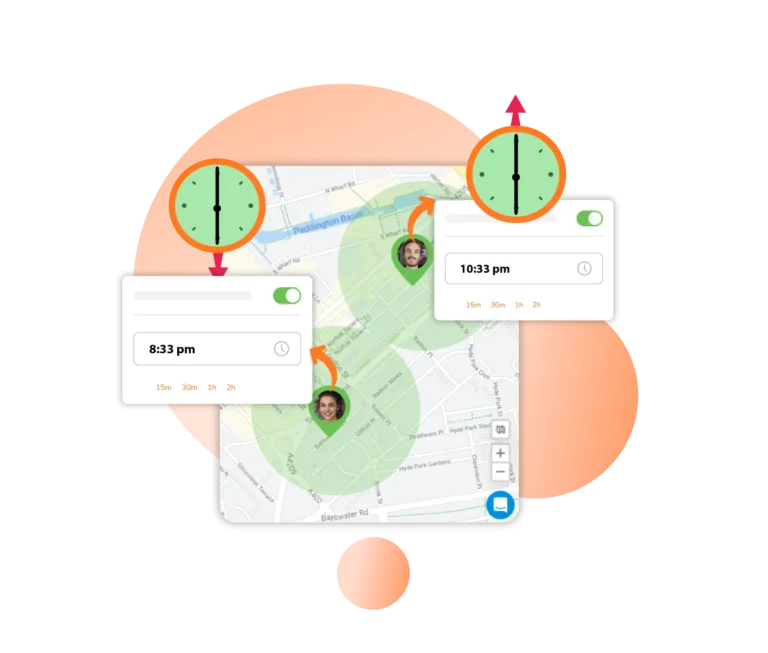
Forgetting to clock out is an all too common occurrence in the office, leading to serious timesheet errors. Jibble’s automatic clock out feature solves this problem by letting you clock out team members after a pre-set number of hours or a fixed time during the day.
Auto clock outs can be triggered for time entries made via the web app, mobile app, and messaging apps like Slack or MS Teams.
As your team clocks in and out, their time and attendance data is seamlessly synced straight to their timesheets. No more manual entry, no more guesswork – just accurate and up-to-date timesheets ready for payroll.
Have employees clock in and out with a facial scan. It’s not only quick and easy, but it also ensures the right people are on the job.
To ensure maximum security, Jibble’s facial recognition feature includes face spoofing prevention. It checks both static and dynamic 2D images for identity verification, preventing impersonation attempts. No more buddy punching, only accurate attendance records you can count on.
Whether you’re on the go with your phone or at your desk with your laptop or desktop, you can easily clock in and out with Jibble. Simply access the Jibble app on your iPhone or Android device, or use the web app or Google Chrome extension on your computer.
If you don’t want employees to clock in/out on mobile, simply enable Device Lock to impose necessary device restrictions.
With geofencing, you can set up virtual boundaries around your work sites, ensuring that team members can only clock in or out from authorized locations. If a team member tries to clock in or out from a location outside of the authorized range, they’ll be blocked until they’re within the designated area.
Whether you’re using a computer, tablet, or mobile device, Jibble works seamlessly offline, ensuring that your time entries are securely stored until you’re back online. Say goodbye to interruptions or missing data – Jibble has got you covered.
Make sure your team members clock in and out at the right times by customizing their work schedules. For instance, you can set a rule to allow clocking in up to 15 minutes before the official start time. So, if someone’s shift starts at 9:00 am, they can’t clock in before 8:45 am.
With Jibble’s automatic reminders, your team will get gentle nudges to clock in and out on time, based on their schedules, or whenever they enter and leave a work location. They can even set up their own reminders for added flexibility.
No more switching across multiple tabs. Take advantage of easy command shortcuts to clock in and out directly through Slack and MS Teams. Keep tabs on who’s in or out, and access simplified timesheet data right from your Slack or Teams channel.
Drill down to the information you need by grouping data by date, member, activity, project, or client. Gain valuable insights into your team’s performance and optimize your operations for increased productivity.
Time and attendance data can be exported in seconds or scheduled to be automatically sent to your inbox.
Have your team automatically jibbling in and out in seconds. You can invite team members to join your organization with simple invitations and direct links. Follow our step-by-step guidance for a smooth setup process. And if you ever need assistance, our friendly customer support team is at your aid 24/7.
I don't have to go into the office to get the timesheets to do payroll! Reliable and accurate... use it from anywhere... it is a real time saver. Great time clock software.
90% of our staff are working from home, and Jibble made it easy for us to track everyone's punch cards and payroll. You can access the time clock app, anytime and anywhere.
I was able to do away with the physical time clock and time cards... Jibble is very easy to implement and start using, with very little training. Pretty much self-explanatory.
This is an easy-to-use time clock software. It has great features for creating reports. Super user-friendly. Their customer support is fantastic, super quick response time and they answer accurately.
I couldn't find a software that could track my time and location no matter where I go, but Jibble's time clock has so many features and it's so easy to use! I can now easily record my work hours and locations using the mobile app.
Jibble makes it very easy to track your time spent on different projects. It is also extremely easy to add new projects and activities. I like that there is also an app that can be used on your phone if you are on the move.
Jibble has been helpful for enforcing team discipline. The tracking feature that allows team members to log in and out form a specific location decided by the administrator is fabulous. My experience with the product as well as customer team has been great too!
Super easy to implement with staff. Having an online time clock app is the answer a small office like ours was looking for. So far, the experience and implementation of the time clock software has been flawless. My staff started using it immediately without any problems or assistance.
Some frequently asked questions...
An auto clock in/clock out app is a software tool designed to automate the process of tracking employee work hours. It allows employees to clock in and out electronically using their mobile devices or computers, eliminating the need for manual timekeeping methods such as paper timesheets or punch clocks.
Using an auto clock in/clock out app offers several benefits for businesses and employees alike. For businesses, it provides a more accurate and reliable method of tracking employee attendance and work hours, reducing the risk of errors and discrepancies in payroll processing. It also improves transparency and accountability, as all time records are stored electronically and can be easily accessed and reviewed as needed.
For employees, auto clock in/clock out apps eliminate the need for manual timekeeping methods and reduce the risk of errors or disputes related to attendance and payroll. These apps also help curb forgetfulness by offering features like smart reminders and scheduled clock outs.
Yes, Jibble offers a 100% FREE auto clock in/clock out app for unlimited users. It offers features such as clock in/out functionality, attendance tracking, timesheet reporting, GPS tracking, facial recognition, and even a host of powerful integrations. With its expansive features, Jibble provides a cost-effective solution for small businesses or teams looking to automate their time and attendance tracking processes.
Track time with the ultimate auto clock in/clock out app...
Track time now - it's FREE!